




DOWNLOAD IS NOT SUPPORTED IN WEB STORE!
Use the latest version of 9Apps to download APK&OBB file of games in one click!
DOWNLOAD 9APPS
Audio Compressor : Resizer App Size Reducer Allows You to Compress Your Favorite Audio & Share it to Your Loved Ones.You can Compress the Audio,see the Preview & Share it.
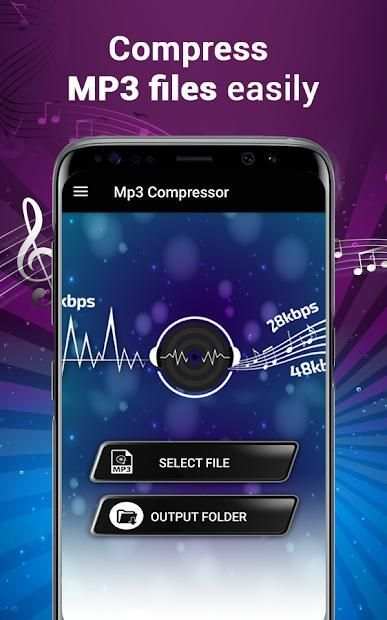
It Compresses Audio in Memory Size in Output with Simple steps & Save File to Your Device.
This App Many a Times its Not Possible for You to Share videos to Social Apps because of the Big Size of the Audio.You have to Either cut the Audio into Segments to Share them or Reduce the Quality of the audio.
This App app is Specially made to compress or reduce the size of the audio with no compromise in the good quality.
Easy Steps to Compress Audio :-
- Almost all audio formats are supported.
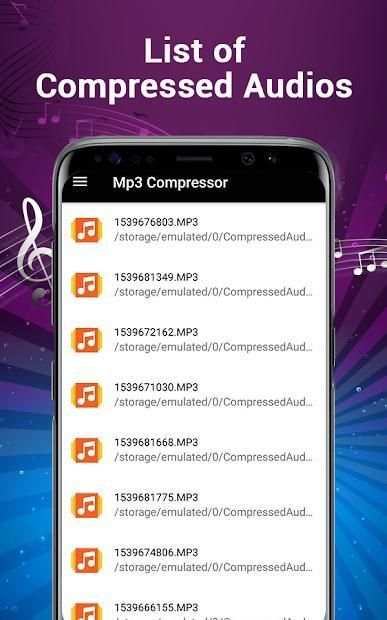
- compressed audio from the original audio and get the size reduced.
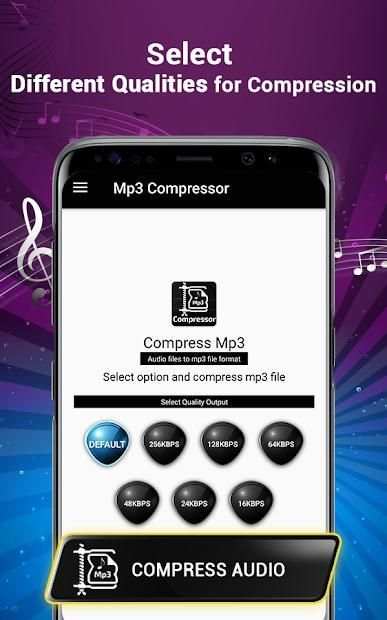
- Create compressed audio from original audio with 64 K/bit,128 K/bit and 256 K/bit.
- Simple interface.
- Good design and easy to use.
- Light weight app.
- Audio Compressor for smooth work.
- Compress Audio from large audio file to small audio file.
- Every user can download it and easily used in all the video formats.
Audio Compressor allows you to compress your favorite audio & share it to your friends and family.
If your mobile phone is running low on memory or you want more space in your phone, just download this mp3 compressor to reduce the size of all of your favorite songs. This mp3 resizer app reduce the size of songs or your audios into the different setting, letting you choose what size you want to reduce it. Reduce your audio files and share it on other application using this audio compressor for free. Free up your memory by compressing mp3 files and resizing your files. You can also share your mp3 files with others socially with this new mp3 compressor or audio compressor.
Sometimes it takes really long to share something on social media because of the big size of the audio file, you can share it by cutting down the mp3 files into different small segments to share it rather the sharing it in one compressed audio file or reduce the quality of your mp3 file before sharing. This audio compressor app reduces the size of the file without hurting the quality that much and you will have a compressed audio file with a good quality.
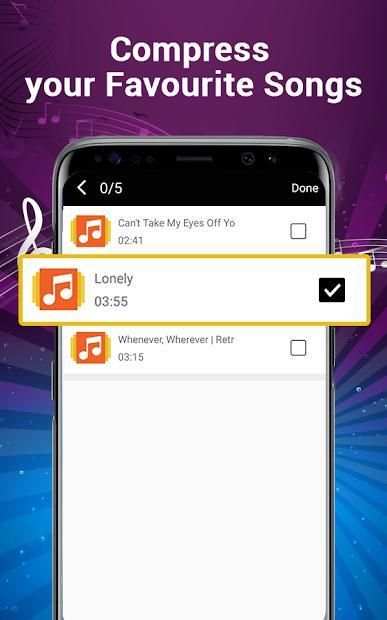
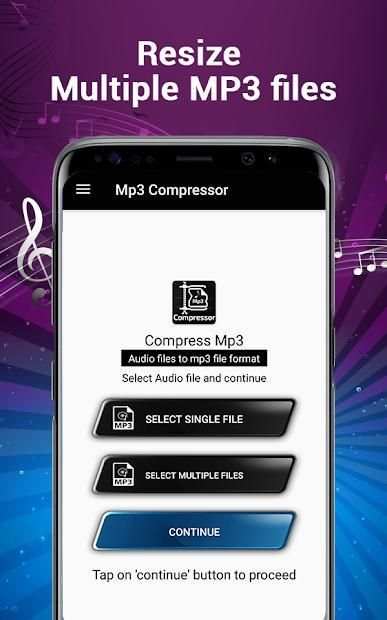
The audio compressor or mp3 compressor process is easy and simple. You have to select the file which you want to compress and then it will take little time to complete your audio compression. You can also select multiple files up to 5 mp3 files which can be converted simultaneously but it will take time depending on the device you use. Follow the simple steps to reduce your mp3 files size and share it with others easily.
MP3 Resizer App you can store many MP3 Song in your Phone because of this app is reduces Song Size.Audio : MP3 Compressor use Compress any audio song in a 3 Different K/Bit Such as 64 K/bit,128 K/bit,256 K/bit.You can compress your audio file and reduced its Size..
MP3 Compressor App Allow You To Compress Your Favorite Audio and Share in Soical Media.Audio Compressor App is Reduce The Size of the Audio with No Compromise in BitRate Quality.
MP3 Resizer App Many a Times its Not Possible for You to Share videos to Social Apps because of the Big Size of the Audio.You have to Either cut the Audio into Segments to Share them or Reduce the Quality of the audio.
MP3 Compressor Size Reducer Allows You to Compress Audios .You can Compress the Audio,see the Preview & Share it.It Compresses Audio in Memory Size in Output with Simple steps & Save File to Your Device.
In this mp3 compressor, after compression you can also play the converted audio file; check out what the quality of it. The design is simple and understandable, you just need to follow the instructions and within no time your mp3 file will be compressed using this audio compressor or mp3 compressor. Use this audio compressor app and let us know what you like in this mp3 resizer app and what other changes you want to see in upcoming updates of this mp3 compressor.
Audio Compressor: Resizer App Size Reducer Memungkinkan Anda untuk Mengompresi Audio Favorit Anda & Bagikan ke Orang Tersayang Anda. Anda dapat Mengompresi Audio, lihat Pratinjau & Bagikan.
Ini Compresses Audio dalam Ukuran Memori di Output dengan langkah-langkah sederhana & Simpan File ke Perangkat Anda.
Aplikasi Ini Banyak Kali Ini Tidak Memungkinkan bagi Anda untuk Berbagi video ke Aplikasi Sosial karena Ukuran Besar Audio.Anda Harus Entah memotong Audio menjadi Segmen untuk Membagikannya atau Mengurangi Kualitas audio.
Aplikasi Aplikasi ini dibuat khusus untuk memampatkan atau mengurangi ukuran audio tanpa kompromi dalam kualitas yang baik.
Langkah Mudah untuk Memampatkan Audio: -
- Hampir semua format audio didukung.
- audio yang dikompresi dari audio asli dan dapatkan ukurannya dikurangi.
- Buat audio terkompresi dari audio asli dengan 64 K / bit, 128 K / bit dan 256 K / bit.
- Antarmuka yang sederhana.
- Desain yang bagus dan mudah digunakan.
- Aplikasi ringan.
- Kompresor Audio untuk kelancaran bekerja.
- Kompres Audio dari file audio besar ke file audio kecil.
- Setiap pengguna dapat mengunduhnya dan mudah digunakan dalam semua format video.
Audio Compressor memungkinkan Anda untuk mengkompresi audio favorit Anda & membagikannya kepada teman dan keluarga Anda.
Jika ponsel Anda kehabisan memori atau Anda ingin lebih banyak ruang di ponsel Anda, cukup unduh kompresor mp3 ini untuk mengurangi ukuran semua lagu favorit Anda. Aplikasi resizer mp3 ini mengurangi ukuran lagu atau audio Anda ke pengaturan yang berbeda, membiarkan Anda memilih ukuran apa yang Anda ingin menguranginya. Kurangi file audio Anda dan bagikan pada aplikasi lain menggunakan kompresor audio ini secara gratis. Kosongkan memori Anda dengan mengompresi file mp3 dan mengubah ukuran file Anda. Anda juga dapat berbagi file mp3 Anda dengan orang lain secara sosial dengan kompresor mp3 atau audio kompresor baru ini.
Kadang-kadang butuh waktu lama untuk berbagi sesuatu di media sosial karena ukuran besar file audio, Anda dapat membaginya dengan memotong file mp3 ke dalam segmen kecil yang berbeda untuk membagikannya, melainkan membagikannya dalam satu file audio terkompresi atau mengurangi kualitas file mp3 Anda sebelum dibagikan. Aplikasi kompresor audio ini mengurangi ukuran file tanpa merusak kualitas yang banyak dan Anda akan memiliki file audio terkompresi dengan kualitas yang baik.
Proses kompresor audio atau kompresor mp3 mudah dan sederhana. Anda harus memilih file yang ingin Anda kompres dan kemudian akan membutuhkan sedikit waktu untuk menyelesaikan kompresi audio Anda. Anda juga dapat memilih beberapa file hingga 5 file mp3 yang dapat dikonversi secara bersamaan tetapi akan memakan waktu tergantung pada perangkat yang Anda gunakan. Ikuti langkah-langkah sederhana untuk mengurangi ukuran file mp3 Anda dan bagikan dengan orang lain dengan mudah.
MP3 Resizer App Anda dapat menyimpan banyak Lagu MP3 di Ponsel Anda karena aplikasi ini mengurangi Ukuran Lagu.Audio: Kompresor MP3 menggunakan Kompres lagu audio dalam 3 Berbeda K / Bit Seperti 64 K / bit, 128 K / bit, 256 K / bit. Anda dapat memampatkan file audio Anda dan mengurangi Ukurannya ..
Aplikasi Kompresor MP3 Memungkinkan Anda Untuk Memampatkan Audio dan Berbagi Favorit Anda di Media Soical.Audio Compressor App adalah Mengurangi Ukuran Audio Tanpa Kompromi dalam Kualitas BitRate.
Aplikasi Resizer MP3 Banyak Kali Ini Tidak Memungkinkan bagi Anda untuk Berbagi video ke Aplikasi Sosial karena Ukuran Besar Audio.Anda harus Entah memotong Audio ke dalam Segmen untuk Membagikannya atau Mengurangi Kualitas audio.
MP3 Compressor Size Reducer Memungkinkan Anda untuk Mengompresi Audio. Anda dapat Mengompres Audio, melihat Pratinjau & Membagikannya. Ini Mengompresi Audio dalam Ukuran Memori dalam Output dengan langkah-langkah Sederhana & Menyimpan File ke Perangkat Anda.
Dalam kompresor mp3 ini, setelah kompresi Anda juga dapat memutar file audio yang dikonversi; lihat apa kualitasnya. Desainnya sederhana dan mudah dimengerti, Anda hanya perlu mengikuti instruksi dan dalam waktu singkat file mp3 Anda akan dikompresi menggunakan kompresor audio atau kompresor mp3 ini. Gunakan aplikasi kompresor audio ini dan beri tahu kami apa yang Anda suka di aplikasi resizer mp3 ini dan apa perubahan lain yang ingin Anda lihat di pembaruan mendatang dari kompresor mp3 ini.