

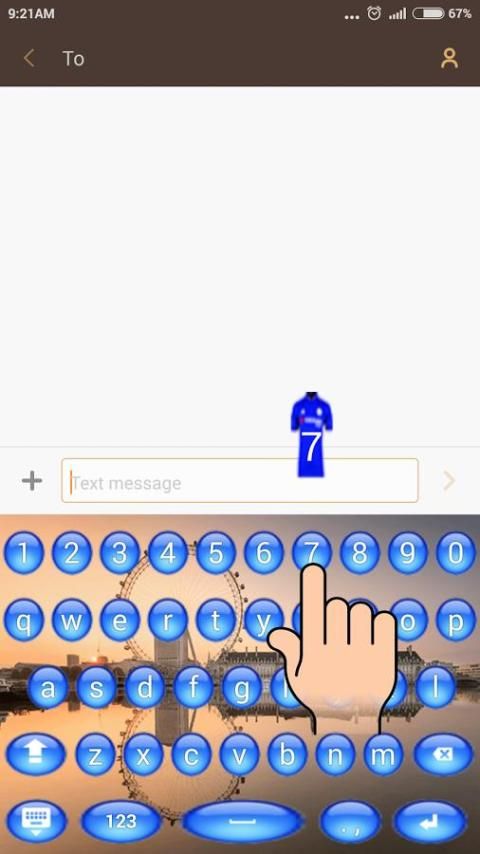
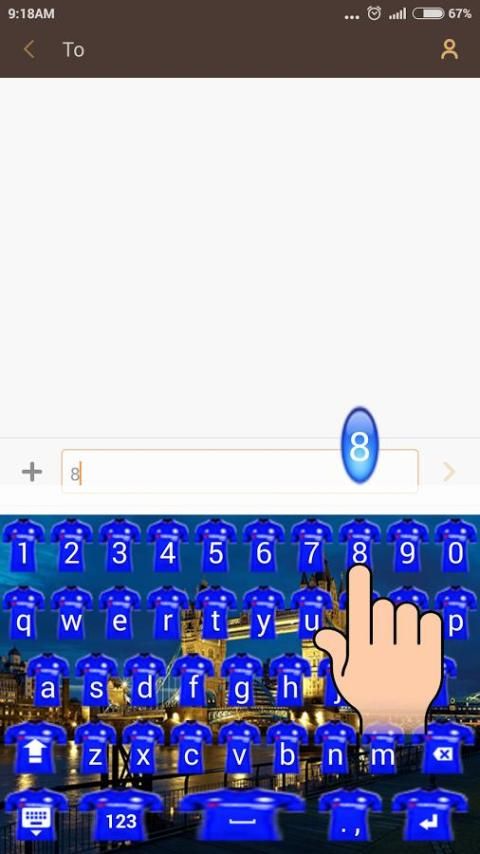
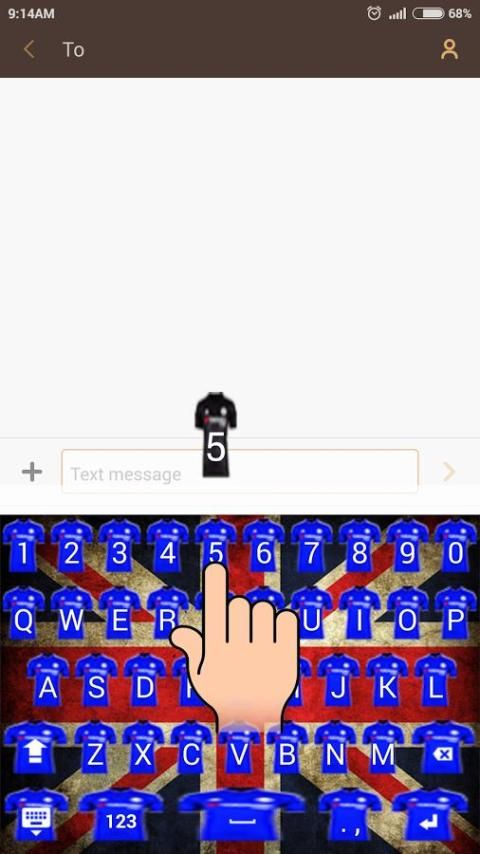
Browse and download apps to your android phone from the App Store. 10,000+ users downloaded Chelsea Keyboard Icon latest version on 9Apps for free every week! It is simply to learn how to use it. This hot app was released on 2015-12-23. Hope you will like this amazing app!
An application keyboard with keys theme of Chelsea.
Many keyboard theme options and theme button keyboard with various colors of the jersey.
Keyboard application will decorate your smartphone as fans.
How to use?
- Open the application after finally installed
- Select "Enable Keyboard" and select "Keyboard Icon" ( later returned )
- Select "Set Input Method" and select "Keyboard Icon" ( later returned )
- Select "Set Theme" and then choose the theme of the keyboard is available for the theme of your keyboard.
- Done. Your keyboard has been changed to the selected theme in the application.
* You can choose to include your photo to be used as the theme of your keyboard
- Select the "Themes Background" then
- Select "Set Background Gallery" select an existing photo in your gallery.
- Set the size of the photo to be used as the theme of the keyboard ( later returned )
- Select "Set Theme" which is under the menu "Set Background Gallery"
- Done. Keyboard you've changed the theme that has been selected photo.
Thank you
Keyboard aplikasi dengan tema kunci dari Chelsea.
Banyak pilihan tema keyboard dan tombol keyboard yang tema dengan berbagai warna jersey.
Aplikasi Keyboard akan menghiasi smartphone Anda sebagai penggemar.
Bagaimana cara menggunakan?
- Buka aplikasi setelah selesai dipasang
- Pilih "Aktifkan Keyboard" dan pilih "Icon Keyboard" (kemudian kembali)
- Pilih "Set Input Method" dan pilih "Icon Keyboard" (kemudian kembali)
- Pilih "Tema Set" dan kemudian pilih tema keyboard yang tersedia untuk tema keyboard Anda.
- Selesai. Keyboard Anda telah berubah ke tema yang dipilih dalam aplikasi.
* Anda dapat memilih untuk menyertakan foto Anda untuk digunakan sebagai tema keyboard Anda
- Pilih "Tema Background" kemudian
- Pilih "Set Gallery Background" pilih foto yang ada di galeri Anda.
- Mengatur ukuran foto yang akan digunakan sebagai tema keyboard (kemudian kembali)
- Pilih "Tema Set" yang berada di bawah menu "Set Gallery Background"
- Selesai. Keyboard Anda telah mengubah tema yang telah foto yang dipilih.
Terima kasih

9Apps 4.9


![How to Change your iPhone APP icons without Siri Shortcuts [No shortcut redirect] screenshot 4](https://i.ytimg.com/vi/TbIn4McvVB8/mqdefault.jpg)










