






DOWNLOAD IS NOT SUPPORTED IN WEB STORE!
Use the latest version of 9Apps to download APK&OBB file of games in one click!
DOWNLOAD 9APPS
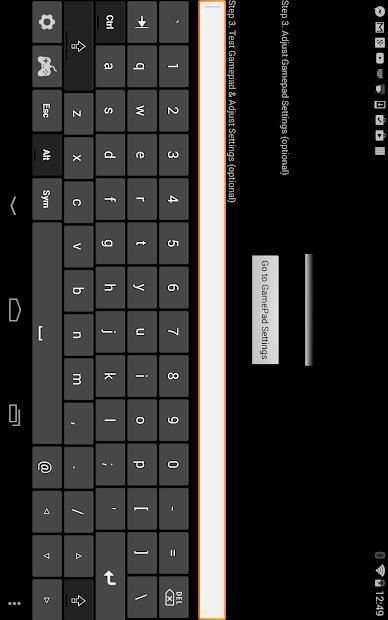
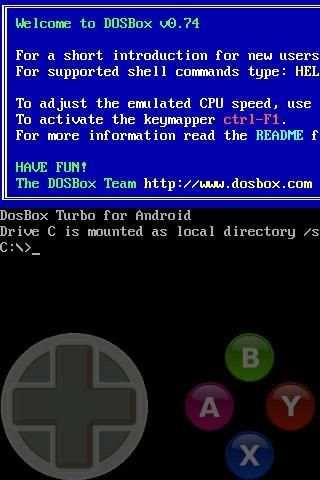
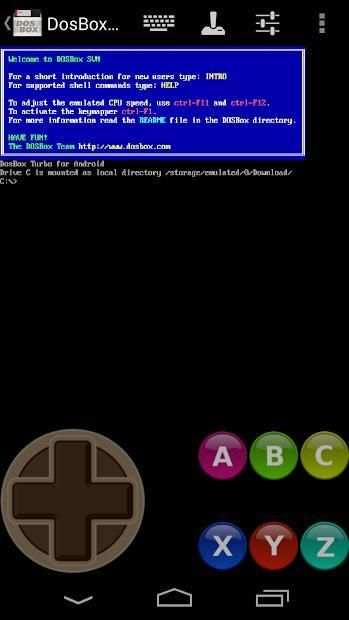
The only 100% FREE Gamepad keyboard for playing games. Emulates a simple D-Dpad directional keys / Cursor Keyboard Keys, and four (or six) separate buttons.
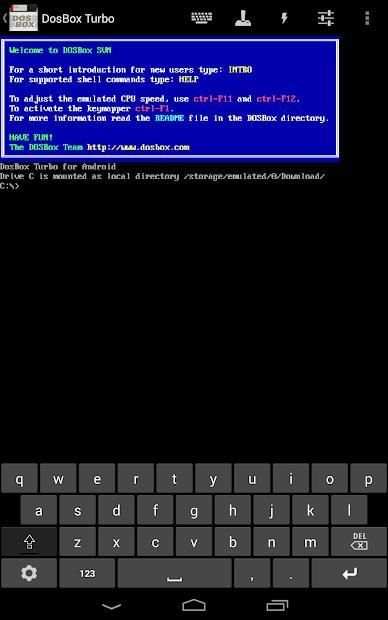
Emulate a Game Controller on your phone. Designed for use with DosBox Turbo, but works with other Android emulators, OnLive, SplashTop and any Android game/app that can use a Keyboard (utilizes the standard Android Input Method Framework).
Features:
=========
★ True 8-Way or emulated 8-Way Directional Pad
★ Permanent Notification Setting to allow use in any App/Game
★ Custom Mappable 8-way DPad
★ 4 or 6 extra mappable buttons + directional pad
★ DosBox Turbo / Xbox360 mode Controller emulation
★ ESC and Function Keys (F1-F12)
★ Re-Map A,B,X,Y,C,Z buttons to Different Keys
★ Multi-Touch capable (depends on phone hardware)
★ Built in Transparent Keyboard
★ Uses standard Android Input Method (IME)
★ Configurable Transparency Levels
★ Swipe Left/Right to switch from Keyboard to GamePad
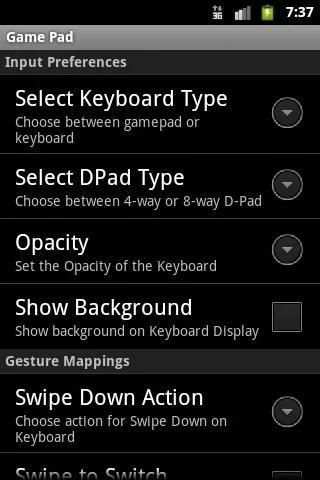
★ Swipe Down for Settings
★ Configurable Swipe Gestures
To Use:
=======
After installation, Enable "Game Pad" in the Android Settings->Keyboards section.
Choose "Game Pad" as the Input Method.
** NOTE: If the game/app does not SUPPORT using Standard Android Input Method (ie. Keyboard) as an input method, then go into the settings menu and enable "Permanent Notification". Launch Gamepad Keyboard once to start the notification. Then start your game and drag down the notification area. By clicking on notification icon, Gamepad Keyboard will be displayed.
Satu-satunya 100% Keyboard GRATIS Gamepad untuk bermain game. Mengemulasi tombol arah D-Dpad sederhana / kursor Tombol Keyboard, dan empat (atau enam) tombol terpisah.
Meniru Controller Game di ponsel Anda. Dirancang untuk digunakan dengan DosBox Turbo, tetapi bekerja dengan emulator Android lainnya, OnLive, SplashTop dan setiap permainan Android / aplikasi yang dapat menggunakan Keyboard (menggunakan standar Masukan Android Cara Framework).
Fitur:
=========
★ Benar 8-Way atau ditiru 8-Way Directional Pad
★ permanen Pemberitahuan Pengaturan untuk memungkinkan penggunaan dalam Aplikasi / Game
★ dipetakan Kustom 8-way DPad
★ 4 atau 6 tombol tambahan mappable + directional pad
★ DosBox Turbo / Xbox360 modus emulasi Pengontrol
★ ESC dan Fungsi Tombol (F1-F12)
★ Re-Peta A, B, X, Y, C, tombol Z untuk Keys Berbeda
★ Multi-Touch yang mampu (tergantung pada perangkat keras ponsel)
★ Dibangun di Keyboard Transparan
★ Menggunakan standar Android Input Method (IME)
★ Tingkat Dikonfigurasi Transparansi
★ Gesek Kiri / Kanan untuk beralih dari Keyboard ke Gamepad
★ Gesek Bawah untuk Pengaturan
★ Dikonfigurasi Gesek Gestures
Menggunakan:
=======
Setelah instalasi, Aktifkan "Permainan Pad" di bagian Android Settings-> Keyboard.
Pilih "Permainan Pad" sebagai Metode Input.
** CATATAN: Jika game / app tidak MENDUKUNG menggunakan Standard Android Input Method (. Yaitu Keyboard) sebagai metode input, kemudian masuk ke menu pengaturan dan mengaktifkan "Tetap Pemberitahuan". Meluncurkan Gamepad Keyboard sekali untuk memulai pemberitahuan. Kemudian mulai permainan Anda dan tarik ke bawah area notifikasi. Dengan mengklik ikon pemberitahuan, Gamepad Keyboard akan ditampilkan.


Update notification to support Android 7.0/8.0+
Add option for Keypress Previews
Fix permanent notification bugs.
Add border around QWERTY keys for better differentiation.
Change minimum required Android version to 4.0 (Ice Cream Sandwich).