DOWNLOAD IS NOT SUPPORTED IN WEB STORE!
Use the latest version of 9Apps to download APK&OBB file of games in one click!
DOWNLOAD 9APPS


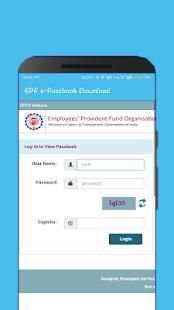
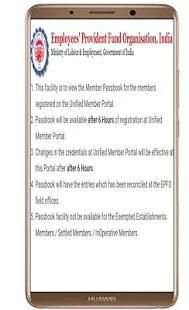
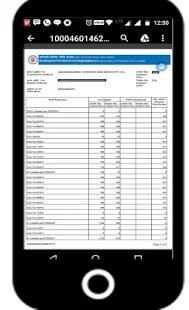

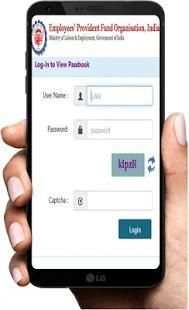
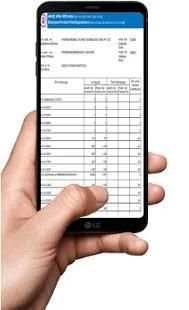
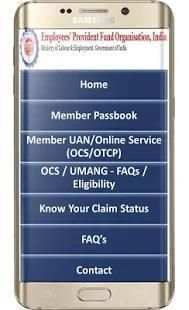
Download EPF Member e-Passbook
Download / Print your Updated Passbook anytime
Check EPF Balance Online
Steps for Downloading EPF e-Passbook
One time Registration
1. Mention mobile number & date of birth
2. Choose your document such as PAN, AADHAAR, Passport, etc can be chosen. The document will be the user id and mobile number will be the password. The member will not have to remember the user id and password.
3. Press on Get Pin
4. Verification PIN is sent to your mobile number entered.
5. Updated PIN on same link
6. You can login with your document & mobile no.
7. Request for e-passbook
8. Click on download e-passbook
9. Select PF office state
10. Select PF office
11. Mention company PF code
12. Mention Employee PF account no.
13. Mention employee name
14. Press on Get PIN. Don’t navigate away or close the browser window until you get the PIN (otherwise you need to repeat the same process).
15. PIN is sent to your mobile
16. Tick the option box I Agree check box & enter the PIN in Authorization pin box below it.
You will get to download your passbook in pdf format with information on when was the file Last modified. You can open or download, by clicking on the link. You may need Adobe Reader to view the EPF e-Passbook.
Employee’s Provident Fund (EPF) is a retirement benefit scheme that’s available to all salaried employees. EPF is active every time you receive your pay. Provident fund is maintained and overseen by the Employees Provident Fund Organisation of India (EPFO) and any company with over 20 employees is required by law to register with the EPFO..
• Get your PF Balance information instantly with one click.
• Know Your Last EPF Transfer Status.
• Use any of your ID details to login.
• Activate or Reactivate your UAN (Universal Account Number).
• Know Your UAN in case you forget.
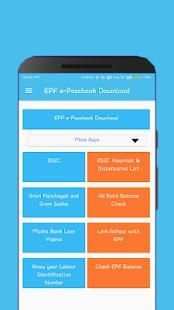
Check EPF balance easily with Check EPF Balance app anytime anywhere. The most simple and trustworthy app to -
A. Check EPF Balance
B. Know Claim Status
C. Member Passbook Inquiry
D. Download Claim Forms
Ambil EPF Anggota e-Passbook
Download / Print Anda Diperbarui Passbook kapan saja
Periksa EPF Balance online
Langkah-langkah untuk Men-download EPF e-Passbook
Pendaftaran satu waktu
1. Sebutkan nomor ponsel & tanggal lahir
2. Pilih dokumen Anda seperti PAN, Aadhaar, Paspor, dll dapat dipilih. dokumen akan menjadi user id dan nomor ponsel akan password. anggota tidak akan harus ingat user id dan password.
3. Tekan Dapatkan Pin
4. PIN Verifikasi dikirim ke nomor ponsel Anda masuk.
5. Diperbarui PIN pada link yang sama
6. Anda bisa login dengan dokumen Anda & tidak ada ponsel.
7. Permintaan e-buku tabungan
8. Klik pada Download e-buku tabungan
negara kantor 9. Pilih PF
kantor 10. Pilih PF
11. Sebutkan kode perusahaan PF
12. Sebutkan Karyawan PF tidak ada rekening.
13. Sebutkan nama karyawan
14. Tekan pada Dapatkan PIN. Jangan menavigasi diri atau menutup jendela browser sampai Anda mendapatkan PIN (jika tidak, anda harus mengulangi proses yang sama).
15. PIN dikirim ke ponsel Anda
16. Centang kotak pilihan I Agree kotak centang & memasukkan PIN di Otorisasi pin kotak di bawah itu.
Anda akan mendapatkan untuk men-download buku tabungan Anda dalam format pdf dengan informasi tentang kapan file terakhir dimodifikasi. Anda dapat membuka atau men-download, dengan mengklik pada link. Anda mungkin perlu Adobe Reader untuk melihat EPF e-Passbook.
Karyawan Provident Fund (EPF) adalah skema manfaat pensiun yang tersedia untuk semua karyawan gaji. EPF aktif setiap kali Anda menerima gaji Anda. dana provident dikelola dan diawasi oleh Employees Provident Fund Organisasi India (EPFO) dan setiap perusahaan dengan lebih dari 20 karyawan diwajibkan oleh hukum untuk mendaftar dengan EPFO ..
• Dapatkan informasi PF Saldo Anda langsung dengan satu kali klik.
• Mengenal terakhir EPF Status transfer.
• Gunakan setiap rincian ID Anda untuk login.
• Aktifkan atau Mengaktifkan UAN Anda (Universal Nomor Rekening).
• Tahu UAN Anda jika Anda lupa.
Cek saldo EPF dengan mudah dengan Periksa EPF Balance aplikasi mana saja kapan saja. Aplikasi yang paling sederhana dan dapat dipercaya untuk -
A. Periksa EPF Balance
B. Tahu Status Klaim
Anggota C. Passbook Kirim
D. Bentuk Unduh Klaim