


9Apps is your first choice to download apps. 20,000+ users downloaded CEG Prints latest version on 9Apps for free every week! The application is severely widely use. This hot app was released on 2019-05-01. 9Apps has thousands of apps and updated daily!
With CEG Prints , you can easily print documents(Docx) ,pdf ,images(JPG,PNG) from device memory ,google drive
Using the local network provided.
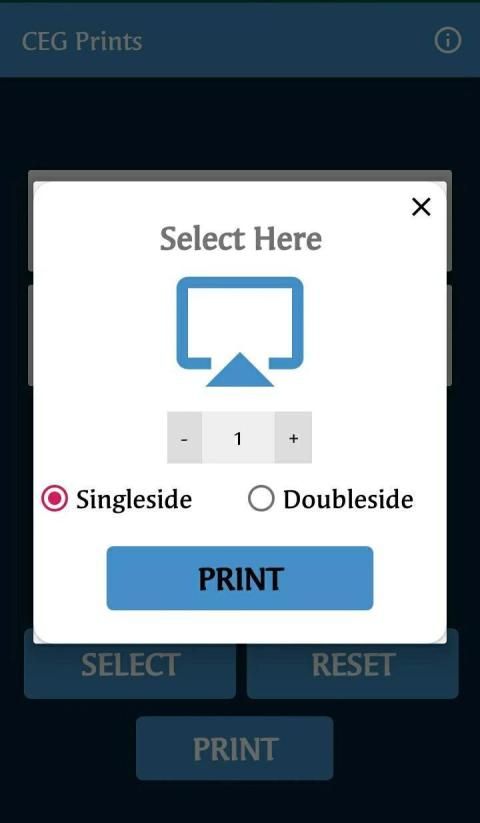
Also ,you can configure printing options such as copies, one or two-sided printing.
Instructions to Print:
- Connect to the Wi-Fi Network “AMENITIES”
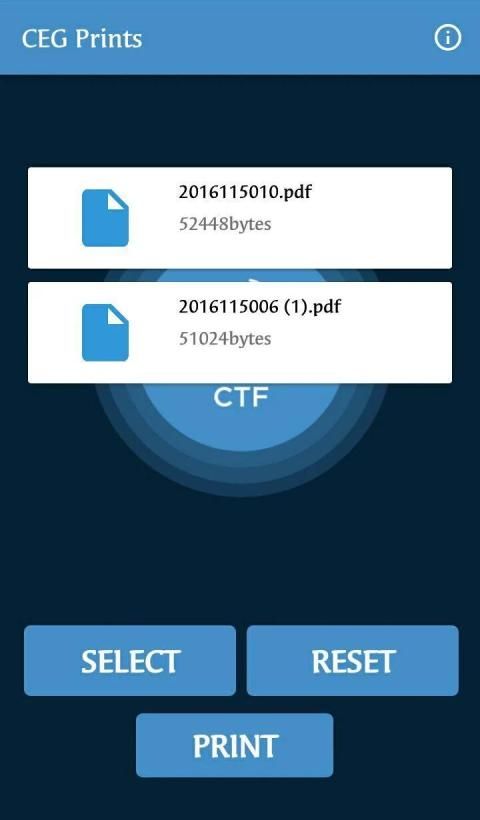
- Use the “CEG Prints” app and select the Files from your phone to print and click ‘PRINT’.
- Select the Printing Properties Provided (No. Of copies,Single sided or double sided).
- Scan the Qr Code displayed in the monitor.(adjust your phone’s distance from the
monitor to scan properly).
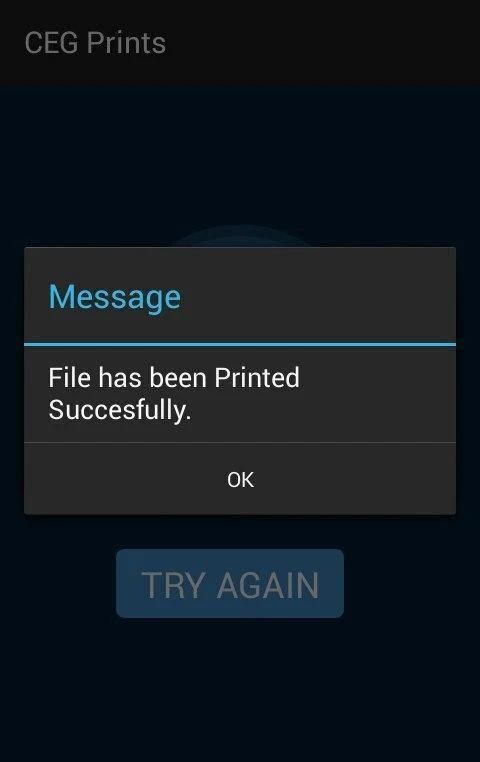
Your file will be printed. Click OK to redirect to the home screen.
Limitations:
As of now, file size not exceeding 10MB is supported.
FILE FORMATS SUPPORTED: “.PDF”,”.DOCX”,”JPG”,”PNG”
Please Note:
Use your inbuilt file manager to select the files in the app.
CEG Prints can be used only in the Student Amenities Centre in CEG.
If something isn't working as expected or for any suggestions ,Feel free to contact us on
cegprints2019@gmail.com
Dengan CEG Prints, Anda dapat dengan mudah mencetak dokumen (Docx), pdf, gambar (JPG, PNG) dari memori perangkat, google drive
Menggunakan jaringan lokal yang disediakan.
Anda juga dapat mengkonfigurasi opsi pencetakan seperti salinan, pencetakan satu atau dua sisi.
Petunjuk untuk Mencetak:
- Hubungkan ke Jaringan Wi-Fi "AMENITIES"
- Gunakan aplikasi "CEG Prints" dan pilih File dari telepon Anda untuk mencetak dan klik ‘PRINT’.
- Pilih Properti Pencetakan yang Disediakan (No. Salinan, satu sisi atau dua sisi).
- Pindai Kode Qr yang ditampilkan di monitor. (Sesuaikan jarak ponsel Anda dari
monitor untuk memindai dengan benar).
File Anda akan dicetak. Klik OK untuk mengalihkan ke layar beranda.
Keterbatasan:
Sampai sekarang, ukuran file tidak melebihi 10MB didukung.
FORMAT FILE DIDUKUNG: ".PDF", ". DOCX", "JPG", "PNG"
Tolong dicatat:
Gunakan manajer file bawaan Anda untuk memilih file di aplikasi.
Cetakan CEG hanya dapat digunakan di Pusat Fasilitas Mahasiswa di CEG.
Jika sesuatu tidak berfungsi seperti yang diharapkan atau untuk saran, Jangan ragu untuk menghubungi kami di
cegprints2019@gmail.com
CEGians, tired of waiting for the queue to move just to access your mails or pen-drives for every single print outs? Here comes CEG Prints to make your life more easier. Get your prints on a single touch, just with your smart phone
PDF, Word, JPG, PNG, Text - You name it. You got it.



9Apps 4.9









