डाउनलोड वेब स्टोर में समर्थित नहीं है!
एक क्लिक में एपीके एंड ओबीबी फाइलें डाउनलोड करने के लिए 9Apps के नवीनतम संस्करण का प्रयोग करें
DOWNLOAD 9APPS
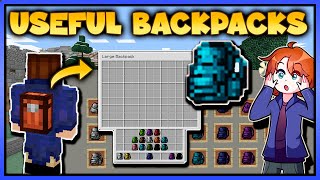
Useful Backpacks Mod 1.12.2/1.10.2 (Need More Inventory Storage?)
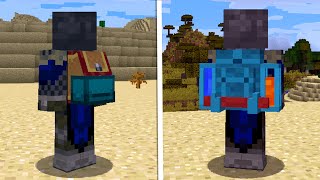
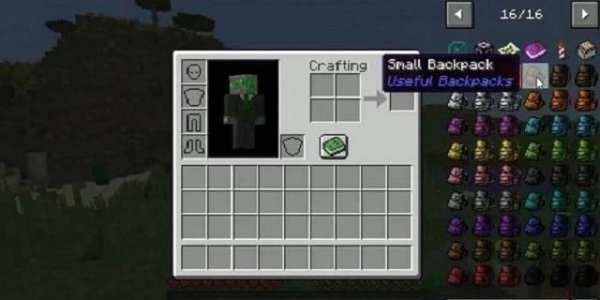
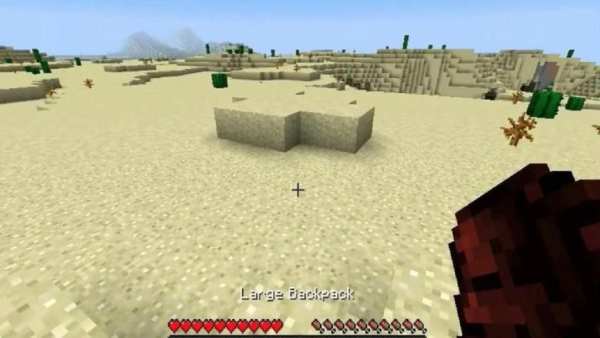
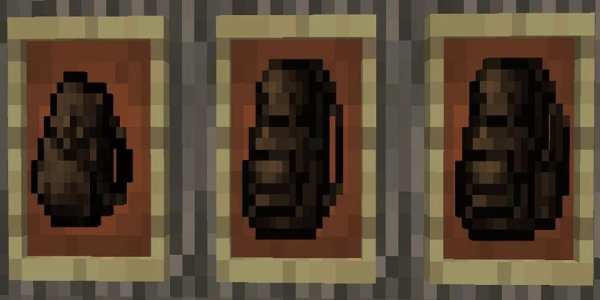
Useful Backpacks Mod 1.12.2/1.10.2 adds three new backpacks with small, medium and large inventory.
How to install:
Make sure you have already installed Minecraft Forge and U Team Core.
Locate the minecraft application folder.
On windows open Run from the start menu, type appdata and click Run.
On mac open finder, hold down ALT and click Go then Library in the top menu bar. Open the folder Application Support and look for Minecraft.
Place the mod you have just downloaded (.jar file) into the Mods folder.
When you launch Minecraft and click the mods button you should now see the mod is installed.
उपयोगी बैकपैक्स मॉड 1.12.2 / 1.10.2 (अधिक इन्वेंटरी स्टोरेज की आवश्यकता है?)
उपयोगी बैकपैक्स मॉड 1.12.2 / 1.10.2 छोटे, मध्यम और बड़े इन्वेंट्री के साथ तीन नए बैकपैक्स जोड़ता है।
स्थापित कैसे करें:
सुनिश्चित करें कि आप पहले से ही Minecraft फोर्ज और यू टीम कोर स्थापित कर चुके हैं।
Minecraft एप्लिकेशन फ़ोल्डर की स्थिति जानें।
विंडोज़ पर स्टार्ट मेनू से Run खोलें, appdata टाइप करें और Run पर क्लिक करें।
मैक ओपन फाइंडर पर, ALT दबाए रखें और टॉप मेनू बार में Go फिर लाइब्रेरी पर क्लिक करें। फ़ोल्डर एप्लिकेशन समर्थन खोलें और Minecraft की तलाश करें।
आपके द्वारा अभी डाउनलोड की गई मॉड (.jar फ़ाइल) को मॉड फ़ोल्डर में रखें।
जब आप Minecraft लॉन्च करते हैं और mods बटन पर क्लिक करते हैं, तो आपको यह देखना चाहिए कि mod स्थापित है।