














डाउनलोड वेब स्टोर में समर्थित नहीं है!
एक क्लिक में एपीके एंड ओबीबी फाइलें डाउनलोड करने के लिए 9Apps के नवीनतम संस्करण का प्रयोग करें
DOWNLOAD 9APPS

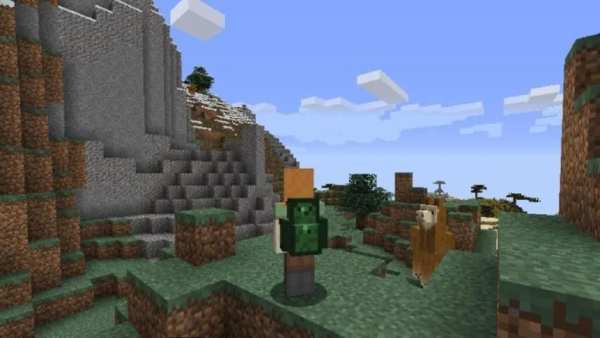
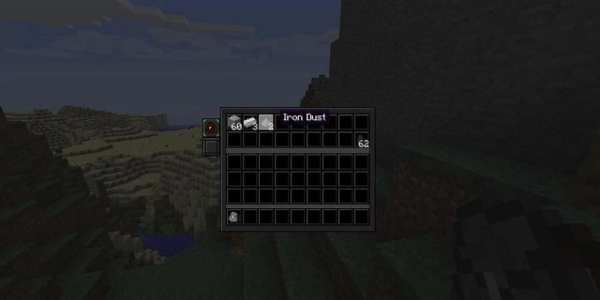
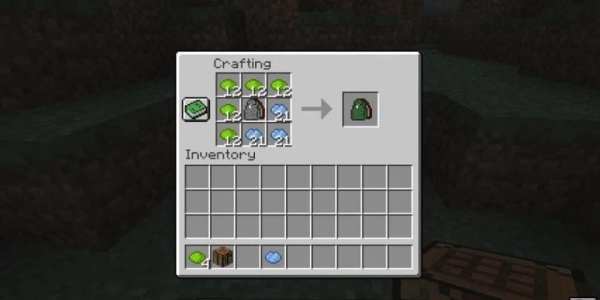
Smart Backpacks Mod 1.12.2 (The Best Backpack You Ever Seen)
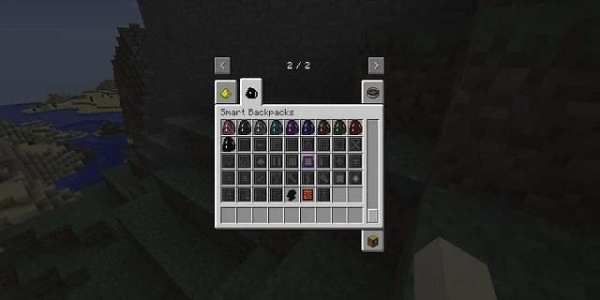
Smart Backpacks Mod 1.12.2 adds backpacks of varying sizes that can be upgraded with various upgrades. Currently the mod features 30 upgrades with each upgrade doing something specific.
Features:
4 tiers of backpacks, each next providing more item storage and more upgrade slots.
Backpacks can be dyed into any color you want in the same way leather armor can be dyed.
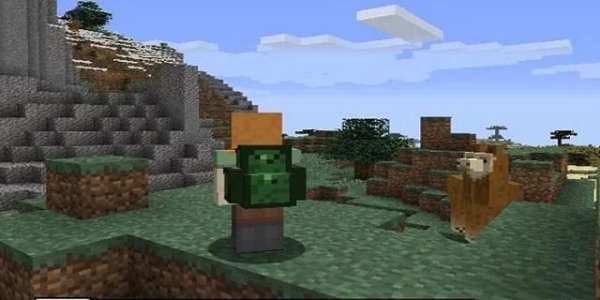
Backpacks can be worn on the back by pressing a specific key (default Shift+B). This back slot is separate from your chestplate slot.
Worn backpacks are displayed as a model for everyone to see.
A unique upgrade system allows you to add new functionality to your backpacks that goes beyond simple mobile storage.
How to install:
Make sure you have already installed Minecraft Forge.
Locate the minecraft application folder.
On windows open Run from the start menu, type appdata and click Run.
On mac open finder, hold down ALT and click Go then Library in the top menu bar. Open the folder Application Support and look for Minecraft.
Place the mod you have just downloaded (.jar file) into the Mods folder.
When you launch Minecraft and click the mods button you should now see the mod is installed.
स्मार्ट बैकपैक्स मॉड 1.12.2 (द बेस्ट बैकपैक यू एवर सीन)
स्मार्ट बैकपैक्स मॉड 1.12.2 विभिन्न आकारों के बैकपैक्स जोड़ता है जिन्हें विभिन्न उन्नयन के साथ अपग्रेड किया जा सकता है। वर्तमान में मॉड कुछ उन्नत करने के साथ 30 उन्नयन की सुविधा देता है।
विशेषताएं:
बैकपैक्स के 4 स्तरों, प्रत्येक अगले अधिक आइटम भंडारण और अधिक उन्नयन स्लॉट प्रदान करते हैं।
बैकपैक्स को किसी भी रंग में रंगा जा सकता है जिसे आप उसी तरह चाहते हैं जैसे चमड़े के कवच को रंगा जा सकता है।
बैकपैक एक विशिष्ट कुंजी (डिफ़ॉल्ट शिफ्ट + बी) दबाकर पीठ पर पहना जा सकता है। यह बैक स्लॉट आपके चेस्टप्लेट स्लॉट से अलग है।
वेर्न बैकपैक सभी के देखने के लिए एक मॉडल के रूप में प्रदर्शित किए जाते हैं।
एक अद्वितीय अपग्रेड सिस्टम आपको अपने बैकपैक्स में नई कार्यक्षमता जोड़ने की अनुमति देता है जो साधारण मोबाइल स्टोरेज से परे होता है।
स्थापित कैसे करें:
सुनिश्चित करें कि आप पहले से ही Minecraft फोर्ज स्थापित कर चुके हैं।
Minecraft एप्लिकेशन फ़ोल्डर की स्थिति जानें।
विंडोज़ पर स्टार्ट मेनू से Run खोलें, appdata टाइप करें और Run पर क्लिक करें।
मैक ओपन फाइंडर पर, ALT दबाए रखें और टॉप मेनू बार में Go फिर लाइब्रेरी पर क्लिक करें। फ़ोल्डर एप्लिकेशन समर्थन खोलें और Minecraft की तलाश करें।
आपके द्वारा अभी डाउनलोड की गई मॉड (.jar फ़ाइल) को मॉड फ़ोल्डर में रखें।
जब आप Minecraft लॉन्च करते हैं और mods बटन पर क्लिक करते हैं, तो आपको यह देखना चाहिए कि mod स्थापित है।


