









डाउनलोड वेब स्टोर में समर्थित नहीं है!
एक क्लिक में एपीके एंड ओबीबी फाइलें डाउनलोड करने के लिए 9Apps के नवीनतम संस्करण का प्रयोग करें
DOWNLOAD 9APPS
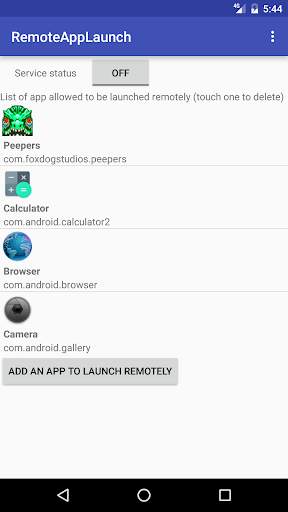
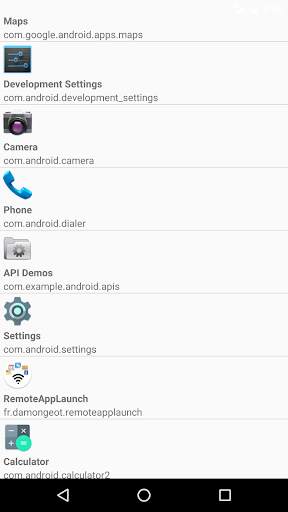
Launch apps on your android phone remotely using HTTP GET requests.
For example, to launch firefox, use your browser to request : http://yourPhoneIP:8888/start/org.mozilla.firefox
The app need to be requested by its package name (Remote App Launch will show the package name of each app on your phone, don't worry).
To stop the app remotely, you just need to switch from "start" to "stop" in the URL : http://yourPhoneIP:8888/stop/org.mozilla.firefox
Be aware that android doesn't allow a foreground app to be killed, only background processes. If you remotely launch an app that stays in foreground, it can't be killed remotely by Remote App Launch.
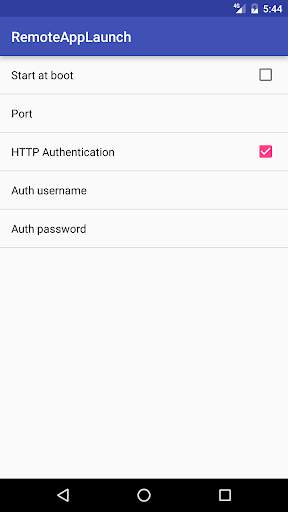
Each app you want to start remotely need to be added in a white list within RemoteAppLaunch (for security reasons). You can add one more security layer by using HTTP Authentication with a user/password needed to start/stop apps. In that case, to launch an app just use the following URL : http://username:password@yourPhoneIP:8888/start/org.mozilla.firefox



![Access Remote Desktop Over the Internet [Outside Network] screenshot 5](https://i.ytimg.com/vi/DXUTEKsroSo/mqdefault.jpg)


