
There you can get the android apps APK installed on your device. 20,000+ users downloaded Cinema Server Control latest version on 9Apps for free every week! You'll found many people are using it. This hot app was released on 2019-07-05. You can find more interesting apps at 9Apps!
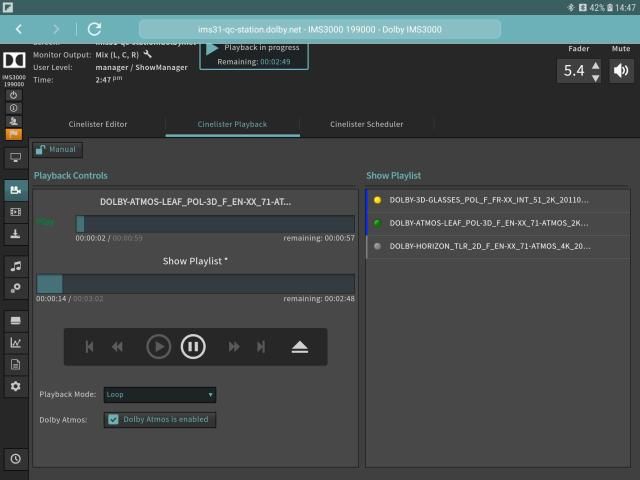
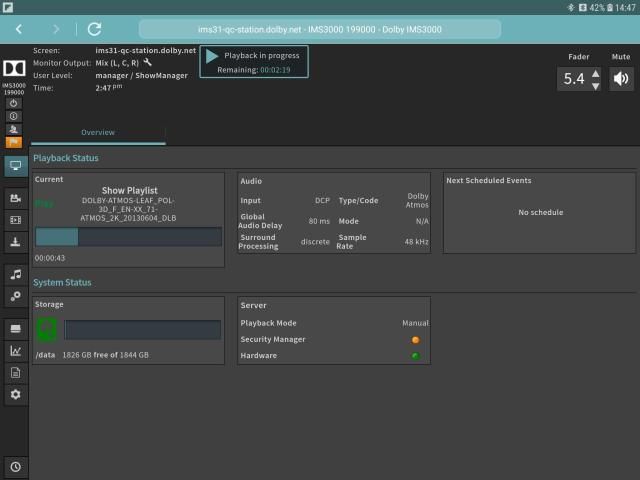
Cinema Server Control lets you use your Android tablet to give you wireless access and control of your Dolby Integrated Media Server IMS3000.
- Enables booth operation of each available server from a single mobile device, with no physical connection between a PC or servers required.
- Allows access to all primary server functions such as Playback Controls, Playlist Building, and Audio Controls.
- Secure connection helps prevent unauthorized access.
- Requires USB Bluetooth adapter.
- Recommended minimum screen size –9.6"(244 mm) + extra-high-density screens (320dpi minimum).
For complete Dolby Integrated Media Server installation, operation, pairing instructions,and approved Bluetooth adapters, please consult our product user manual at dolbycustomer.com.
For further assistance,contact Dolby Customer Support at CustomerSupport@dolby.com.
सिनेमा सर्वर कंट्रोल आपको अपने एंड्रॉइड टैबलेट का उपयोग करने के लिए आपको अपने डॉल्बी इंटीग्रेटेड मीडिया सर्वर आईएमएस 3000 का वायरलेस एक्सेस और नियंत्रण देने देता है।
- एक उपलब्ध मोबाइल सर्वर से प्रत्येक उपलब्ध सर्वर के बूथ ऑपरेशन को सक्षम करता है, जिसमें किसी पीसी या सर्वर के बीच कोई भौतिक कनेक्शन नहीं होता है।
- प्लेबैक कंट्रोल, प्लेलिस्ट बिल्डिंग और ऑडियो कंट्रोल जैसे सभी प्राथमिक सर्वर फ़ंक्शंस तक पहुंच की अनुमति देता है।
- सुरक्षित कनेक्शन अनधिकृत पहुंच को रोकने में मदद करता है।
- यूएसबी ब्लूटूथ एडाप्टर की आवश्यकता है।
- अनुशंसित न्यूनतम स्क्रीन आकार -9.6 "(244 मिमी) + अतिरिक्त उच्च घनत्व स्क्रीन (320 डीपीआई न्यूनतम)।
पूर्ण डॉल्बी एकीकृत मीडिया सर्वर स्थापना, संचालन, जोड़ी निर्देश, और अनुमोदित ब्लूटूथ एडाप्टर के लिए, कृपया dolbycustomer.com पर हमारे उत्पाद उपयोगकर्ता पुस्तिका से परामर्श लें।
आगे की सहायता के लिए, CustomerSupport@dolby.com पर डॉल्बी ग्राहक सहायता से संपर्क करें।
- Force the orientation mode to landscape when app is launched
- Added a link to the Dolby Privacy Policy into the "About" page of the application


9Apps 4.9















