mx player hd on 9Apps

Free download latest mx player hd for Android here and enjoy it with your phone. Below you can download a list of top and latest apps related to mx player hd . 9APPS is a fast, safe app store. With 9APPS, you can save a lot of time on searching and downloading apps.

#1 Reproductor MX

Reproductor MX
Rating: star 4.3 | Version: 1.83.0 | Size: 129.4MB
Reproductor MX screenshot 1 Reproductor MX screenshot 2 Reproductor MX screenshot 3

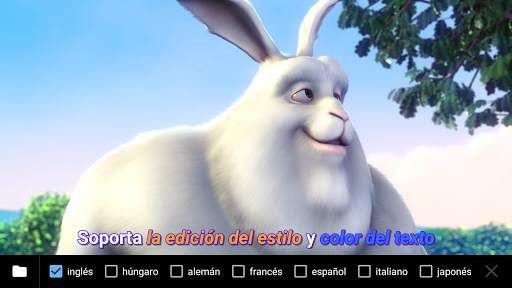
Potente reproductor de video con soporte de audio de casi todos los formatos (incluyendo AC-3), aceleración de hardware avanzada y soporte de multiples subtítulos.
a) SOPORTA TODOS LOS FORMATOS DE VIDEOS - MX Player es el reproductor de video más poderoso que soporta casi todos los formatos de audios, incluyendo AC-3, MP3, AAC etc.
b) DECODIFICACIÓN MULTINÚCLEO - El Reproductor MX es el primer reproductor de vídeo para Android que realiza decodificación multi-núcleo. Acorde a los resultados en dispositivos de doble núcleo, muestra hasta un 70% de mejora en el rendimiento frente a los dispositivos de un solo núcleo.
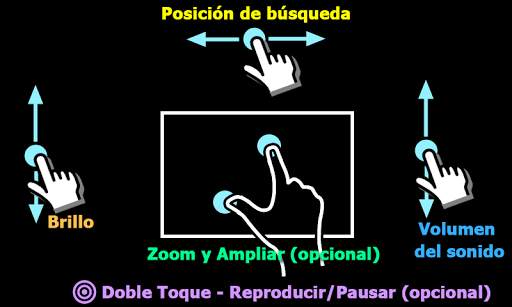
c) PELLIZCA PARA ACERCAR, ACERCAR Y DESPLAZAR - Acerca y aleja fácilmente pellizcando y deslizando a lo largo de la pantalla. Acercar y desplazar está también disponible como opción.
d) GESTOS CON SUBTÍTULOS - Desplaza hacia adelante/atrás para moverte hacia el próximo/anterior texto, arriba/abajo para mover el texto hacia arriba/abajo, acercar/alejar para cambiar el tamaño del texto.
e) CONTROL PARENTAL - Mantenga a sus hijos entretenidos sin que tenga que preocuparse de que hagan llamadas o utilicen otras aplicaciones. (complemento requerido)
Formatos de subtítulos:
- DVD, DVB, SSA/*ASS* pistas de subtítulos.
- SubStation Alpha(.ssa/.*ass*) con estilo completo.
- SAMI(.smi) con soporte para etiquetas ruby.
- SubRip(.srt)
- MicroDVD(.sub)
- VobSub(.sub/.idx)
- SubViewer2.0(.sub)
- MPL2(.mpl)
- TMPlayer(.txt)
- Teletext
- PJS(.pjs)
- WebVTT(.vtt)
******
Acerca del permiso “Mostrar sobre otras aplicaciones”: Este permiso se requiere para bloquear los botones del sistema cuando el bloqueo de entrada está activado en la pantalla de reproducción.
Acerca del permiso "asociar con los dispositivos Bluetooth": Este permiso es necesario para mejorar la sincronía AV cuando se conecta auriculares Bluetooth.
Acerca del permiso "desabilitar bloqueo de pantalla": Este permiso es necesario para eliminar el bloqueo de la pantalla temporalmente cuando está activado el modo Kids Lock. Sin embargo, Secure Screen Lock no se desactivará.
Acerca de los permisos "Controlar la vibración" e "Impedir que el teléfono entre en modo de suspensión": estos permisos son necesarios para la reproducción multimedia en algunos dispositivos.
******
Si te encuentras con el error "archivo de paquete inválido", por favor instálalo de nuevo desde la página principal del producto (https://sites.google.com/site/mxvpen/download)
******
Si tiene cualquier duda, visite el foro XDA de Reproductor MX.
http://forum.xda-developers.com/apps/mx-player or https://www.facebook.com/MXPlayer
Some of the screens are from the Elephants Dreams licensed under the Creative Commons Attribution 2.5.
(c) copyright 2006, Blender Foundation / Netherlands Media Art Institute / www.elephantsdream.org
Some of the screens are from the Big Buck Bunny licensed under the Creative Commons Attribution 3.0 Unported.
(c) copyright 2008, Blender Foundation / www.bigbuckbunny.org

...

👉 For More Detail of Reproductor MX

#2 MX Player Beta

MX Player Beta
Rating: star 4.2 | Version: 2.21.6 | Size: 37.1MB
MX Player Beta screenshot 1 MX Player Beta screenshot 2 MX Player Beta screenshot 3

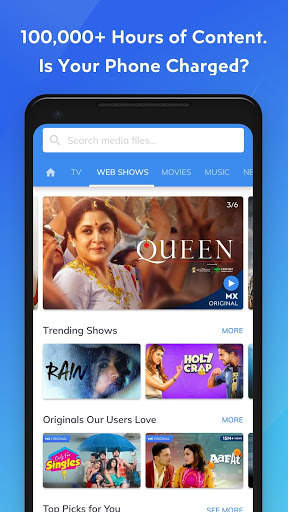
MX Player, el reproductor de video más poderoso, ahora le ofrece un servicio de transmisión GRATUITO que ofrece más de 100,000 horas de contenido, incluidos programas originales y exclusivos, películas, programas de televisión, series web y una experiencia de música dual con videos y audio.
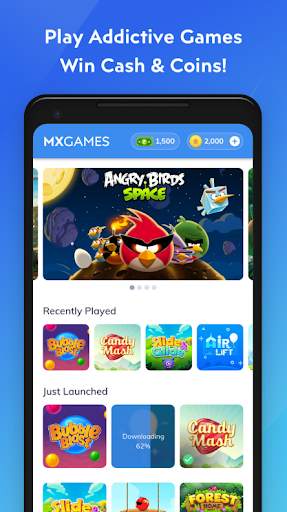
¡Presentamos los torneos en efectivo! Juegue más y tenga la oportunidad de retirar el dinero usando su Paytm Wallet.
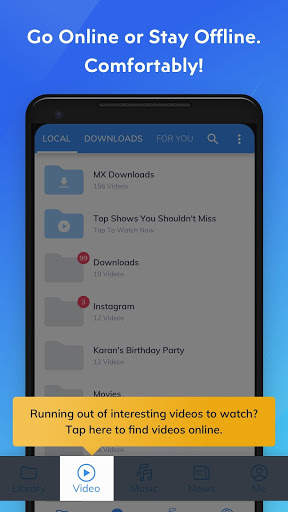
También hemos agregado la pestaña y funcionalidad 'Descargas' para facilitarle la administración de su contenido descargado y la búsqueda de contenido nuevo para descargar con un un solo clic.
¡El mismo poderoso reproductor de video ahora reproduce videos en línea con todos los gestos que usted ya ama!
Poderoso reproductor de video con aceleración de hardware avanzada y soporte de subtítulos.
a) ACELERACIÓN DE HARDWARE: la aceleración de hardware se puede aplicar a más videos con la ayuda del nuevo decodificador HW +.
b) DECODIFICACIÓN MULTI-NÚCLEO: MX Player es el primer reproductor de video de Android que admite decodificación de múltiples núcleos. El resultado de la prueba demostró que el rendimiento del dispositivo de doble núcleo es hasta un 70% mejor que el de los dispositivos de un solo núcleo. C) PULSAR PARA ZOOM, ZOOM Y PANORÁMICA: acerque y aleje fácilmente el zoom presionando y deslizando el dedo por la pantalla. Zoom y Pan también están disponibles como opción.
d) GESTOS SUBTÍTULOS - Desplácese hacia adelante / atrás para moverse al texto anterior / siguiente, Arriba / abajo para mover el texto hacia arriba y hacia abajo, Acercar / alejar para cambiar el tamaño del texto .
e) BLOQUEO PARA NIÑOS: mantenga a sus hijos entretenidos sin tener que preocuparse de que puedan hacer llamadas o tocar otras aplicaciones. (se requiere complemento)
Formatos de subtítulos:
- Pistas de subtítulos en DVD, DVB, SSA / ASS.
- SubStation Alpha (.ssa / .ass) con estilo completo.
- SAMI (.smi) con soporte para etiquetas Ruby.
- SubRip (.srt)
- MicroDVD (.sub)
- VobSub (.sub / .idx)
- SubViewer2.0 (. sub)
- MPL2 (.mpl)
- TMPlayer (.txt)
- Teletexto
- PJS (.pjs)
- WebVTT (.vtt)
* *****
Acerca del permiso "Dibujar sobre otras aplicaciones": este permiso es necesario para bloquear los botones del sistema cuando el bloqueo de entrada está activado en la pantalla de reproducción.
Acerca del permiso "Emparejar con dispositivos Bluetooth": este permiso es necesario para mejorar la sincronización AV cuando se conectan auriculares Bluetooth.
Acerca del permiso "Desactivar bloqueo de pantalla": este permiso es necesario para eliminar el bloqueo de pantalla temporalmente cuando se utiliza el modo de bloqueo para niños. Sin embargo, el bloqueo de pantalla seguro no se desactivará.
Acerca de los permisos "Controlar la vibración", "Evitar que el dispositivo entre en suspensión": estos permisos son necesarios para la reproducción de medios en algunos dispositivos.
******
Si se enfrenta al error "el archivo del paquete no es válido", instálelo nuevamente desde la página de inicio del producto (https://sites.google.com/site/mxvpen/download)
******
Si tiene alguna pregunta, visite nuestra página de Facebook:
https://www.facebook.com/MX.Player.Beta/
Algunas de las pantallas son de Elephants Dreams con licencia de Creative Commons Attribution 2.5.
(c) copyright 2006, Blender Foundation / Netherlands Media Art Institute / www.elephantsdream.org
Algunas de las pantallas son de Big Buck Bunny con licencia de Creative Commons Attribution 3.0 Unported.
(c) copyright 2008, Blender Foundation / www.bigbuckbunny.org
Algunos contenidos de la aplicación son proporcionados por los servicios de YouTube y la API, siga estos:
https: // www .youtube.com / t / terms
ht tps: //www.youtube.com/yt/copyright/
https://www.youtube.com/yt/policyandsafety/

...

👉 For More Detail of MX Player Beta

#3 HD MX Player

HD MX Player
Rating: star 4.9 | Version: 1.0 | Size: 6.3MB
HD MX Player screenshot 1 HD MX Player screenshot 2 HD MX Player screenshot 3

*mp4, Full HD Player
*Video Player
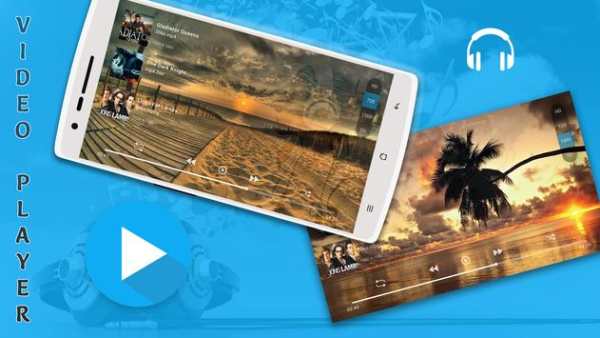
*Music Player
*Online Trending Videos
*Photo Albums
*Download and Search Subtitle of Videos
*Search Tracks, Album, Artist, mp4 files, video files, music library are the features of Rocks Player.
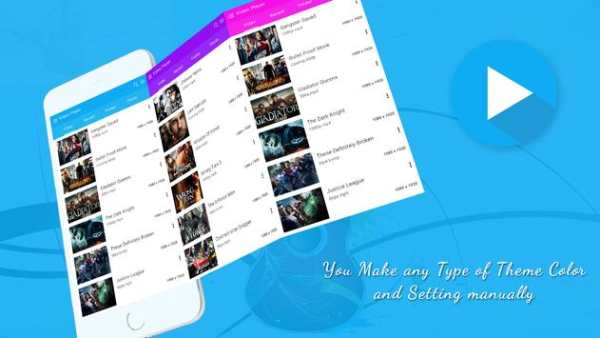
* Different Multiple Themes
* Awesome Video View
* Filter and Delete duplicate Videos Files to get more free space in Sd Card.
* Share video in social network
* Child mode and Screen Lock feature
* Autoplay Videos Queue
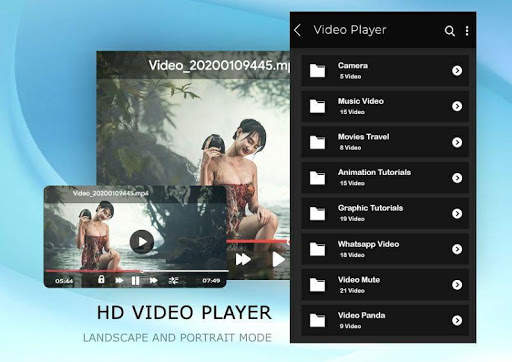
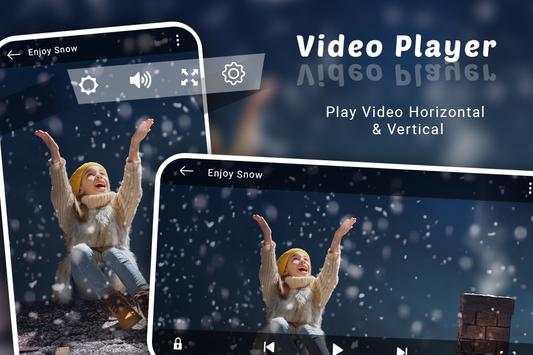
* Auto full sensor (Portrait/ Landscape)
* Video Folder View
* Sorting video list with duration, recent, latest videos and file name
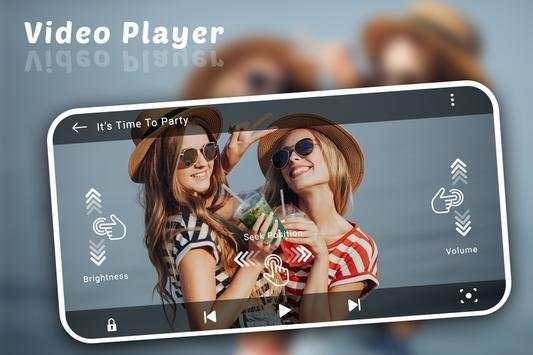
* Screen Gesture detecting feature in Brightness and Volume Control
* Update and Drag-drop feature to re-queue the video playlist.
* Remove Video from Playing Queue using bottom to up swiping items
* Start video from Resume state with Playing Queue
* Supported Formats are mp4, mp4v, avi, asf, avchd, dav, arf, ts, mov, qt, trc, dv4, dv4, mpg, mpeg, mpeg4, webm, ogv, vp9, vob, 3gp, riff, m2ts, m3u, avc, mkv, wav, flv, wmv, divx, swf
Are the key feature of this video player.
All Format Video Player:
Video Player supports all popular video formats, including 3GP, AVI, FLV, M4V, MKV, MOV, MP4, WMV, etc.
Smart manage classified videos:
Video Player can Identify ALL video files on your device and SD Card automatically, allowing you to quickly locate and play the video. It helps you to manage your videos better. In addition, you can quickly rename, cut, delete and share your videos in a convenient way.
High quality and HD playing:
Video Player using hardware decoding, take advantage of hardware acceleration. You can startup quickly in all of your devices up to Android 8.0 and enjoy the best HD videos played with a HD quality and smoothly speed to get the most perfect movies playing experience.
Smart playback your videos:
Video Player is a best videos manager which helps you remember the last played progress, and auto playback in a HD Quality. Perfect stitching to the atmosphere of the previous movie scene.
Easy and convenient control:
Video Player supports gestures to easily adjust the screen brightness and video volume when you are watching the video.
And you can click the button to quickly control the videos’ progresses and the last or next video to play. In addition, locking screen, floating window playback, horizontal and vertical screen switching, trimming current interface, adjusting screen sizes features are ready for you!
Stylish design & colorful themes:
Video Player is designed by a simple stylish style and images filleted. And you can select your favorite one of six colorful themes to make your exclusive video player.
HD Video Player is a powerful and private smart playback video player. We are struggle for bringing you the most perfect experience in the HD video player. Hope you can enjoy the fun of movies playing in video player.

...

👉 For More Detail of HD MX Player

#4 HD MX Player

HD MX Player
Rating: star 4.9 | Version: 1.2 | Size: 5.9MB
HD MX Player screenshot 1 HD MX Player screenshot 2 HD MX Player screenshot 3

*mp4, Full HD Player
*Video Player
*Music Player
*Online Trending Videos
*Photo Albums
*Download and Search Subtitle of Videos
*Search Tracks, Album, Artist, mp4 files, video files, music library are the features of Rocks Player.
* Different Multiple Themes
* Awesome Video View
* Filter and Delete duplicate Videos Files to get more free space in Sd Card.
* Share video in social network
* Child mode and Screen Lock feature
* Autoplay Videos Queue
* Auto full sensor (Portrait/ Landscape)
* Video Folder View
* Sorting video list with duration, recent, latest videos and file name
* Screen Gesture detecting feature in Brightness and Volume Control
* Update and Drag-drop feature to re-queue the video playlist.
* Remove Video from Playing Queue using bottom to up swiping items
* Start video from Resume state with Playing Queue
* Supported Formats are mp4, mp4v, avi, asf, avchd, dav, arf, ts, mov, qt, trc, dv4, dv4, mpg, mpeg, mpeg4, webm, ogv, vp9, vob, 3gp, riff, m2ts, m3u, avc, mkv, wav, flv, wmv, divx, swf
Are the key feature of this video player.
All Format Video Player:
Video Player supports all popular video formats, including 3GP, AVI, FLV, M4V, MKV, MOV, MP4, WMV, etc.
Smart manage classified videos:
Video Player can Identify ALL video files on your device and SD Card automatically, allowing you to quickly locate and play the video. It helps you to manage your videos better. In addition, you can quickly rename, cut, delete and share your videos in a convenient way.
High quality and HD playing:
Video Player using hardware decoding, take advantage of hardware acceleration. You can startup quickly in all of your devices up to Android 8.0 and enjoy the best HD videos played with a HD quality and smoothly speed to get the most perfect movies playing experience.
Smart playback your videos:
Video Player is a best videos manager which helps you remember the last played progress, and auto playback in a HD Quality. Perfect stitching to the atmosphere of the previous movie scene.
Easy and convenient control:
Video Player supports gestures to easily adjust the screen brightness and video volume when you are watching the video.
And you can click the button to quickly control the videos’ progresses and the last or next video to play. In addition, locking screen, floating window playback, horizontal and vertical screen switching, trimming current interface, adjusting screen sizes features are ready for you!
Stylish design & colorful themes:
Video Player is designed by a simple stylish style and images filleted. And you can select your favorite one of six colorful themes to make your exclusive video player.
HD Video Player is a powerful and private smart playback video player. We are struggle for bringing you the most perfect experience in the HD video player. Hope you can enjoy the fun of movies playing in video player.

...

👉 For More Detail of HD MX Player

#5 HD MX Player

HD MX Player
Rating: star 4.6 | Version: 1.7 | Size: 3.6MB
HD MX Player screenshot 1 HD MX Player screenshot 2 HD MX Player screenshot 3

HD mx video player is best video player.HD mx video plyer all video format are supported.
HD MX PPLAYER
4k videos, 1080p videos, MKV videos, FLV videos, 3GP videos, M4V videos, TS videos, MPG videos.Audio player for all format: WAV files, MP3 files, AAC files
HD MX
PPLAYER
2020 all formats for android takes very small memory of '4MB' only which makes it among the best 4k Video Player and 1080p Video Player is wrapped with unique features, catchy UI & Support fast streaming and watch all 4k video downloader files.
HD MX VIDEO PPLAYER
facility to increase or decrease brightness, volume and also you can lock the screen.
HD MX
PPLAYER
MULTI-CORE DECODING - MX Player is the first Android video player which supports multi-core decoding.PINCH TO ZOOM, ZOOM AND PAN - Easily zoom in and out by pinching and swiping across the screen. Zoom and Pan is also available by option.
KEY FEATURES:
- Automatically detect all Video and Music files on your phone.
- Plays all the video formats smoothly, supports hd, full hd and 4k videos.
- Floating play window
- Small size, small memory usage and High Efficiency playback
- quick start
- Easy manage and playback All your video and audio files
- Hide video files, protect your privacy.
- Hd mx palyerBrowse files and folders in storage
- Swipe controls for volume
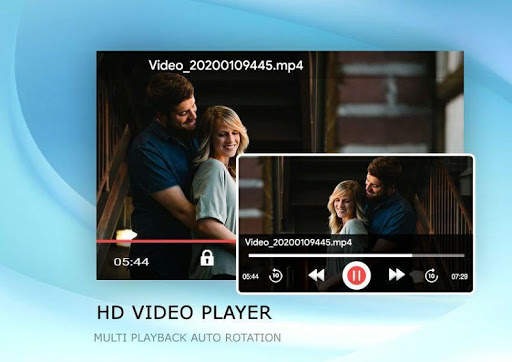
- Support auto-rotation, aspect-ratio adjustments.
- Hd mx palyer Support to change theme of app ,background theme.
- Easy take video Screen shoot when playing
- Remember recent play history
- Rename Your Video Files.
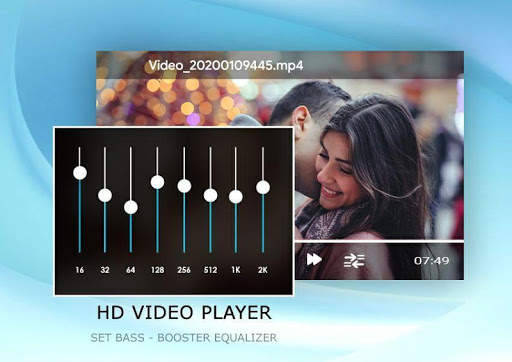
- Adjust Equalizer, get the best fit sound Effects.
- Easy Volume control in playing.
- bass booster setting.
- multiple widg
Video Player HD
Video Player HD, an all-in-one media player for any formats of video. It is the easiest Video Player HD for android, free and powerful.
ENJOY HD MX VIDEO PLAYER.

...

👉 For More Detail of HD MX Player

Search Results

1/20

You may like

DOWNLOAD IS NOT SUPPORTED IN WEB STORE!
Use the latest version of 9Apps to download APK&OBB file of games in one click!
DOWNLOAD 9APPS