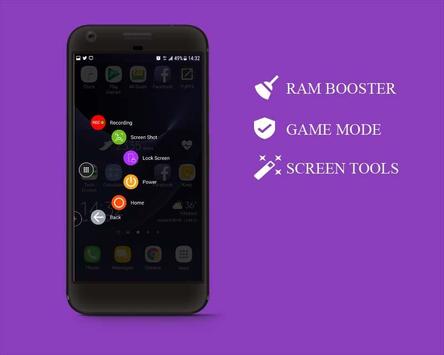
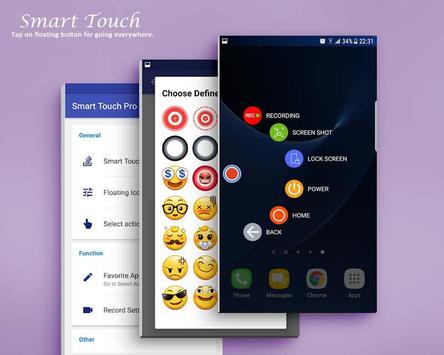
Smart Touch Easy Touch is an easy touch, an auxiliary touch tool that uses powerful floating balls on the screen to use frequent shortcuts, functions or applications quickly and easily.
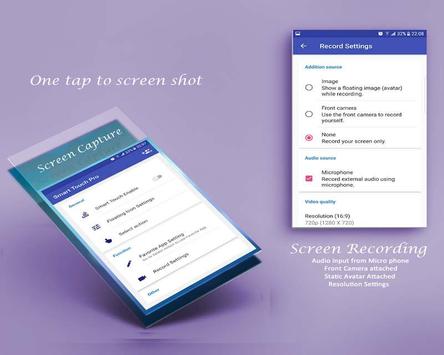
Supports some other useful features such as: Screen shot (Screen capture), Screen Recording, Ram amplifier (Ram Cleaner). You can also quickly access all your favorite shortcuts, favorite apps, games, settings and swap too.
On the other hand, Smart touch seems to be Smart Smart Assistant type. This is very useful for big screen smart phones.
Touch Assistive for Android
- Virtual Home button
- Virtual Back key
- Virtual Power Button (Android 5.0 and up)
- Virtual Volume button, quick touch to change volume and change the sound mode
- New Virtual Panel Key
- Virtual Volume Up / Down key
- Ram amplifier and clean memory. Speed ??up your device and save Battery from your home screen.
Quick Access (Fast launching)
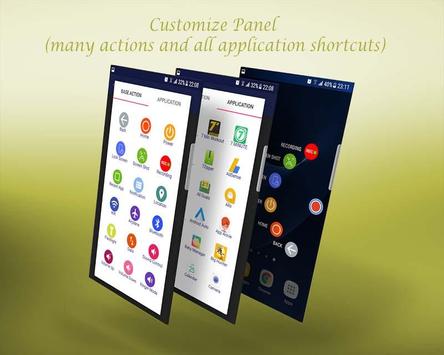
- Easily touch to open your favorite apps
- application opening directly from the circle menu
- Direct opening shortcuts (direct call, direct messages, direct contact ...)
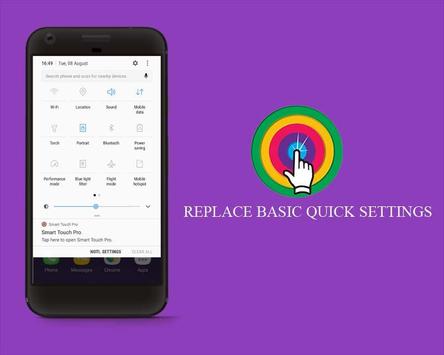
- Directs to control the quick settings
Advanced tools
- Easy touch for screen recording, supports attached picture or fron camera (including mic audio form, media system) (Requires Android 5.0 and above)
- Easy touch for screen shots ((Requires Android 5.0 and above)
- SOS signal
Quick Settings
- Open Notifications
- Rotation setting button
- Location setting on / off
- Wifi on / off settings
- Bluetooth on / off settings
- Airplane mode setting
- Flashlight setting on / off
- data settings
- Voice Control
- Ringer mode
- Access settings button
Customize
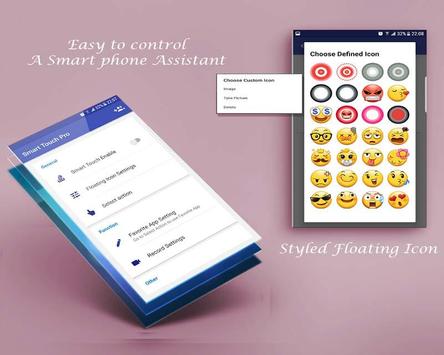
- You can change the icon of Smart Touch - Easy Touch with plenty of icons, totally free with over 40 items
- You can change the icon of Smart Touch - Easy Touch with your picture (from gallery or camera)
- Customize size and floating alpha ball
- Drag and drop to change the position of the action
- Be able to adjust the number of actions (maximum is 10)
- Be able to add more actions from the screen
Language
- Supported languages: English, German, French, Thai, Spanish, Russian
Sensitive Licenses
- This app uses Accessibility services
It is for the physical handicap, Smart Touch provides a powerful one-handed feature, you can use one hand to operate the phone, switch applications easily, replace the hard navigation key, which can hardly be controlled by one hand. Rest assured that the Smart Touch will not collect your personal information, it's just for global action like BACK, NEWEST, POWER.
- BIND_DEVICE_ADMIN: This app uses the Administrator Device permission only used to lock the screen (pressing a button instead of the physical power button) and turn off the screen of your device.
- CAMERA: To turn on the Flashlight and shortcuts to take photos.
- CALL_PHONE: Added a contact to Action so you can make a call. It is for a direct call shortcut not from our application inside.
Note
- To prevent applications from being terminated by the OS:
System settings> Battery> Battery Optimization> Add app> Smart Touch> Check Do not optimize (From Marshmallow)
- If your brand is Xiaomi, please run the following below:
You have to go to security -> select permissions -> permissions -> SmartTouch and turn on the pop up window. Follow up, you go to security -> permisson -> AutoStart -> enable SmartTouch.
- Open app-> uninstall menu if you can not delete apps. This is because of google's policy when you want to use the Lock Screen feature as it requires Device Admin permissions.
- Screen shot (Screen capture), Screen Recording is supported only Android 5.0 and above
If your phone meets some of the above notes, do not give a bad review. This is not our bug, it is a limitation of Android technical. Please contact our developers to help.


9Apps 4.9