









DOWNLOAD IS NOT SUPPORTED IN WEB STORE!
Use the latest version of 9Apps to download APK&OBB file of games in one click!
DOWNLOAD 9APPS
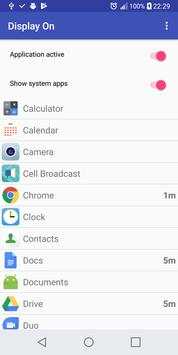
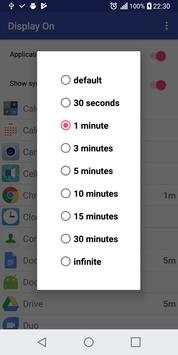
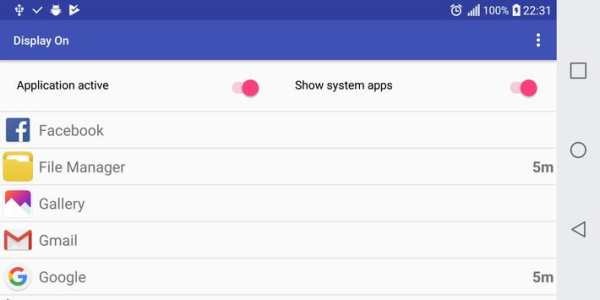
This application allows to set screen timeout for every application separately. You can keep global timeout short and choose applications that you wish to keep the phone display enabled longer (browser, PDF reader, etc.).
You just need to choose an application from the list, click it and set a desired timeout. Display On application runs in background and adjusts the screen timeout for selected applications.
Note for Oreo users: In case of problems with Display On while "Battery saving mode" add it to not affected application list in Android battery settings.
Permissions usage details:
GET_TASKS - to list available applications
PACKAGE_USAGE_STATS - to get active application
ACCESS_NETWORK_STATE - used by Google AdMobs (advertisements)
INTERNET - AdMobs
RECEIVE_BOOT_COMPLETED - to start application tracking after a phone restart
SYSTEM_ALERT_WINDOW - to detect user interaction with the active application
WAKE_LOCK - to keep screen enabled for selected applications



Premature disabling for some devices fixed.


