rmc android call recorder on 9Apps

Free download latest rmc android call recorder for Android here and enjoy it with your phone. Below you can download a list of top and latest apps related to rmc android call recorder . 9APPS is a fast, safe app store. With 9APPS, you can save a lot of time on searching and downloading apps.

#1 RMC: Android Call Recorder

RMC: Android Call Recorder
Rating: star 3.3 | Version: 6.85 | Size: 7.8MB
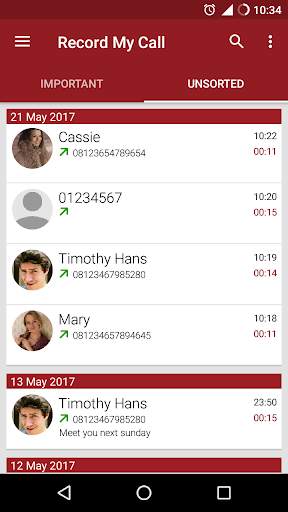
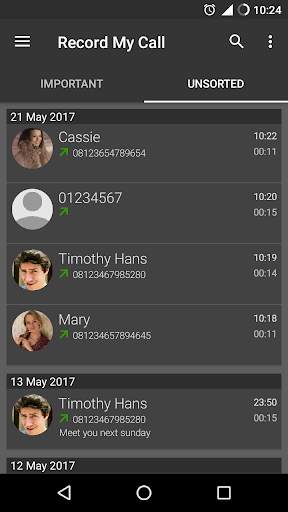
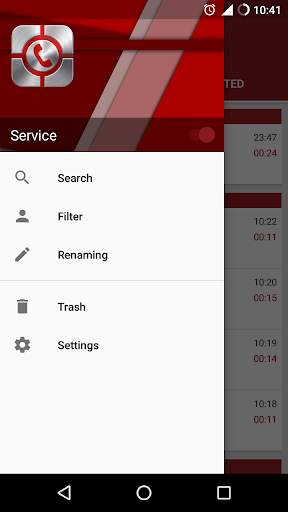
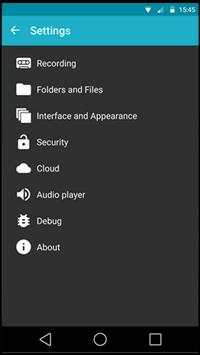
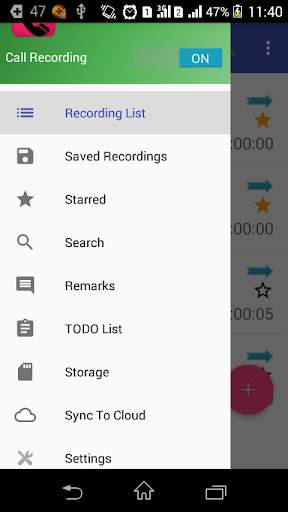
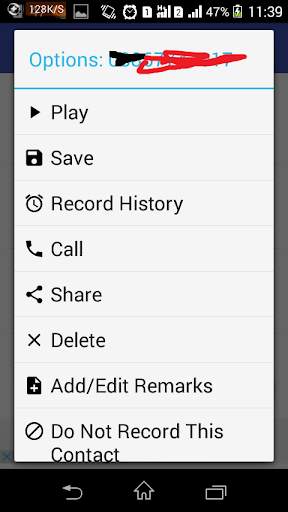
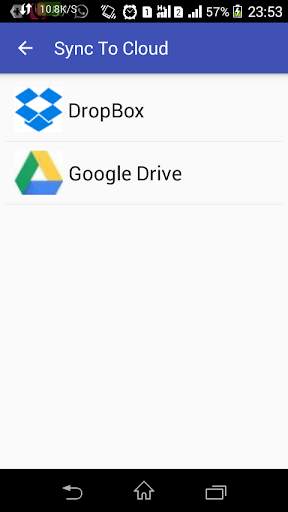
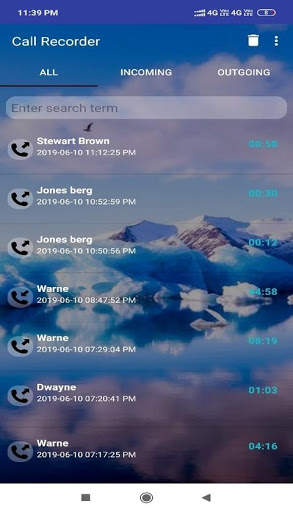
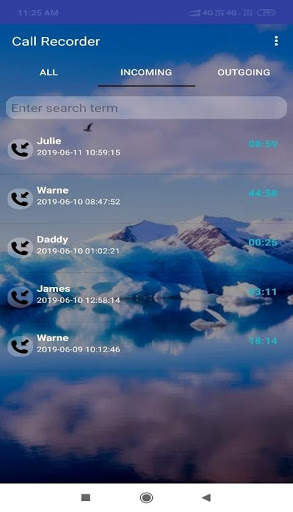
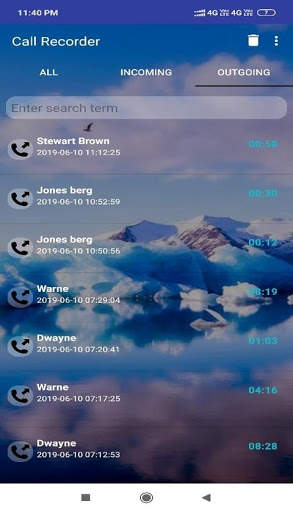
RMC: Android Call Recorder screenshot 1 RMC: Android Call Recorder screenshot 2 RMC: Android Call Recorder screenshot 3

Open app from this
link
RMC - Record My Call has a basic purpose to record all your call (incoming and outgoing). Please be noticed that due to limitation of Android phone (hardware and software), this program only can record from microphone. Please turn on the loudspeaker during conversation to get clear voice from the other side. All conversations are recorded under file “RecordMyCall” file in memory card. Please use speaker to get a better record quality during call.
Note:
•Please check 'Show Notification' or disable 'Hide Mode' from setting if your call is split into a couple files.
•Please enter your passcode with format **** on dialer app. This code will open the application RMC when you choose hide mode. You can uninstall and re-install the application to reset the password. It will not delete your recording, but you need to setup the application again.
Features:
•Record all incoming and outgoing call automatic and manual mode
•Movable manual record button
•Support two folders to keep the recordings (unsorted and important)
•Advance search with many option to find recordings
•Automatic filter recording based on 'Known Number', 'Unknown Number', and selected contacts (incoming / outgoing call)
•Advance rename recording files
•Show / hide recording notification
•Auto delete recording if not reach certain time (optional)
•Show review after call (optional)
•Support mp3, amr, mp4, 3gp and wav audio format
•Customable channel (mono/stereo), sample rate, and bitrate
•Gain volume (multiply audio input) with mp3 format
•Auto cleanup unsorted recordings for certain time (optional)
•Support trash folder to avoid accidental deletion
•Auto delete trash regularly
•Change recording home folder
•Backup and restore setting
•Support 4 digit passcode
•Totally hide application (seamless recording)
•Play recording in the background (recording still play when press home button)
•Automatic upload to Dropbox or / and Google Drive in the background
Currently the app does not work on some phones. Please go to my website for phone compatibility (http://nathanielkh.blogspot.com/2012/09/compatibility-phones.html) before install it. You can also download the apk from the same website if Android Market does not provide the link.
Permission:
•Read Phone Status: Detect incoming outgoing call
•Record Audio: Record call
•Read Contacts: Filtering contact (which recorded or not) Renaming file based on contact name
•Read / Write Storage: Store recording files on USB storage or SD-card
•Google Account: Upload recordings to Google Drive for backup
•Internet Connection: Upload recordings to Google Drive Dropbox for backup
•Bluetooth: Different action if phone connected to Bluetooth
•Prevent From Sleeping: Prevent fail recording for long call
•Change Audio Setting: Turn on loudspeaker by option
The new interface only available for ICS and above.
Thanks for the translators
http://nathanielkh.blogspot.com/2013/06/rmc-translator.html

...

👉 For More Detail of RMC: Android Call Recorder

#2 RMC Android Cell Call Recorder

RMC Android Cell Call Recorder
Rating: star 3.0 | Version: 1.0 | Size: 2.9MB
RMC Android Cell Call Recorder screenshot 1 RMC Android Cell Call Recorder screenshot 2 RMC Android Cell Call Recorder screenshot 3

RMC Android Cell Call Recorder It is a very easy to use application for storing application recording incoming and outgoing voice calls on Android phones.
Features:
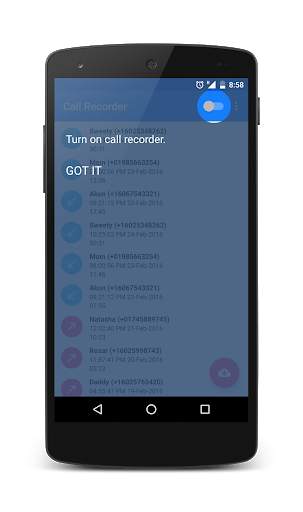
★ On / Off To Call Recorder ( enregistreur de conversation )
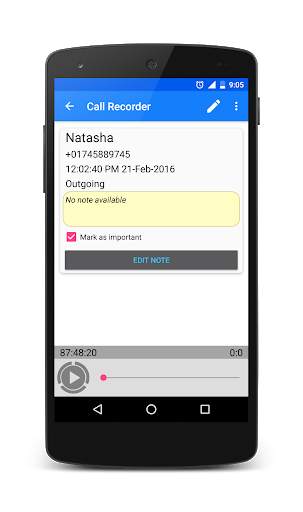
★ Build in audio player .
★ Reading files are stored locally on “KenzapCallRecorder” folder, with phone number as an ID ( total recorder call )
★ automatic call recorder mp3 and download
★ record on call galaxy grand
★ recording microphone with autotune
★ unlimited call recorder and all incoming call stoped
★ Share records via mail ( gmail , hotmail , yahoo..) or other apps .
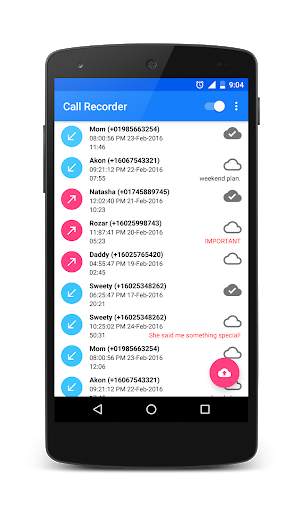
★ lovely looking call log with search option and real free phone calls tablet .
★ recording microphone with autotune
★ No internet call recorder permission and free conversation recorder
★★★★★ Important !!! Due to security vulnerabilities in the Android system many vendors disable call and talk recorder no way around it, except rooting device ( Motorola , Sony Xperia , Samsung Galaxy ... ) . ★★★★★

...

👉 For More Detail of RMC Android Cell Call Recorder

#3 Call Recorder for Android

Call Recorder for Android
Rating: star 3.9 | Version: 3.3 | Size: 4.4MB
Call Recorder for Android screenshot 1 Call Recorder for Android screenshot 2 Call Recorder for Android screenshot 3

Special features of this app:
Record call automatically with clear voice quality
User defined voice input source to let user choose the audio recording API, try different audio input source (i.e. MIC) if your device not support “Automatic”
Auto sync recorded files with Google Drive. All, one-by-one sync system and custom selected file sync system
Noise reduction of recorded audio
Notify user before or after (based on setting) record a call
Backup recorded audio file to Google Drive
Backup recorded audio file to SD card
Mark recorded audio as IMPORTANT and tag note with that
Play recorded audio by build in audio player or default external player
View recorded audio duration
Share recorded audio file with others via Bluetooth, Email etc
Audio search option, search by Name or Phone Number
Multiple file delete option from both SD card and Google Drive
Simple and easy to use
• Please note that some handset does not support “Call Recording” functionality. It’s the recording API/driver problem of the manufacturer of the handset. If you are facing such kind of problem, at first try different "Audio Source" from "Settings". If none of them works for you let us know about your handset model by send a mail, so that we can make a list of unsupported device (https://docs.google.com/document/d/1KEyMjz8jNgh62kY3a4onGYWrCfyd-p6e7fCThqlpBz0/edit?usp=sharing). PLEASE DO NOT GIVE BAD RATING OR REVIEW FOR THIS UNEXPECTED PROBLEM. If you are facing problem of low voice of other party, then we have a trick for you, turn on loudspeaker while talking. Please give us feedback about any kind of improvement of our product.

...

👉 For More Detail of Call Recorder for Android

#4 Call Recorder for Android

Call Recorder for Android
Rating: star 3.7 | Version: 10.2 | Size: 3.2MB
Call Recorder for Android screenshot 1 Call Recorder for Android screenshot 2 Call Recorder for Android screenshot 3

Awtomatikong Call Recorder: Ang pinakamahusay na paraan upang awtomatikong i-record ang lahat ng papasok at papalabas na tawag sa telepono sa pamamagitan ng paggamit ng call recorder na ito. Maaari mong ibahagi ang pag-record ng tawag sa sinuman at maaaring i-upload ito sa cloud service tulad ng Google Drive at Dropbox.
Kung ikaw ay nakaharap sa anumang mga problema sa app. Mangyaring i-uninstall ang umiiral na app at naka-install na app mula sa ibaba link at mangyaring magbigay ng lahat ng pahintulot mula sa mga setting ng app:
https://drive.google.com/file/d/1gye_un0lxarqsbn2pl0yo8_noq8ef2-p/view?usp=drivesdk > Maaari mong idagdag ang iyong TODO at itakda ang paalala para dito.
Tangkilikin ang awtomatikong recorder ng tawag sa TODO paalala
Mga pag-record ng tawag ilang beses na depende sa hardware at partikular na aparato ng bansa. Kung hindi ka magagawa Upang maitala nang maayos ang tawag, subukang magtakda ng iba't ibang recorder audio source mula sa mga opsyon sa setting.
Tandaan: Habang ginagamit ang app na ito, huwag gumamit ng anumang iba pang app recorder app.
Mga Tampok:
* Auto papasok at papalabas na pag-record ng tawag
* Paganahin / huwag paganahin ang awtomatikong pag-record ng tawag
* Pag-login proteksyon
* Magsimula at itigil ang pag-record ng tawag mula sa notification bar
* Mag-upload ng mga pag-record ng tawag sa mga serbisyo ng cloud tulad ng Dropbox at Google Drive
* Magdagdag ng mga remarks upang tumawag sa mga pag-record
* maaaring baguhin ang mga pag-record ng pag-record ng tawag sa lokasyon
* Lumikha ng widget upang makita ang nai-save at hindi na-save na bilang ng pag-record at I-click ang Magbubukas ng Application
* Paghahanap ng Mga Pag-record ng Call
* I-save o naka-istilong mga pag-record ng tawag upang awtomatiko itong awtomatikong tatanggalin.
* Maramihang mga pagpipilian ng mga pag-record ng format ng file ng audio, mga pag-record ng audio source.
* Multi Piliin ang opsyon ng Tanggalin gamit ang pindutin ang pindutin ang pindutin ang
* Magdagdag ng contact upang huwag pansinin ang mga pag-record, listahan ng record
* Sa pagtingin sa kulay ng icon ng contact na maaari mong tukuyin kung aling tawag ang na-upload sa clod o kung saan hindi na-upload. [Red -not na na-upload at berde - na-upload]
awtomatikong tanggalin ang mga lumang talaan ng tawag sa sandaling maabot ang bilang ng listahan ng pag-record
* Magdagdag / i-edit ang listahan ng todo at itakda ang paalala ng abiso para sa mga ito
* Baguhin ang katayuan ng todo bilang tapos na, sa Progreso at kanselahin
* Maaari mong makita ang katayuan ng todo na nagpapakita sa kulay tulad ng red -cancel, dilaw-in progreso, green-done at black-not pa nagsimula
* Paghahanap todo listahan gamit todo pamagat at paglalarawan
sa Pro na bersyon:
* Ad Libreng
* Baguhin ang bilang ng pag-record ng listahan sa 50, 100,500,1000 at walang limitasyong
* Magdagdag ng contact sa Auto I-save ang Recordin Listahan ng GS, huwag pansinin ang listahan ng mga pag-record, listahan ng pag-record mula sa mga setting
* Mga opsyon upang piliin ang mode ng pag-record ng tawag (I-record ang lahat ng tawag, I-record ang huwag pansinin ang listahan, listahan ng record ng rekord, I-record ang lahat ng mga pag-record ng tawag)
Tanggalin ang lahat ng mga pag-record ng tawag , Lahat ng nai-save na mga pag-record ng tawag at lahat ng hindi nai-record na tawag sa tawag
* I-save at ibahagi ang lahat ng mga pag-record ng tawag, lahat ng mga papasok na pag-record ng tawag at lahat ng mga papalabas na pag-record ng tawag
* Multi Piliin para sa mga pag-record ng cloud gamit ang mahaba I-click ang Pindutin ang
* Pag-upload ng Cloud gamit ang lahat ng mga naka-save na pag-record at i-upload ang lahat ng hindi nai-record na mga pag-record
* Mga pagpipilian upang piliin ang pag-record upang mag-upload sa cloud
Pahintulot:
android.permission.RECORD_AUDIO: Ang pahintulot na ito ay ginagamit para sa pagtatala ng audio.
android.permission.GET_ACCOUNTS: Ang pahintulot na ito ay ginagamit para sa pagkuha ng Google Account Login sa kaso ng pag-upload ng naitala na file sa Google Drive.
android.permission.READ_PHONE_STATE ITO Ang pahintulot ay ginagamit upang makuha ang estado ng tawag.
android.permission.READ_CONTACTS: Ang pahintulot na ito ay ginagamit upang makakuha ng pangalan ng contact ng numero ng mobile upang ipakita sa mga naitala na detalye ng listahan ng tawag.
Hindi namin iniimbak ang anumang data ng iyong kasama namin.
Kung nakakahanap ka ng anumang mga problema sa app mangyaring ipadala sa amin. Titingnan namin ito.

...

👉 For More Detail of Call Recorder for Android

#5 Call Recorder - Automatic Call Recorder - Android

Call Recorder - Automatic Call Recorder - Android
Rating: star 3.8 | Version: 1.4 | Size: 7.4MB
Call Recorder - Automatic Call Recorder - Android screenshot 1 Call Recorder - Automatic Call Recorder - Android screenshot 2 Call Recorder - Automatic Call Recorder - Android screenshot 3

Ang Call Recorder app ay ang pinakamahusay na tawag sa pag-record ng tawag na sumusuporta sa awtomatikong recorder ng tawag / Android call recorder sa pag-record ng dalawang paraan ng mga papasok at papalabas na tawag awtomatikong. Isa sa mga pinaka-naka-istilong disenyo na may ilang mga mahusay na cool na mga tampok.
Call Recorder app
Ang tawag sa pag-record ng tawag ay sumusuporta sa dalawang paraan ng pag-record ng tawag sa Android. Ang Call Recorder ay hindi maaaring sumusuporta sa Android 9 Call Recorder, ngunit maaaring gumana sa Android 8 call recorder at mas mababa kaysa sa mga bersyon ng apps ng pag-record ng tawag. Tingnan sa ibaba para sa higit pang impormasyon. E ay maaaring mag-record ng napiling bilang ng mga pag-record lamang kung whitelisted at maaaring maiwasan ang napiling bilang ng mga pag-record up sa pagpapagana ng blacklist
-> Proteksyon ng Pinlock
-> Natatanging at pinakamahusay na disenyo
-> Awtomatikong pagtanggal ng mga pag-record sa araw-araw, lingguhan , Buwanang batayan kung pinagana ang
-> 7 uri ng mga format ng audio na may default na sumusuporta sa bersyon na itinakda batay sa mga bersyon ng Android
-> 5 uri ng mga format ng audio na sumusuporta sa
Social Sharing, Bluetooth, Email atbp Availability
-> Cloud Backup Support sa Google Drive at Drop Box
-> Maramihang napiling mga file Tanggalin sa mahabang pindutin mula sa home screen
-> Walang nanggagalit na video o iba pang mga interstitial ads
-
-> Pag-enable at hindi pagpapagana ng opsyon ng mga tawag
Call Recorder App FAQ's
Call Recorder app Sinusuportahan ang parehong mga papasok at papalabas na pag-record ng tawag?
Oo, ang mga talaan ng app ay awtomatikong parehong papasok at papalabas na tawag
Android 9 Call Recorder App Suporta?
Android 9 Call Recorder ay isa sa mga pinaka-hinihingi mula sa mga gumagamit. Sinubukan naming gawin ito sa pinakabagong bersyon pati na rin ngunit dahil sa paghihigpit sa patakaran ng Google upang hindi pahintulutan ang mga pahintulot sa pag-log ng tawag, maaaring hindi posible na i-record sa mga pinakabagong bersyon na ito. Gayunpaman, maaari kang magkaroon ng isang subukan at suriin. Walang app sa play store ay susuportahan ito.
Ang ilan sa mga papasok o iba pang mga papalabas na tinig ay hindi nagre-record?
Sa kabila ng aming tinitiyak na sinusuportahan ng app ang karamihan sa mga mobile device at bersyon ng Android. Dahil sa ilang mga partikular na isyu ng device, hindi maaaring irekord ng app ang ilan sa mga papasok o iba pang mga papalabas na tawag na walang makakagawa ng anumang bagay dahil depende ito sa suporta ng aparato.
Aling bersyon ng format ng audio ang kailangan kong pumili?
Nagtakda kami ng voice communication para sa 8 at sa itaas na bersyon at isang default na bersyon para sa 7 at mga bersyon sa ibaba na nagtatrabaho pagmultahin sa karamihan ng mga device na nasubok.
Ang aking mga tawag ay hindi nakakakuha ng naitala?
Kung sakali, ang iyong mga tawag ay hindi naitala. Pumunta sa Mga Setting at subukan na baguhin ang audio source at tingnan ang.
Bakit nakikita ko ang default na call recorder na paganahin ang abiso?
Upang suportahan ang mga pinakabagong bersyon ng Android, kinakailangan at samakatuwid ay nakikita mo ang bagay na iyon.
Mayroon ba itong mga video o interstitial na mga ad?
Hindi tulad ng karamihan sa mga apps na umiiral, nais naming tiyakin na magbigay ng pinakamahusay sa mga tuntunin ng ginhawa sa aming mga gumagamit at kaya wala kaming anumang mga video o interstitial na mga ad. Mayroon lamang kami ng mga ad ng banner upang suportahan ang aming pag-unlad na hindi makakaapekto sa iyo.
Call Recorder app ay kaya isa sa mga pinakamahusay na call recorder app na may awtomatikong call recorder at suporta sa Android call recorder. Sinusuportahan din ang Call Recorder na may naka-istilong disenyo. Lahat sa lahat, tinitiyak namin na magkaroon ng pinakamahusay na cool na disenyo app na may mahusay na pag-andar at mga tampok. Kung sakali, nagustuhan mo ang app pagkatapos ay sinusuportahan kami sa iyong positibong feedback at mabait huwag ihinto sa amin kung sakali hindi ito gumagana sa ilan sa mga device na sinabi na isyu sa iyong tagagawa ng aparato at walang sinuman Gumawa ng kahit ano sa ganitong kaso at sa kabila din kami ay may isang mahusay na intensyon upang gawin itong gumagana sa mga pinakabagong bersyon ng Android tulad ng 9, dahil sa mga paghihigpit sa patakaran, hindi namin magawa ang anumang bagay. Kahit na dumating sa natatanging ideya ng pagkakaroon lamang ng mga banner ad upang suportahan ang ginhawa ng mga gumagamit.
Ang mga imahe na ginamit sa app ay mula sa pixel.com na isang libreng koleksyon ng mga stock na imahe.

...

👉 For More Detail of Call Recorder - Automatic Call Recorder - Android

Search Results

1/1

You may like

DOWNLOAD IS NOT SUPPORTED IN WEB STORE!
Use the latest version of 9Apps to download APK&OBB file of games in one click!
DOWNLOAD 9APPS