bengali voice typing on 9Apps

Free download latest bengali voice typing for Android here and enjoy it with your phone. Below you can download a list of top and latest apps related to bengali voice typing . 9APPS is a fast, safe app store. With 9APPS, you can save a lot of time on searching and downloading apps.

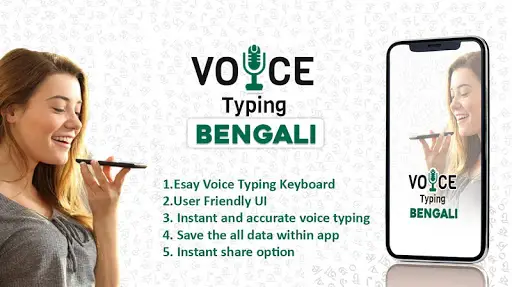
#1 Bengali Voice Typing
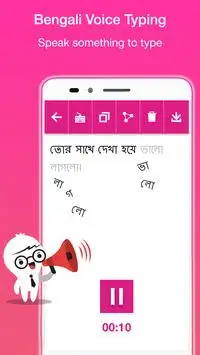
Bengali Voice Typing
Rating: star 4.0 | Version: 2.4 | Size: 5.1MB
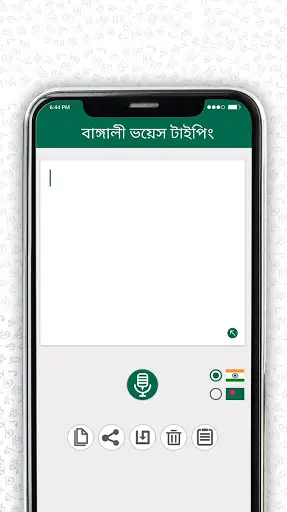
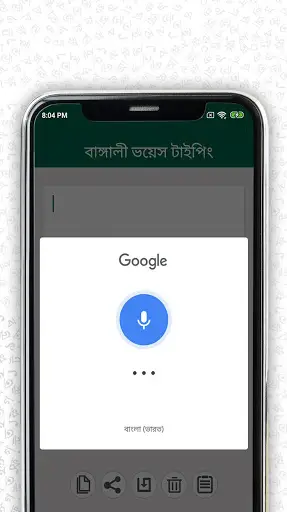
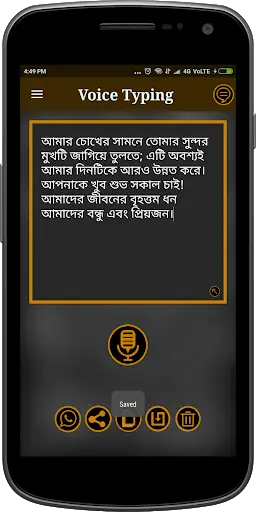
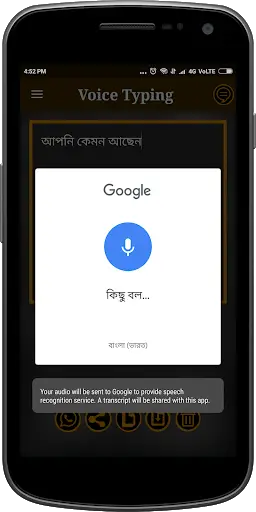
Bengali Voice Typing screenshot 1 Bengali Voice Typing screenshot 2 Bengali Voice Typing screenshot 3

English voice typing | Bangla Voice Typing | BANGALA VOICE TO TEXT CONVERTER | Bangla Speech sa text offline | Bangla Voice to text | Bangla Speech sa text typing input | Bengali Voice Typing Keyboard
Ang Bangla Voice Text Speaker Recognition application ay gagawing mas madali ang iyong buhay sa mga tampok ng teksto sa pamamagitan ng iyong panayam. Makikipag-usap ka lamang sa text voice typing app lamang sa boses at awtomatiko itong isasalin ito sa Bangla Text. Mahusay na magsalita at makilala ang salitang pasalitang komentaryo app sa pamamagitan ng teksto o Bengali. Ngayon hindi mo na kailangang matutunan ang Bangla upang makipag-ugnay dito gamitin lamang ang application ng boses ng boses ng boses na ito at sabihin sa iyong mga paboritong salita. Ang Text Typing App ay nagsasalita ng mahusay para sa wika ng Bangla, dahil hindi na kailangang gumamit ng pag-type ng keyboard upang magpadala ng teksto sa Bengali. Gamit ang boses na ito sa application ng converter ng teksto, kailangan mo lamang idirekta ang teksto at i-convert ang iyong tala ng boses bilang isang teksto.
Huwag mabuhay tulad ng isang typist na maging matalino sa app na ito. Basta makuha ang iyong iyong boses na isinalin sa teksto.
Ang pinakamahusay at madaling app para sa boses sa text converter. Ang app na ito ay nagbigay sa iyo upang lumikha ng iyong ibinigay na Youtes sa pamamagitan ng pag-type ng offline app ng boses
Ngayon gamitin ang pinakamadaling paraan ng pag-type. Itigil ang pagkuha ng bigo sa pamamagitan ng regular na pag-type ng mobile o regular na pagta-type ng boses. Ang iyong telepono ay dapat na undersstand mo, hindi ang iba pang mga paraan sa paligid. Ang uri ng boses ay ginagawang madali ang pag-type ng mobile - kaya maaari kang tumuon sa iyong teksto at mga saloobin - at hindi sa keyboard.
Mga Tampok ng Pagsasalita sa Teksto:
- Ang simple at madaling interface ng voice translator
Kopyahin at i-paste ang teksto ng anumang social media app bagaman ang audio converter
- ang iyong voice text c Maaaring i-save dito. Ang app ay mapanatili ang isang listahan ng ihiwalay. Na maaari mong i-edit pati na rin
- Speech Recognizer ay hindi oras out
- Madaling ibahagi sa audio sa Text Translator
- Narito makakakuha ka ng isang buong view ng voice typing text
Paggamit ng pagsasalita sa text offline, maaari mong ibahagi ang iyong text file sa lahat ng suportadong application sa iyong telepono. Maaari mong kopyahin ang teksto at ipadala bilang isang form ng mensahe / text sa yourtetact. Ang pagsasalita sa text online app ay nagbibigay ng isang pasilidad upang i-save ang teksto sa iyong aparato at sa susunod na ibahagi mo lamang ang file na iyon sa kinopya ang iyong mga contact.
Maaari kang magbigay ng mas malaking input ng boses at maaari mong iimbak ang lahat ng teksto ng boses sa magkakahiwalay na listahan. Bengali Voice to text converter-audio to text converter ay isang simpleng app at user-friendly na interface. Ang teksto ay lilitaw pagkatapos mong gawin ang pagsasalita ng pag-type ng pag-type sa lahat ng mga wika. Kapag nakakuha ka ng boses sa text converter app, maaari mong gamitin ang pagsasalita sa text app at magpadala ng mabilis na mahabang teksto at mga artikulo sa kaya social media at lahat ng mga application ng pagmemensahe sa iyong aparato Bengali voice typing-audio to text converter ay isang voice type sa lahat ng mga wika.
Bangla boses sa text speech recognizer app ay gagawing mas madali ang iyong buhay sa pamamagitan ng speech nito sa tampok na teksto. Kailangan mo lamang magsalita nang natural sa boses sa text voice typing app at awtomatiko itong i-translate ito sa Bangla Text. Ang boses sa pamamagitan ng teksto o Bangla nagsasalita sa Text Speech Recognizer app ay mahusay para sa dictating at pagkilala ng teksto. Ngayon hindi mo na kailangang matutunan ang Bangla upang makipag-usap sa ito lamang gamitin ang boses na ito sa pamamagitan ng text voice typing app at magsalita ng mga salita na iyong pinili. Nagsasalita ito sa text typing app ay mahusay para sa mga taong nagsasalita ng Bangla dahil hindi nila kailangang gamitin ang pag-type ng keyboard para sa pag-awit ng teksto sa Bangla.
para sa app na ito maaari kang maghanap bilang bengali voice type sa lahat ng wika, bengali speech sa teksto, bengali smart uri ng boses, bengali speech note, bengali makipag-usap sa teksto, bengali paghahanap sa pamamagitan ng boses, bengali paghahanap sa madaling magsulat, Bengali voice text messages, voice translator sa lahat ng wika, Bangla boses sa teksto, boses sa text Bangla ang pinakamahusay na app para sa boses typing Bangla Keyboard
I-download ang bengali voice typing app | Boses sa txt bangla.

...

👉 For More Detail of Bengali Voice Typing

#2 Bengali Voice Typing

Bengali Voice Typing
Rating: star 3.0 | Version: 1.0 | Size: 5.5MB
Bengali Voice Typing screenshot 1 Bengali Voice Typing screenshot 2 Bengali Voice Typing screenshot 3

Send emails, upload new Facebook posts and send SMS or Whatapps messages in Bengali using
Bengali Voice Typing
. Now Your Phone should understand you, not the other way around. Bengali voice input makes mobile typing extremely easy, so you can focus on your text and thoughts and not on the keyboard. Stop getting frustrated by small keyboard or irregular voice typing. Convert your voice into text with speech to Text app. It automatically generates text as you speak in Bengali so you can share it on any social media like WhatsApp or Facebook in Bengali language.
Just use this speech to text converter, speak in Bengali and get your Bengali text automatically typed. The app will process your voice and convert what you speak into Bengali Text. Lots of features make Voice to Text one of the easiest talk to text applications available. The goal of this Bengali voice input is to give you an easy and simple way to type text messages with your voice.
The text appears as soon as you start speaking into the application. Once you get used to this app, you can use it to create and share long texts and articles on social media platform and messaging application. Now every Bengali word and content is available on your smartphone screen because the developers created such a fantastic English-Bengali rapid typewriter. The magical Bengali typing app works everywhere even with a very slow internet connection.
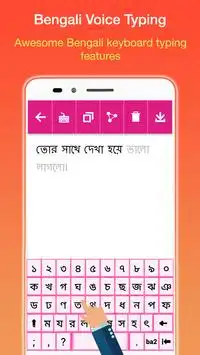
You can even type in Bengali as Bengali keyboard is given in this
Bengali Voice Typing
app. You can copy the text from the clipboard and share it on Facebook, WhatsApp very sites easily, also delete the text if you want to so that it looks fabulous using speech to text converter app. You can use this speech to text app to write in Bengali. No need to copy and paste Bengali input. This Bengali keyboard Bengali voice input can be used to get a text from your Bengali speech.
Bengali Voice Typing Features:
• You Can speak in any language and type in Bengali.
• One of best voice to text app.
• Speech to text converter.
• Copy the text to clipboard with a simple click button using Bengali Voice Typing.
• Share the text or email it with only one click of a button.
• Requires very low data and works well on slow internet connection.
• Share your note using your favorite app on Gmail, Twitter, Facebook, SMS, Whatsapp, Viber, Skype, etc.
• Speech recognizer does not timeout.
• Use this Bengali text to share using the different application as a text message.
• Use it in many ways like you can tweet in Bengali, create a text message in Bengali, create a message or an article.
How to Use
• Speak in any language and you will get it typed in the Bengali language.
• Copy the text and share it on different networking sites.
• You can use this Bengali text, voice to text to share using the different application as a text or use it to chat on chatting application.
• You can even save current text or delete the old text.
Now don't need Bengali keyboards to manually type in Bengali. Just download this
Bengali Voice Typing app
, speak in Bengali and get your Bengali text automatically typed. A very easy and simple application but very useful. Download it today and start using it.

...

👉 For More Detail of Bengali Voice Typing

#3 Bengali Voice Typing

Bengali Voice Typing
Rating: star 3.0 | Version: 1.0 | Size: 3.6MB
Bengali Voice Typing screenshot 1 Bengali Voice Typing screenshot 2 Bengali Voice Typing screenshot 3

The best and easy app for voice to text converter. This app has provided you to create your own notes by voice typing offline app
Now use the easiest method of typing. Stop getting frustrated by regular mobile typing or regular voice typing. Your Phone should understand you, not the other way around. Voice Typing makes mobile typing easy - so you can focus on your text and thoughts - and not on the keyboard.
Features of speech to text:
- The simple and easy interface of voice translator
- Copy and paste text any social media app through the audio converter
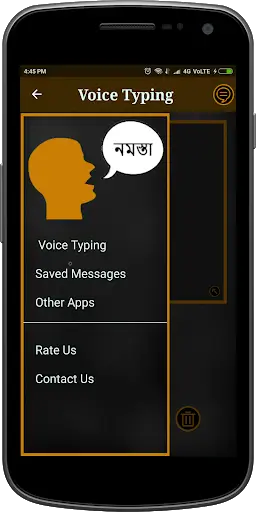
- Your voice text you can save here. The app will maintain a separate list. That you can edit as well.
- Easily share in audio to text translator
- Here you will get a full view of voice typing text
- You can easily delete unwanted messages
- Provided dark theme like voice typing on blackboard so it will take care of your eyes too.
Using Speech to Text offline, you can share your text file with all the supported application on your phone. You can copy the text and send as a message/text form to your contacts. Speech To Text app provides a facility to save the text into your device and next time you just share that file with copied your contacts.
You can give as much large voice input and you can store all the voice text in separate lists. Bengali Voice to text converter- Audio to Text converter is a simple app and user-friendly interface.
Bangla voice to text speech recognizer app will make your life much easier through its speech to text feature. You just have to speak naturally in the voice into text voice typing app and it will translate it into Bangla text automatically. Now you don’t need to learn Bangla in order to communicate in it just use this voice by text voice typing app and speak words of your choice. This speaks to text typing app is great for Bangla speaking people as they don’t need to use typing keyboard for sending text in Bangla.
For this app you can search as Bengali Voice Typing in All Language, Bengali Speech to Text, Bengali Smart Voice Typing, Bengali Speech Note, Bengali Search by Voice, Bengali Speak to Easy Write, Bengali Talk to Text, Bengali Voice Text Messages, voice typing bangla keyboard.
Download the Bengali Voice Typing App

...

👉 For More Detail of Bengali Voice Typing

#4 Bengali Voice Typing Keyboard

Bengali Voice Typing Keyboard
Rating: star 4.2 | Version: 1.0 | Size: 26.3MB
Bengali Voice Typing Keyboard screenshot 1 Bengali Voice Typing Keyboard screenshot 2 Bengali Voice Typing Keyboard screenshot 3

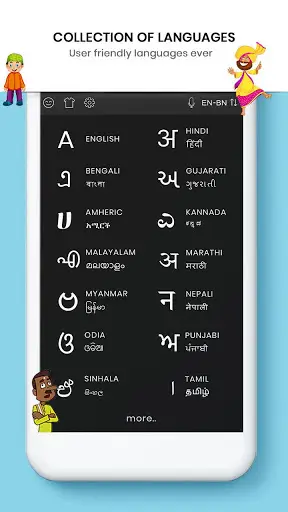
Bengali Voice Typing Keyboard that makes typing Bengali faster than ever before.
Bengali Voice Typing Keyboard
Chat with your friends and family in your native language - use
Bengali Voice Typing Keyboard
on any chatting or social media on your mobile like a routine keyboard.
# Key Features of Bengali Voice Typing Keyboard
Enjoy default keyboard and type in Bengali.
Control Vibrations, sounds and many more settings.
English to Bengali AND Bengali To English converter.
Fancy Art & Fancy Text.
Spelling Checking, word prediction swipe to type & more.
Toggle Bengali or Bengali for Bengali voice typing keyboard.
Bengali To Bengali Translator.
Bengali SMS.
Many More.
How to Use Bengali Voice Typing Keyboard:
Step 1:
To Set Enable Bengali Keyboard with single touch windows.
Step 2:
After enabling the Bengali keyboard set the input method between the Bengali keyboard and
device default keyboard.
Step 3:
Using Images option you can set your image or photo in keyboard background when its open
for type in Bengali
Step 4:
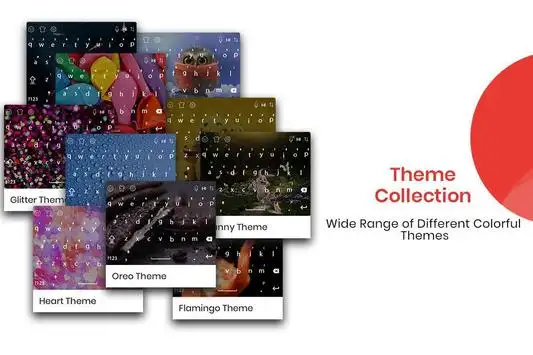
Theme option used for select best keyboard theme whatever you like, simple choose out of theme.
Step 5:
Font option used for set font style according to your selection in font keyboard.
Step 6:
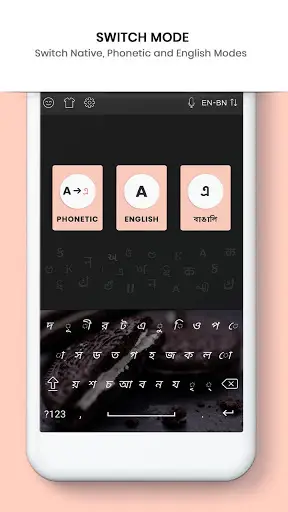
Now Support Phonetic features in Bengali keyboard type in Bengali indic.
Step 7:
now just type in Bengali and you will see the magic your Bengali latter will be converted in Bengali language.
Step 8:
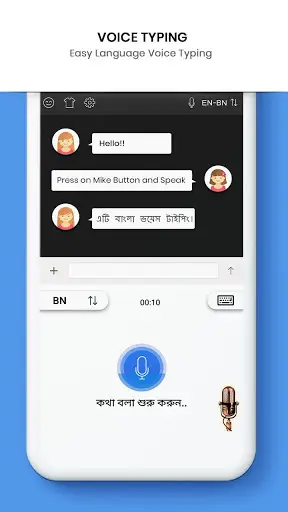
Bengali Voice Typing Keyboard is also implemented now just speech in Bengali and Bengali and you will get it in written.
Download Bengali Voice Typing Keyboard Now.

...

👉 For More Detail of Bengali Voice Typing Keyboard

#5 Bengali Keyboard - Bengali Voice Typing Keyboard

Bengali Keyboard - Bengali Voice Typing Keyboard
Rating: star 3.8 | Version: 1.0 | Size: 27.9MB
Bengali Keyboard - Bengali Voice Typing Keyboard screenshot 1 Bengali Keyboard - Bengali Voice Typing Keyboard screenshot 2 Bengali Keyboard - Bengali Voice Typing Keyboard screenshot 3

ইমোজিসহ বাংলা কীবোর্ড, makes typing Bengali faster than ever before.
Bengali Keyboard - Bengali Voice Typing Keyboard
Now Bangla messaging is much easer using this
Bengali Keyboard - Bengali Voice Typing Keyboard
for android phone and tablets. Share Bangla texts.
Bengali Keyboard - Bengali Voice Typing Keyboard
will fulfil your demand of using numeric keys very easily while sending money throw any mobile banking using USSD. And for safety and security, we do not save any keystroke on the phone. So it is 100% safe, reliable and fast Bangla typing solution for you daily need.
Key Features of Bengali Keyboard - Bengali Voice Typing Keyboard
+ Enjoy default keyboard and type in Bengali.
+ Control Vibrations, sounds and many more settings.
+ English to Bengali AND Bengali To English converter.
+ Fancy Art & Fancy Text.
+ Spelling Checking, word prediction swipe to type & more.
+ Toggle Bengali or Bengali for Bengali Keyboard - Bengali Voice Typing Keyboard.
+ Bengali To Bengali Translator.
+ Bengali SMS.
How to Use Bengali Keyboard - Bengali Voice Typing Keyboard:
Step 1:
Join two characters by typing x between them.
purxb = পুর্ব brxsssa = বর্ষা
Step 2:
Repeatedly type the closest sounding key till you see the correct Bengali script character.
s = স ss = শ sss = ষ krr = ক্র krrr = কৃ
Step 3:
Type z to add a special symbol of the script.
z = ং zz = ঃ zzz = ঁ zzzz = ়
Download Bengali Keyboard - Bengali Voice Typing Keyboard Now.

...

👉 For More Detail of Bengali Keyboard - Bengali Voice Typing Keyboard

Search Results

1/16

You may like

DOWNLOAD IS NOT SUPPORTED IN WEB STORE!
Use the latest version of 9Apps to download APK&OBB file of games in one click!
DOWNLOAD 9APPS