Remap Bixby Key with Google Assistant icon

Remap Bixby Key with Google Assistant

Kasalukuyang Bersyon: 1.0
990.8KB 10,000+ 3.4 3.35
Price: $0

Paglalarawan Remap Bixby Key with Google Assistant

Remap Bixby Key with Google Assistant
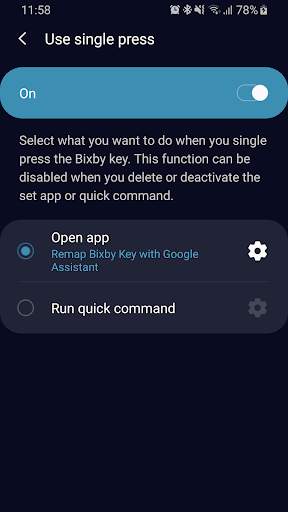
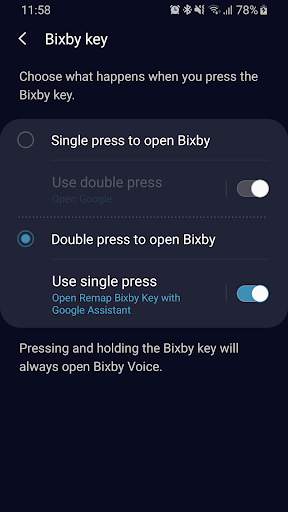
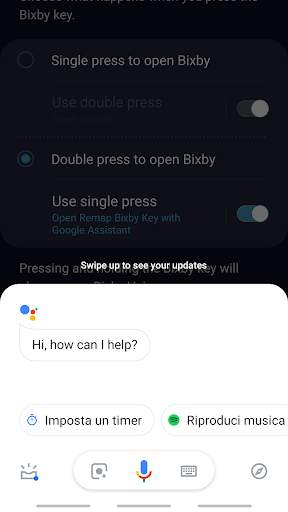
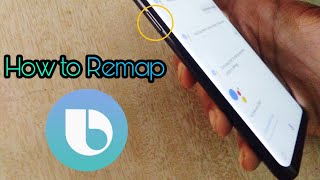
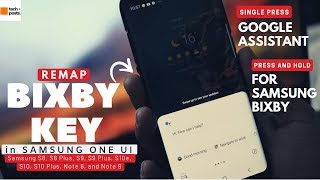
How to use:
1) Open Bixby Settings
2) Tap Bixby Key
3) Select "Use double/single press"
4) Select "Open app"
5) Choose from the app list "Remap Bixby Key with Google Assistant"
Tumingin pa I-collapse

Anong bago Remap Bixby Key with Google Assistant

Version 1.0

Impormasyon

PackageName icon
ID:
it.giovanniperrone.remapbixbykeywithgoogleassistant
category icon
Kategorya:
update icon
Na-update:
2019-03-01
version icon
Kasalukuyang Bersyon:
1.0
requirements icon
Nangangailangan ng Android:
Android 7.1 or later
google play icon
Available on:
filesize icon
Laki:
990.8KB
DOWNLOAD IS NOT SUPPORTED IN WEB STORE!
Use the latest version of 9Apps to download APK&OBB file of games in one click!
DOWNLOAD 9APPS