






DOWNLOAD IS NOT SUPPORTED IN WEB STORE!
Use the latest version of 9Apps to download APK&OBB file of games in one click!
DOWNLOAD 9APPS

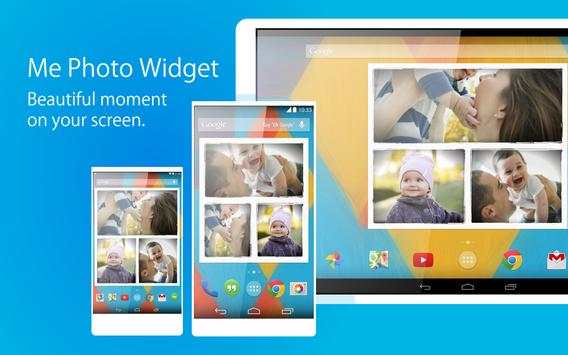

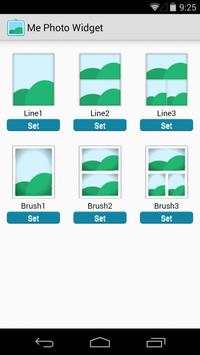
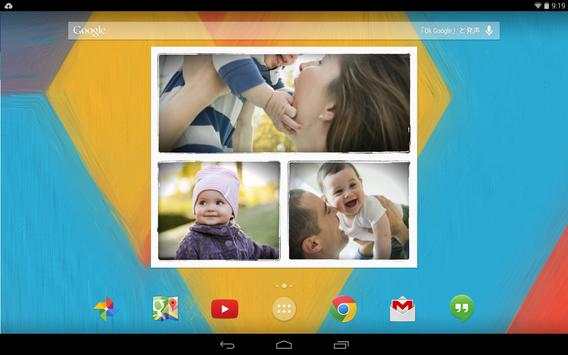

Features:
- Free and No ads
- Frame design
- Internal storage
- SD card supported (exclude Android4.4 )
- Widget resizing (Android3.1 )
- Lock screen widget (Android4.2 )
- Display interval setting
- Switching effect setting
How to use:
1) Download
Me Photo Widget
2) Long press the home screen. and then select
Widgets
(or choose the widget tab from the app drawer)
3) Select
Me Photo Widget
from the widget list.
4) Select a frame from the list
5) Photo widget is placed in the home
1) Tap the photo widget. open the setting.
2) Select the storage device from "Strage".
3) Select the image folder from "Image folder".
4) Press the back key.
Validated Device:
Nexus4 / Nexus7 / Nexus10 / Arrows NX/ Galaxy Note3 / Xperia TabletZ
From the development team:
Thank you for downloading.
If you enjoyed. Please the ratings★★★★★ and comments.
Thank You.
v 1.100
- New Size : 4x2 , 6x4
- New Frame



Temple Run 2
4.4122.1MB

Candy Crush Saga
4.491.1MB

imo beta -video calls and chat
4.394.0MB

Offline Music Mp3 Player- Muso
4.535.9MB

ShopClues
3.816.4MB

Talking Tom Cat
3.963.0MB

Stickman Fighting
3.059.6MB

Facebook Lite
4.02.5MB

Quikr – Search Jobs, Mobiles,
4.120.8MB

Dearmet: Video Chat, Live Talk
4.043.4MB