




DOWNLOAD IS NOT SUPPORTED IN WEB STORE!
Use the latest version of 9Apps to download APK&OBB file of games in one click!
DOWNLOAD 9APPS
Try new independent keyboard JustHindi
https://play.google.com/store/apps/details?id=com.sriandroid.justhindi
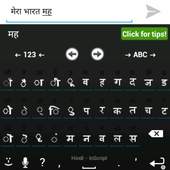
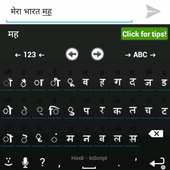
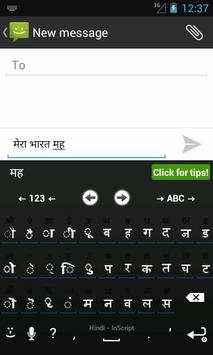
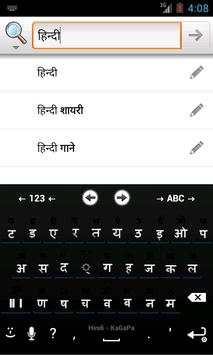
Install only if you can read "मेरा भारत महान".
If you see BOXES, you PHONE itself does NOT support Devangari.
Hindi Language pack for AnySoftKeyboard.
You can type Hindi, Marati, and other languages which uses Devangari Script.
Steps
1. Install AnySoft keyboard from the play store.
https://play.google.com/store/apps/details?id=com.menny.android.anysoftkeyboard
2. Install this Hindi Language Pack
3. Goto Settings -> Language and Keyboards
4. Enable Anysoft keyboard
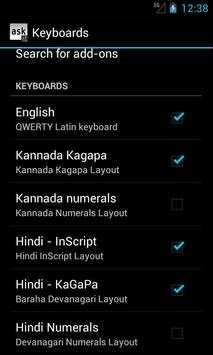
5. Goto AnySoftKeyboard -> Keyboards -> Enable hindi layouts
6. Click on "Click for text testing", Press hold on input box until you get a popup
7. Select "Input method" -> then AnySoftKeyboard
You can switch between languages by pressing "->ABC->" button on the Keyboard
Works only if
1. Devanagari Font Installed
2. Device Complex Font Rendering. (Latest Indian firmwares supports)
3. AnySoftKeyboard to be Installed
More features and layouts to come.
fixed minor issues
fixed alignment issue
Better Notification Icon
Improved KaGaPa Layout
Added । &॥
Corrected Keyboard Selector
Added Inscript Layout
Added Kagapa Layout
Minor fix in hardware keyboard



Facebook Lite
4.02.5MB

Temple Run 2
4.4122.1MB

Dearmet: Video Chat, Live Talk
4.043.4MB

imo beta -video calls and chat
4.394.0MB

Candy Crush Saga
4.491.1MB

Offline Music Mp3 Player- Muso
4.535.9MB

Quikr – Search Jobs, Mobiles,
4.120.8MB

ShopClues
3.816.4MB

Mushroom Takeover
4.569.0MB

Talking Tom Cat
3.963.0MB