







DOWNLOAD IS NOT SUPPORTED IN WEB STORE!
Use the latest version of 9Apps to download APK&OBB file of games in one click!
DOWNLOAD 9APPS


اهم مميزات البرنامج :
اولا الطلاب:
1-اضافة طالب جديد مع رقم هاتف الطالب وولي الامر
2-حذف بيانات اي طالب لديك.
3-تعديل بيانات الطالب لديك.
4-عرض بيانات الطالب الاسياسية وبيانات حضوره ودرجاته الشهرية.
ثانيا المجموعات:
1-اضافة مجموعة جديدة من الطلاب.
2-حذف بيانات مجموعة من الطلاب.
3-تعديل بيانات مجموعه من الطلاب .
4-عرض بيانات كل مجموعه وبيانات الطلاب المنتمين لها.
ثالثا الاختبارات :
1-تسجيل درجة اختبار كل طالب عن كل شهر اختبار.
2- تعديل درجه الطالب
3-حذف درجه الطالب
4- عرض درجات الطالب والمجموعة والصف الدراسي .
رابعا الحضور والغياب :
1- تسجيل الحضور لكل طالب.
2-تعديل بياات الحضور.
3-حذف بيانات الحضور للطالب.
4- عرض بيانات حضور الدرس لمجموعة وفقا للشهر.
5- عرض بيانات الحضور لصف دراسي كامل وفقا للشهر.
خامسا مواعيد المدرس :
1- مواعيد مع تسجيل الاشعارات فى اعلى الشاشة.
2-تدوين ملاحظات مع التنبية الصوتى.
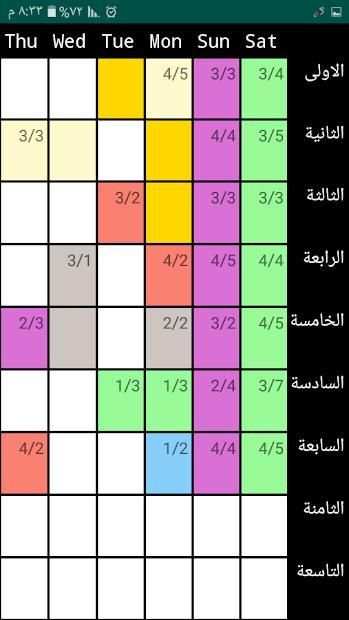
3- جدول لحصص الاسبوع المدرسي.
سادسا عرض البيانات :
1- عرض بيانات الخاصة بالطلاب والمجموعات.
2- النسخ الاحتياطي لجميع بيانات طلابك ومجموعاتك.
3- حذف بيانات الطلاب والمجموعات والحضور والاختبارات.
4- امكانيه استعادة البيانات التى قمت بنسخها.
سابعا : سبورة الرسم تعمل كمسودة لافكارك.
ثامنا : قائمة باهم المواقع التعليمية التى تهم المعلم .
The most important features of the program:
First Students:
1 - add a new student with the phone number of the student and guardian
2 - Delete the data of any student you have.
Modify your student data.
4 - Presentation of the student's political data, attendance data and monthly grades.
Second groups:
1. Add a new group of students.
2 - delete the data of a group of students.
3 - modify the data of a total of students.
4 - View the data of each group and the data of its students.
Third Tests:
1. Record the test score of each student for each test month.
2. Modifying the student's grade
3 - delete the student grade
4 - View the grades of the student and the group and grade.
Fourth Attendance and Absence:
1- Registration of attendance for each student.
2 - Modify the attendance sheets.
3. Delete student attendance data.
4 - View the attendance data for the lesson group according to the month.
5- Present attendance data for a full grade according to the month.
V. Dates of the teacher:
1- Appointments with notifications recorded at the top of the screen.
2 - Recording notes with voice alert.
3 - a table for the week of school.
VI Presentation of the data:
1. View data for students and groups.
2. Back up all your student and group data.
3. Delete student, group, attendance and test data.
4. Possibility to restore the data you copied.
Seventh: The blackboard works as a draft for your ideas.
Eighth: List of the most important educational sites of interest to the teacher.


رقم الاصدار 2.0


