









DOWNLOAD IS NOT SUPPORTED IN WEB STORE!
Use the latest version of 9Apps to download APK&OBB file of games in one click!
DOWNLOAD 9APPS

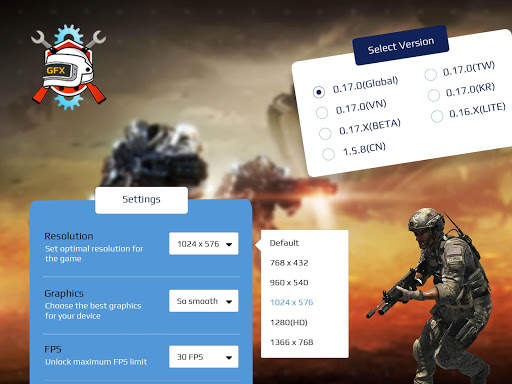
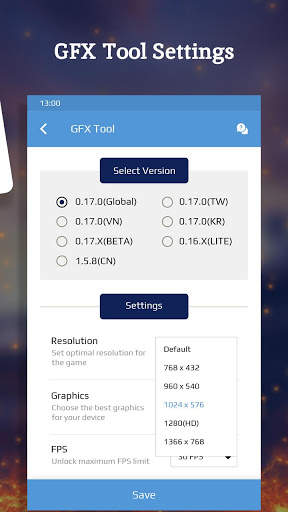
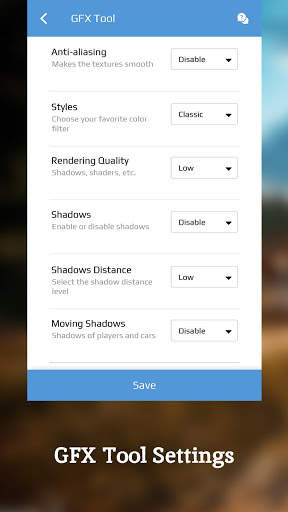
This GFX tool for PUBG gives you smooth game-play and optimized FPS experience. Here you can change and customize the game’s graphics.
In GFX Setting for PUBG you can adjust the following things:
1) Resolution:
- You can adjust your screen’s resolution.
2) Graphics:
- Select the graphics that suit your device.
3) Style:
- Select a color filter for your game.
4) Shadow:
- You can enable or disable shadow.
5) FPS:
- You can adjust frames per second.
6) MSAA:
- Use MSAA instead of Temporal AA on your mobile.
7) Material Quality:
- Choose the material quality of objects.
8) Texture Quality:
- Choose the texture quality of objects.
9) Effect Quality:
- Set effect quality to high, medium, or low.
10) GPU optimization:
- You can enable or disable GPU optimization.
11) Shadow Quality:
- Select the shadow quality type for your game.
If you are a battle royal gamer, then do use this GFX tool for PUBG to boost your gaming speed, performance, and to avoid lag.



- Minor bugs fixed.


