









DOWNLOAD IS NOT SUPPORTED IN WEB STORE!
Use the latest version of 9Apps to download APK&OBB file of games in one click!
DOWNLOAD 9APPS
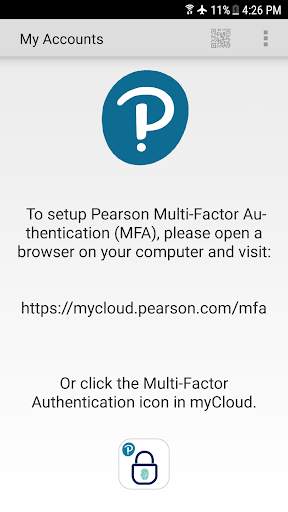
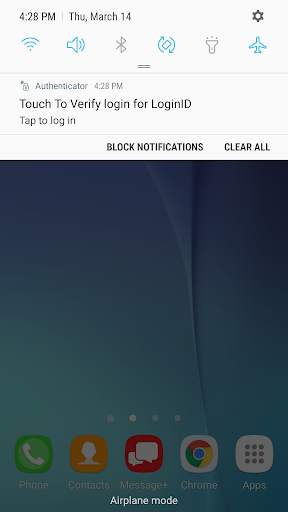
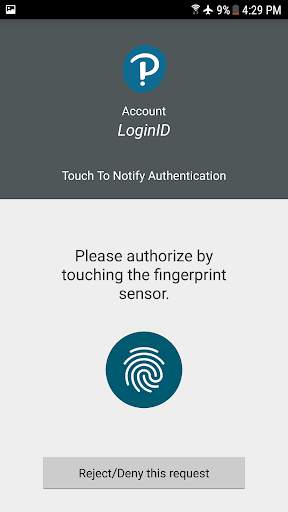
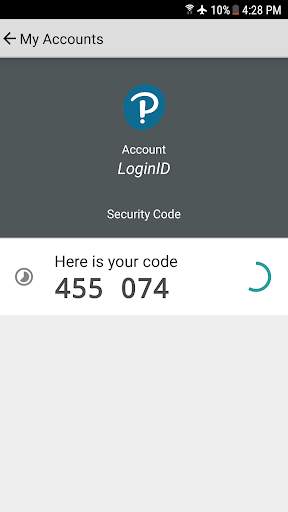
** This app is for employees only and will not work for Pearson’s students and educators accessing Pearson’s learning apps **
Pearson Employee Authenticator provides employees, contractors, and partners with a safer, more secure way to verify their identity when they log in to their Pearson myCloud account.
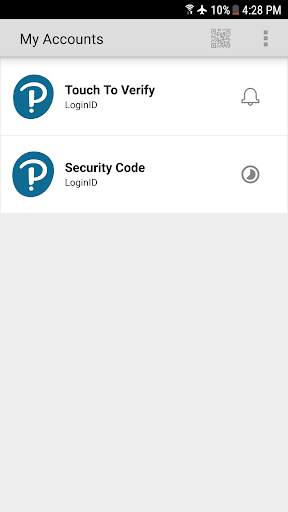
It uses Multi-Factor Authentication (MFA) – your username and password, plus a touch or security code – to verify it’s you when you log into your myCloud account.
Once registered, it is simple and fast to use.
You can install the app on either your Pearson-managed or personal device.
Features:
- Easy, quick set-up using QR codes
- Support for ‘Touch To Verify’ authentication
- Support for ‘Security Code’ generation
Permissions required:
Camera access: to scan QR codes for MFA registration
Notifications: to receive the Touch to Verify notifications
Network access: to respond to the Touch To Verify notifications*
Fingerprint: to have Android verify you using your fingerprint**
Storage: to store your MFA settings
* No network access is required to use Security Code verification.
** This app does NOT have access to your fingerprint biometric data.
![How To Setup Microsoft Authenticator App! [2024] screenshot 1](https://i.ytimg.com/vi/YE6WL_D3Duc/mqdefault.jpg)



Several enhancements:
* Touch to Verify biometrics (fingerprint)
* Updated Look and Feel interface
* Enhanced QRCode reader for registration
* Removed extra Touch To Notify navigation screen
* Selecting the Security Code will now copy it to the clipboard for easier use of MFA on mobile devices
* Improved app startup launch times
- Minor update to resolve app crash when opening a Touch To Verify notification on some devices


