








DOWNLOAD IS NOT SUPPORTED IN WEB STORE!
Use the latest version of 9Apps to download APK&OBB file of games in one click!
DOWNLOAD 9APPS

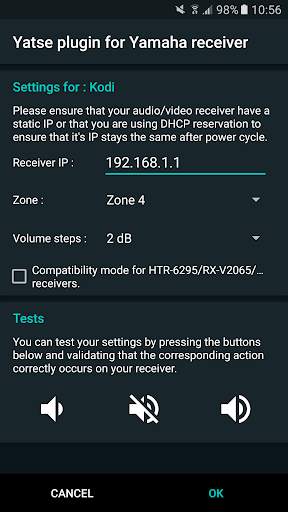
ဤလျှောက်လွှာသည် Yatse အတွက်
plugin
ဖြစ်သည်။
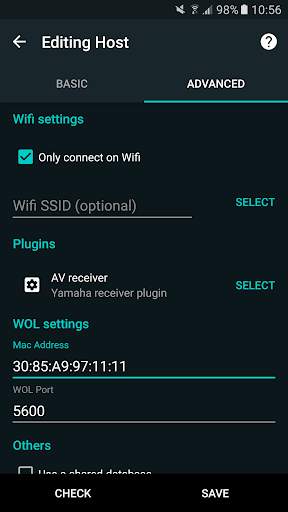
ဤလျှောက်လွှာကိုတပ်ဆင်သောအခါသင်၏မီဒီယာစင်တာအတွက်ဤပလပ်အင်ကို activate လုပ်ပြီး yatse မှသင်၏ကွန်ယက်ချိတ်ဆက်ထားသော yamaha လက်ခံခြင်းကိုတိုက်ရိုက်စီမံနိုင်သည်။
သီးခြားလျှောက်လွှာအတွက်မလိုအပ်ပါ Kodi ရှိ Pass-track mode ကိုအသုံးပြုသည့်အခါပင် hardware Remote ။
ဤပလပ်အင်ကိုအဓိကအားဖြင့် RX-V677 တွင်စမ်းသပ်ပြီး, မကြာသေးမီကကွန်ရက်ချိတ်ဆက်ထားသော Yamaha လက်ခံသူ (RX-Axxx သို့မဟုတ် RV-VXXX) တွင်အလုပ်လုပ်သင့်သည်။
အထောက်အပံ့နှင့်စာရွက်စာတမ်းများ
setup နှင့်အသုံးပြုမှုစာရွက်စာတမ်းများ:
https: https: https:///yatse.tv/wiki
-
ပံ့ပိုးမှု:
https://yatse.tv/debug
မကြာခဏမေးသည်။ https: https: https: https://yatse.tv/faq
Play စတိုးအပေါ်မှတ်ချက်များကိုမှတ်ချက်များအတွက်မှတ်ချက်များကိုမပေးနိုင်ပါ။
မှတ်စုများ
မှတ်စုများ
သင်လိုအပ်သော host များအတွက် plugin ကိုရွေးချယ်ပြီး၎င်းကို configure လုပ်ရန်လိုအပ်သည်။ (https://yatse.tv/faq/faq/faq/faq/faq/faq/faq/faq ကိုကြည့်ပါ) ။ ။ လက်ခံသူပလပ်ဂင်များကိုအသုံးပြုရန်သင်သော့ဖွင့်သူကို 0 ယ်ယူရန်လိုအပ်သည်။ BR>
- screenshots များတွင်အကြောင်းအရာများပါ 0 င်သည်©မူပိုင်ခွင့် Blender ဖောင်ဒေးရှင်း | Sintel.org / ElephribeDream.org / Bigbuckbunny.org / Bigbuckbunny.org
- မျက်ရည်များအားလုံးသည်၎င်းတို့၏သက်ဆိုင်ရာ CC လိုင်စင်အောက်တွင်အသုံးပြုသည်။ http://creativecommones.org
- Kodi ™ / XBMC ™သည် XBMC ဖောင်ဒေးရှင်း၏ကုန်အမှတ်တံဆိပ်များဖြစ်သည်။ အထက်တွင်ဖော်ပြထားသောပစ္စည်းများ မှလွဲ. ကျွန်ုပ်တို့၏ဖန်သားပြင်များတွင်ဖော်ပြထားသောပိုစတာများ, မူပိုင်ခွင့်သို့မဟုတ်မပါ 0 င်သောလူသေများ,
2.1.0: Add new Custom Command to allow changing controlled zone
2.0.0: Update icon design fix details
1.1.0: Add new custom commands:
- Change Input
- Change Scene
- Change DSP
- Add compatibility mode for HTR-6295 / RX-V2065 receivers and maybe some others.
As always please contact me for support, and for feature request as I have no way to contact you back from Play Store comments.


