












DOWNLOAD IS NOT SUPPORTED IN WEB STORE!
Use the latest version of 9Apps to download APK&OBB file of games in one click!
DOWNLOAD 9APPS

FakeLock Lite lets you protect any applications what you want with fake crash screen and your password.
You can lock: Whatsapp, Facebook, Twitter, SMS, Email, Gallery, Camera, Messenger, and any apps you choose. Never worry again about someone seeing your private data.
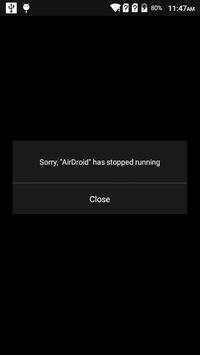
Wih fake crash screen which may deceive others into thinking that this application has a glitch.
Setup:
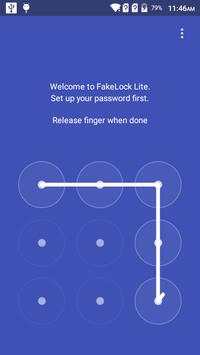
Step 1: Create your password
- When you first open FakeLock Lite. The application will ask you to create a new password. This password will allow you to manage lock, unlock your private application.
- You can change your old password by go to setting, select "Change Password"
Step 2: Lock your application.
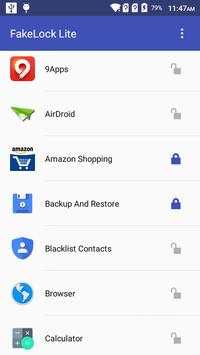
- After creating your new password you will see the list off all installed applications in your phone. Select the app you want to protect.
- If you don't want to lock that app anymore. Click or hold down to the app on locked list screen to delete.
Step 3: How to open to your private application
- From the launcher, tap on your private app icon. The fake crash screen will be displayed.
If you fogot your password. Please answer your security question and change new password.
The AppLocker is working as well as your phone is rebooted.
Now, your privacy is protected and you can be worry-free while lending your phone to others.
--
Supported languages
English, Chinese, more coming soon
--
If you like it, please rate 5 stars (★★★★★) for it now. We will get it. :)
1.change app icon.


