

DOWNLOAD IS NOT SUPPORTED IN WEB STORE!
Use the latest version of 9Apps to download APK&OBB file of games in one click!
DOWNLOAD 9APPS

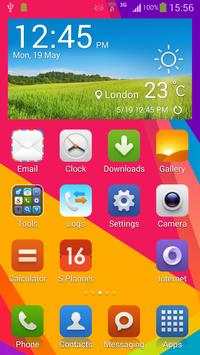
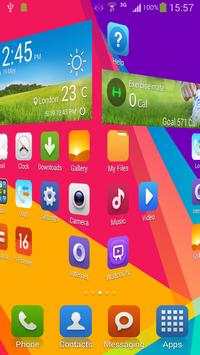
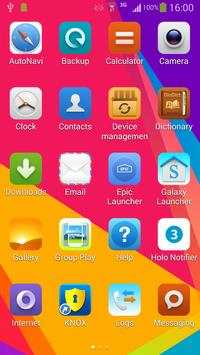
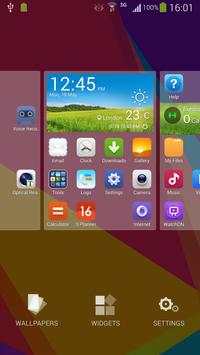
Get MIUI experience on any 4.0 devices in one second!
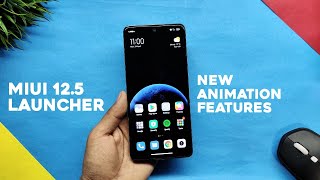
NOTE: This is not the official MIUI launcher, it is a highly customizable, performance driven, MIUI look launcher with the app drawer.
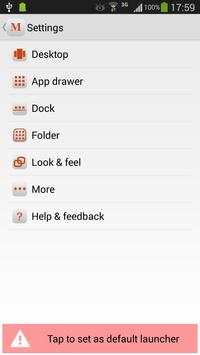
Mi Launcher features:
1. Big icons, flat design, customizable icon size and icon text size
2. Colorful icon background, disable it to use MIUI icon background
3. Support ADW icon packs
4. Customizable desktop grid and drawer grid
5. Lock, Unlock desktop
6. Infinite scrolling on desktop, drawer and dock
7. Elastic scrolling on desktop, drawer and dock
8. All apps in the drawer, and you can hide apps
9. Scrollable dock, customizable dock pages and number of dock icons
10. Screen orientation
11. Set default screen for desktop
12. Card stack effect and Cube out scrolling effect
13. Edit shortcut icons and text
14. Enable/Disable wallpaper scrolling
15. Enable/Disable reset drawer position
16. More than 16 icons in folder
17. Resize any widget
18. Backup and restore
19. Keep launcher in memory
20. Change default launcher
Tips:
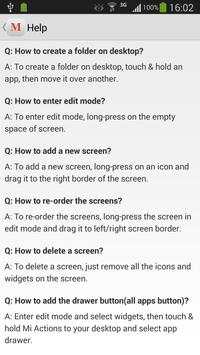
1. Long-press on the empty space of screen will enter the edit mode.
2. To add a new screen, long-press on an icon and drag it to the right border of the screen.
3. To delete a screen, just remove all the icons and widgets on the screen.
4. To re-order the screens, long-press the screen in edit mode and drag it to left/right screen border.
5. To create a folder on desktop, touch and hold an app, then move it over another.



1.1.5
Fix bugs



Temple Run 2
4.4122.1MB

Quikr – Search Jobs, Mobiles,
4.120.8MB

Dearmet: Video Chat, Live Talk
4.043.4MB

ShopClues
3.816.4MB

말하는 고양이 토킹톰
3.963.0MB

Mushroom Takeover
4.569.0MB

Facebook Lite
4.02.5MB

Candy Crush Saga
4.491.1MB

Offline Music Mp3 Player- Muso
4.535.9MB

imo beta -video calls and chat
4.394.0MB