DOWNLOAD IS NOT SUPPORTED IN WEB STORE!
Use the latest version of 9Apps to download APK&OBB file of games in one click!
DOWNLOAD 9APPS
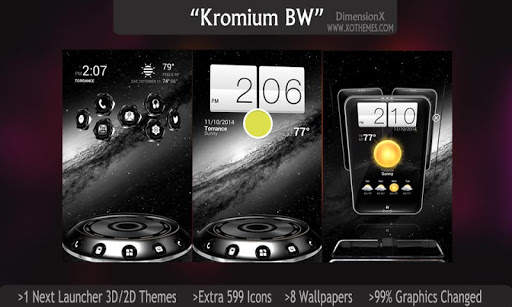
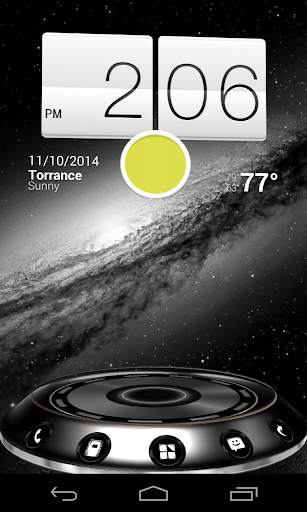
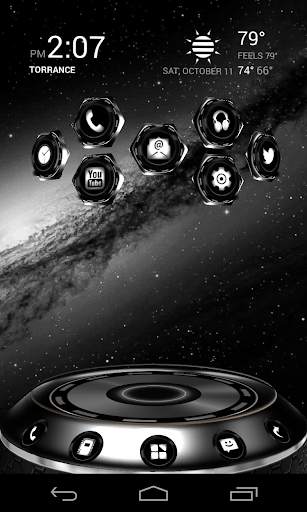
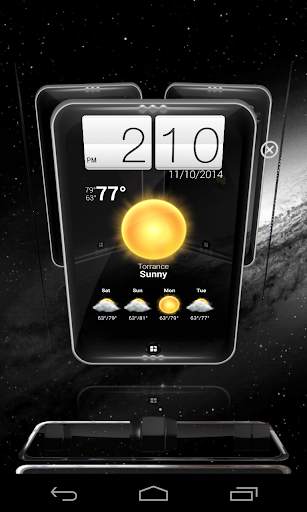
We proudly introduce an absolutely free 3d and 2d app "Kromium BW" (black and white)
I wouldn't risk my phone installing free apps that may have unsafe compromising permissions.
So my choice is to make this Free and No ads whatsoever for you!
Permissions on our app are only for access to our cloud-based wallpapers
" DimensionX has the best quality at great price "
Note: we have other colors available.
WHAT WILL YOU GET?
• 1 complete theme FREE(value=$2.99)
>> 99% of graphics are changed
• 599 extra custom HD Icons FREE
• 2 Wallpapers
>> 2 HD custom local wallpapers
>> BONUS 6 extra wallpapers cloud-based
• 2D and 3D Modes support (as shown in pics)
• 1-click auto-apply button
• Optimized file size to save you storage space
NEW FEATURE:
Glass Stage in 3D! See picture.
As you change the dock, you can see the stage spins.
Directions:
This is a highly customizable theme for Next Launcher 3D.
Please make sure that you have purchased and installed the latest version of the Next Launcher 3D.
Installation in 2D normal classical mode
1. Open Next Launcher 3D
2. Press menu on your desktop
3. Select Theme in Menu
4. Select "Installed"
5. Select theme Kromium BW and Apply
Change to 3D mode
1.
Open Next Launcher 3D
2.
Press menu on your desktop
3.
Select "Preferences"
4.
Switch to "3D mode"
Select Theme in 3D mode
1.
Press Menu on your desktop
("Menu" also the 5th button on your dock on your desktop)
2.
Select "Theme"
(the button looks like a hand)
3.
Select "Installed"
4. Select Kromium BW and Apply
Change wallpaper
: Open this app
1.
Open your app drawer and open this app.
2.
Select Wallpaper in this app menu.
3.
Select Extra Wallpaper
You can create a shortcut to the app for easier finding.
Troubleshooting
:
1.If you don't see the theme, try the following:
- Update NEXT Launcher to latest version.
- Close Next Launcher 3d
- Open it again.
- Apply a NEXT Default theme
- Follow Installation for 2D mode direction above again.
- Follow Installation for 3D mode after.
2.
Why not all icons are applied?
Icons can be manually applied at this time due to Next Launcher limitation.
If you have any questions, please email me: Ten.Designer@gmail.com
If you prefer a different colors or see other themes, have a look at our store on Google:
Link:
http://goo.gl/taIyIa
Our social pages are:
Visit our Google+ page or Facebook page for all of our themes.
•
https://plus.google.com/+MichaelAXoThemes/posts
•
Facebook: http://www.facebook.com/xothemes
•
Website:
http://www.xothemes.com (see screenshots)
•
Twitter: http://www.twitter.com/@xo_studio
Sincerely,
Michael Au
DimensionX
Next Launcher 3D Theme Kromium BW
This theme is not affiliated with next launcher theme maker nor zt.art
Note: 20 special icons, covers the main apps of the phone such as dial, SMS, Playstore and so on. The other special icons must be set manually.