









DOWNLOAD IS NOT SUPPORTED IN WEB STORE!
Use the latest version of 9Apps to download APK&OBB file of games in one click!
DOWNLOAD 9APPS
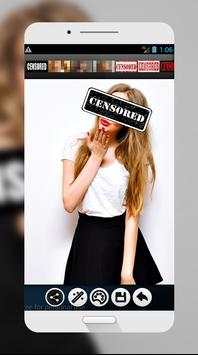
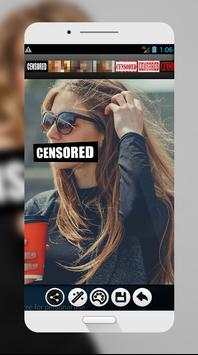
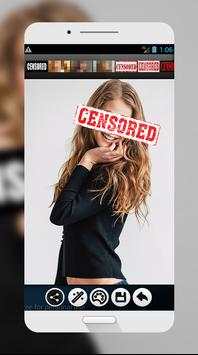
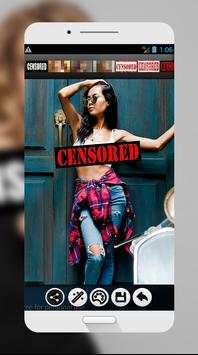
Create a censored picture to make some fun in a matter of seconds.
The easiest way to censor your photo or selfie. Add points of censorship , adjust sizes and positions and then apply the desired filters: pixelate, blur, crystallize, emboss, negative, etc..
Hide pictures areas or faces, blur any part of your photo before share them.
Very effective! Protect your selfies and your privacy!
We have selected these stickers to get the job done
-black bars to cover eyes / mounths...
-Gag tapes
-censored posters and tags
-Pixelated faces
-Explicit content tag
-Forbiden signs
-Access denied posters
-Balaclava and masks
-And a text editor so you can place any text you want
How To use
1. Get inside the stickers app.
2. Select a picture from your gallery or take a picture with your camera in the moment
3. Check available stickers in the stickers gallery
4. Select a sticker and position it in the screen. You can magnify, zoom it and rotate until it gets placed in the right spot
5. Select more stickers and repeat until you are thug enough
6. You can also write some text, edit it. Select also font size and color and zoom it or rotate it
7. When you are good enough, save the picture in your phone. You can also send it to friends right there.
8. And that's it, you are cool enough, use it as many times as you want for free
Features:
# Easy to use. Easy interface and experience.
# For free, use it as many times as you want
# Variety of stickers
# Low space on your phone
# Load pictures or take them instantly with the app



![How to Select Only Edited Photos in Lightroom Classic [2026 Full Guide] screenshot 5](https://i.ytimg.com/vi/2OGWtRZ_gLM/mqdefault.jpg)


