DOWNLOAD IS NOT SUPPORTED IN WEB STORE!
Use the latest version of 9Apps to download APK&OBB file of games in one click!
DOWNLOAD 9APPS

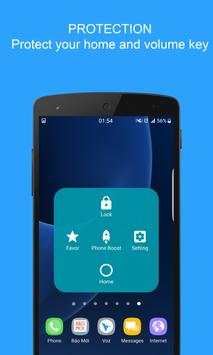
What is Assistive Touch?
Assistive Touch is an easy tool for Android devices. It's fast, it’s smooth, and it’s totally FREE.
With a floating panel on the screen, you can easily use your Android smart phone. More conveniently, you can quickly access to all your favorite apps, games, settings and quick toggle. You can use smart clean function to clean running background apps, help your phone faster. Assistive Touch is also an ideal app to protect the physical buttons (home button and volume button). It is very useful for big screen smart phone.
Assistive Touch for Android
- Virtual Home button, easy touch to lock screen and open recent task
- Virtual Volume button, quick touch to change volume and change sound mode
- Virtual Back button
- Clean ram, boost speed, one tap ram booster.
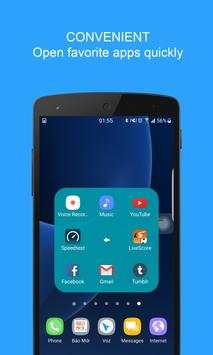
- Easy touch to open your favorite application
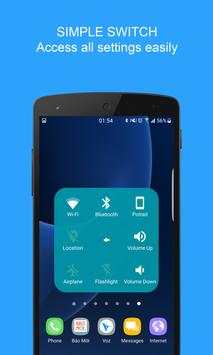
- Go to all setting very quick with a touch
★ Quick touch setting include:
- Open Notification
- WiFi
- Bluetooth
- Location (GPS)
- Ring mode (Normal mode, Vibrate mode, Silent mode)
- Screen rotation
- Volume up & down
- Airplane mode
- Flashlight Bright
- Launch all applications or games on your device
★ Ram Booster - Clean Memory
Boost your phone, free up memory (RAM), speed up your device and save battery. Our 1 Tap Boost make it easy to optimize directly from your home screen. This is a fast and use full booster feature to clear unnecessary apps running background, smart clean ram memory. Clean your phone when plug in with power, may help your phone charging faster.
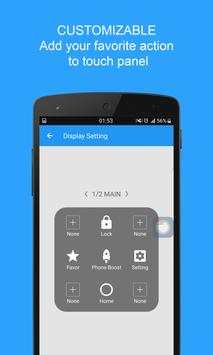
★ Customize
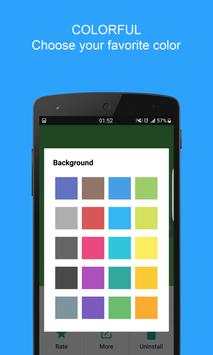
- You can change color of background with your favorite color
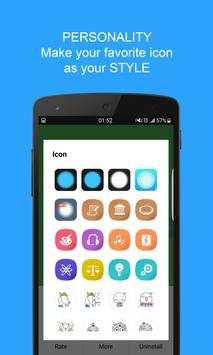
- You can change icon of Assistive Touch easy with many pretty icon, totally free
- Gesture Setting for Floating Button (One tap, double tap, long press)
Feedback
- If you like Assistive Touch please review and give us 5 start
- If you have any problem with this app please give us feedback for your problem, we will fix it quickly
- Please email for us if you want send request new icon, color or function
Frequently asked questions:
1. Ask: How to uninstall this app?
- If you use lock screen function, it require turn on Device Administration so If you want to uninstall this Assistive Touch, please open app and go to setting, click on uninstall button.
2. Ask: Why my phone don't have Screenshot Capture function?
- Screenshot Capture only available on Android 5.0 or higher.
Thank for your support