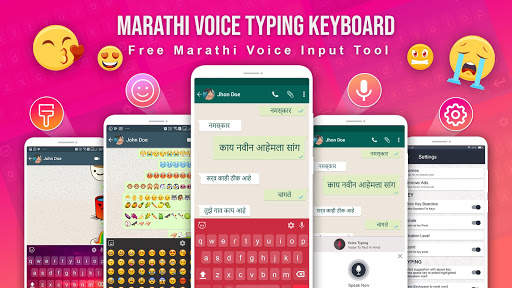
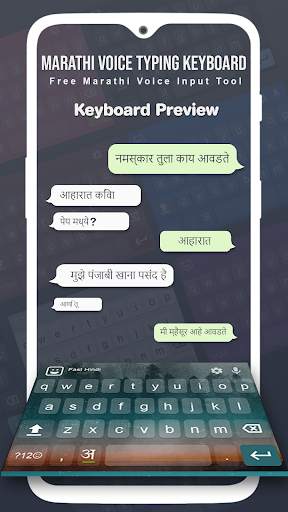
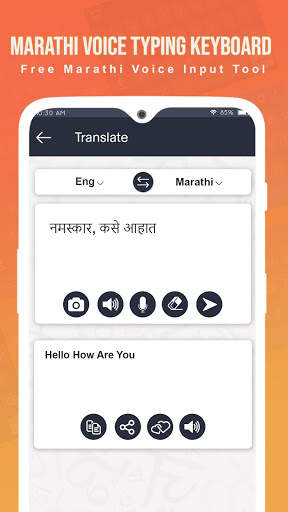
paninikeypad marathi on 9Apps

Free download latest paninikeypad marathi for Android here and enjoy it with your phone. Below you can download a list of top and latest apps related to paninikeypad marathi . 9APPS is a fast, safe app store. With 9APPS, you can save a lot of time on searching and downloading apps.

#1 PaniniKeypad Marathi IME

PaniniKeypad Marathi IME
Rating: star 3.0 | Version: 2.1.14 | Size: 1.1MB
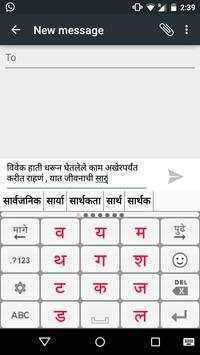
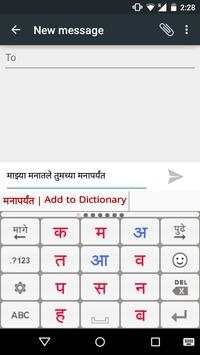
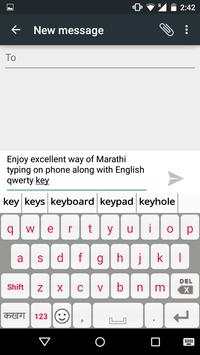
PaniniKeypad Marathi IME screenshot 1 PaniniKeypad Marathi IME screenshot 2 PaniniKeypad Marathi IME screenshot 3

"आता आपण आपल्या मोबाइल वर सहजरित्या मराठी मधे लिहू शकाल।"
The Panini Keypad is an intelligent dynamic keypad that offers you to type easy and fast in Marathi on your phone. This new technology constantly calculates and puts only 11 characters on the screen that you are most likely to type. Character Buttons are large and easy to point and you make less errors. The accurate prediction helps you compose difficult words in their correct letter sequences as per Unicode.
You can use the Panini Keypad to type Marathi/English sms, messages, chat, facebook, Address Book, email, blogs, reminders, twitter, whatsapp etc. Everywhere.
PaniniKeypad is an IME(input method editor) for android phones & tablets. This can be your default keypad.
Also high quality intelligent dictionary auto complete and word prediction is offered in both Marathi and English. More innovations coming up.
Two rules
1. Look for the character, press it.
2. If character not there, press Next button.
There is a 74% chance that the first character of your word is on the screen and after that there is a 93% (and higher) chance that the next characters will be predicted to your fingertips. Predicted characters very often in the top left corner and most often you type pressing the same key, at a position comfortable to your thumb.
The intelligent technology is based on linguistics, AI and the dynamic intelligent keypad is patented all over the world and winner of many awards for innovation.
14 Indian languages are supported with this same system of typing and orthography. And many other languages of the world.
This is the best way to type for both basic phones and touch phones. Those who have found out its magic, please help others also to discover.
Watch Marathi typing video:
http://www.youtube.com/watch?v=lCvvr_iwUn4
Installation.
1. Download and install this application on phone.
2. Go to "Settings"->"Language & input/Locale & text" -> select Panini Keypad IME. (check on) Green.
3. Again Go to "Settings"->"Language & input/Locale & text"-> set Default Keyboard/ Input Method as PaniniKeypad IME.
4. Back to text compose area, keyboard will appear on screen.
5. Experience Fast & Easy way of typing on android phones.
After installation click on PaniniKeypad icon on home screen to get detailed information about launch the IME & typing related help.
Direct download Marathi .apk file from website:
http://www.paninikeypad.com/androidmarathi
For Jodakshars (adha ka etc, consonant clusters), put a Halant (character with + sign) in the middle of the two consonants. The Jodakshars (जोडाक्षर) will automatically form. The Halant is also a character, predicted automatically like others and shown in red for your easy recognition.
Examples of correct character entry sequence (Orthography):
माझ्या = म+ा+झ+् (Halant)+य+ा
पक्षी = प+क+्+ष+ी
मात्र = म+ा+त+्+र
धर्म
= ध+र+्+म
बुद्धि = ब+ु+द+ ् +ध+ि
आपल्या = आ+प+ल+ ् +य+ा
ज्ञानेश्वर = ज +्+ञ+ा+न+े+श+्+व+र
श्रद्धा= श+ ् +र+द+ ् +ध+ा
कार्यक्रम = क+ा+र+ ् +य+क+ ् +र+म
जोडाक्षर = ज+ो+ड+ा+क+ ् +ष+र
Letter 'क्ष' (kshya), 'ज्ञ'(dnya), 'श्र'(shra) all are jodakshars, conjunct of three letters.
Learn how to write every possible Jodakshars (half/conjunct) from link:
http://paninikeypad.com/conjuncts/marathi
In this latest version you can type in English in between Marathi, by using QWERTY keyboard. One can type Marathi/ English numerals, symbols etc.
Give a try to this new way of typing, you will learn very quickly. You must use it in Note, Grand, S3, S4 etc also,
its absolutely a pleasure due to the large keys.
"We would like to share with PaniniKeypad users that this technology (PaniniKeypad) has been granted US patent in June 2014."
Privacy concerns: Panini Keypad does not try to read your data or connect to a server for prediction. Your data stays on your phone and the application does not connect anywhere, you can use it offline also.

...

👉 For More Detail of PaniniKeypad Marathi IME

#2 PaniniKeypad Assamese IME

PaniniKeypad Assamese IME
Rating: star 3.0 | Version: 2.1.14 | Size: 1.5MB
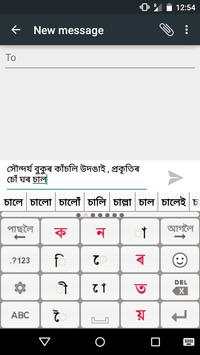
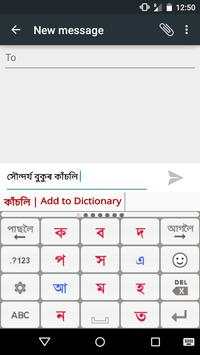
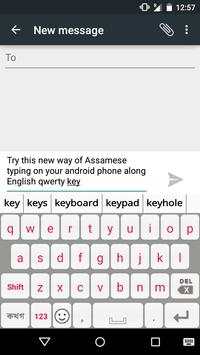
PaniniKeypad Assamese IME screenshot 1 PaniniKeypad Assamese IME screenshot 2 PaniniKeypad Assamese IME screenshot 3

The Panini Keypad is an intelligent dynamic keypad that offers you to type easy and fast in Assamese (অসমীয়া) on your phone. This new technology constantly calculates and puts only 11 characters on the screen that you are most likely to type. Character Buttons are large and easy to point and you make less errors. The accurate prediction helps you compose difficult words in their correct letter sequences as per Unicode.
You can use the Panini Keypad to type Assamese/English sms, messages, chat, facebook, Address Book, email, blogs, reminders, twitter, whatsapp etc.
PaniniKeypad is an IME(input method editor) for android phones & tablets. This can be your default keypad.
Also high quality intelligent dictionary auto complete and word prediction is offered in both Assamese and English. More innovations coming up.
Installation.
1. Download and install this application on phone.
2. Go to "Settings"->"Language & input/Locale & text" -> select Panini Keypad IME. (check on) Green.
3. Again Go to "Settings"->"Language & input/Locale & text"-> set Default Keyboard/ Input Method as PaniniKeypad IME.
4. Back to text compose area, keyboard will appear on screen.
After installation click on PaniniKeypad icon on home screen to get detailed information about launch the IME & typing related help.
Two rules
1. Look for the character, press it.
2. If character not there, press Next button.
There is a 74% chance that the first character of your word is on the screen and after that there is a 93% (and higher) chance that the next characters will be predicted to your fingertips. Predicted characters very often in the top left corner and most often you type pressing the same key, at a position comfortable to your thumb.
The intelligent technology is based on linguistics, AI and the dynamic intelligent keypad is patented all over the world and winner of many awards for innovation.
14 Indian languages are supported with this same system of typing and orthography. And many other languages of the world.
This is the best way to type for both basic phones and touch phones. Those who have found out its magic, please help others also to discover.
For Juktakkhor (adha ka etc, consonant clusters) please put a Ref [ ্ ] (character with + sign) in the middle of the two consonants. The Juktakkhor will automatically form. The REF [ ্ ] is also a character, predicted automatically like others and shown in RED for your easy recognition.
Watch Juktaokkhor typing video on YouTube:
https://www.youtube.com/watch?v=F-a-q3inUFs
Examples of correct character entry sequence (Orthography):
সুর্য
=
স + ু + র + ্ + য
প্ৰাচুৰ্য
=
প + ্ + ৰ + া + চ + ু + ৰ + ্ + য
Note that was a Juktakkhor, so you put a ref in between.
সামৰ্থ্য =
স + া + ম + ৰ + ্ + থ + ্ + য
ব্যাপার = ব + ্ + য + া + প + া +র
A ja fala is a Juktakkhor too.
পরিক্ষা =
প + র + ি + ক + ্ + ষ + া
A typical Juktakkhor usage.
আনন্দ =
আ + ন +
ন + ্ + দ
অন্তৰীক্ষ =
অ+ন+্+ত+ৰ+ী+ক+্+ষ
ভয়ঙ্কর =
ভ + য় + ঙ + ্ + ক + র
ভাষ্কর্য =
ভ + া + ষ + ্ + ক + র + ্ + য
এন্ধাৰে = এ + ন + ্ + ধ + া + ৰ + ে
প্রেরণা = প + ্ + র + ে + র + ণ + া
Learn how to write every possible Juktaokkhor from link:
http://paninikeypad.com/conjuncts/assamese
Note that the matra (a dependent vowel is always entered after the consonant even though it may be actually occurring before in form).
In this latest version you can type in English in between Assamese, by using QWERTY keyboard. One can type Assamese/ English numerals, symbols etc.
Give a try to this new way of typing, you will learn very quickly. You must use it in Galaxy Note, Grand, S3, S4, Trend etc also, its absolutely a pleasure due to the large keys.
Privacy concerns: Panini Keypad does not try to read your data or connect to a server for prediction. Your data stays on your phone and the application does not connect anywhere, you can use it offline also.
"YOUR PHONE MUST HAVE ASSAMESE FONT, OTHERWISE SHOWS SQUARE/BLANK BOXES."

...

👉 For More Detail of PaniniKeypad Assamese IME

#3 Marathi Batmya - Marathi News

Marathi Batmya - Marathi News
Rating: star 4.2 | Version: 2.9.1 | Size: 6.8MB
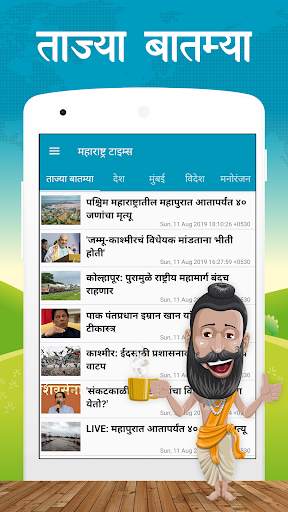
Marathi Batmya - Marathi News screenshot 1 Marathi Batmya - Marathi News screenshot 2 Marathi Batmya - Marathi News screenshot 3

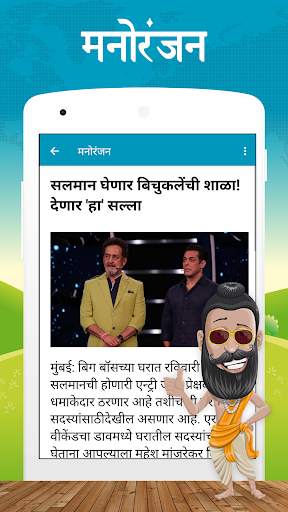
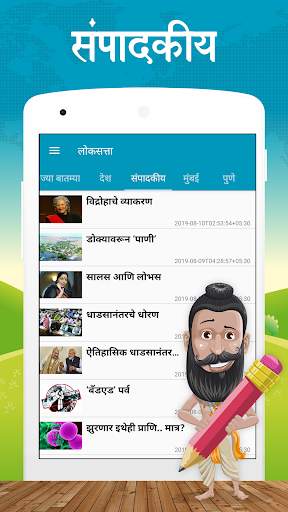
Get latest marathi news on the Android device.
* Special Feature :- Share news using WhatsApps or other social media sharing applications installed on your device.
आता मिळवा मराठी बातम्या तुमच्या मोबाईल वर.
* Please write to the support email (support@macwings.com) for reporting bugs or problems so we can fix them as quickly as possible.

...

👉 For More Detail of Marathi Batmya - Marathi News

#4 Marathi Keyboard

Marathi Keyboard
Rating: star 4.5 | Version: 12.2.4 | Size: 36.3MB
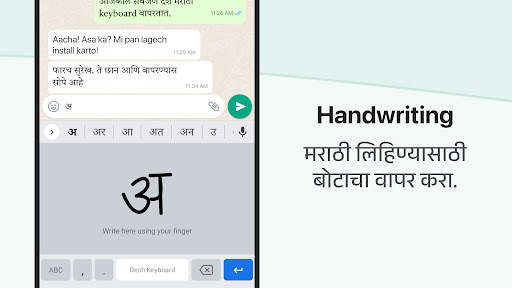
Marathi Keyboard screenshot 1 Marathi Keyboard screenshot 2 Marathi Keyboard screenshot 3

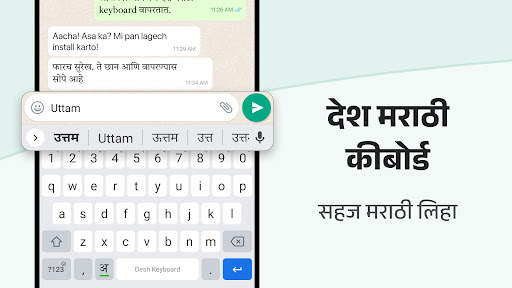
マラーティーキーボードは、マラーティーのタイピングをこれまで以上に高速にする英語からマラーティーキーボードアプリです。
- 英語を入力してマラーティーの手紙を取得します - それはミングリッシュキーボードとして機能します。
- あなたのすべてのアプリ内で動作します - 電話 - すべてのソーシャルメディアおよびメッセージングアプリ向けのマラーティータイピングキーボードアプリ
- 手書きの入力やその他のインドのマラーティー入力ツールと比較して時間を節約します。携帯電話にインストールされた検索とオープンアプリは、アプリ検索機能を使用してあなたに関連する新しいアプリを発見します
インストールとセットアップは簡単です。
- アプリをダウンロードしてください
- ステップ1でマラーティーキーボードを有効にし、ステップ2で選択します。
- 設定を変更し、カラフルなマラーティー語のキーボードテーマから選択します。今すぐどこにでもマラーティーを入力できます。
- キーボードを簡単に変更し、スペースキーを押し続けます。
インドに組み込まれています。驚くべき機能。
- マラーティー語をより速く入力します。Minglish文字の入力を開始し、リストからマラーティー語の予測を選択します。これは、MinglishからMarathi Typing
の最も簡単なアプリです - 上のキーボードではトップワードがオフラインで利用できます。追加の単語のためにインターネットをオンにします。
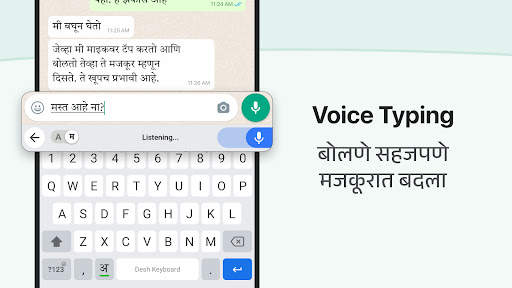
- アンドロイド携帯電話とタブレットで動作する音声マラーティー語の音訳キーボード。
- マラーティーキーパッドとレイアウトを学ぶ必要はありません。
- Marathi English Keyboard
-この英語からマラーティーキーボードは他のどのキーボードよりも使いやすい
シンプルで使いやすい。
- 言語ボタンを使用する英語とマラーティーを切り替える。英語の単語の提案も利用できます。
- GIFと絵文字については、キーボードの左側のボタンをクリックします。人気のあるアニメーションGIFSであなたの会話をさらに驚くべきものにしてください設定から変更できます。21の興味深い色の組み合わせから選択してください。
大好きですか?プレミアムを選択してください。
- このマラーティーキーボードアプリでプレミアムを購入して、完全に広告無料エクスペリエンスのために少しの時間費用をかけてください。。
私たちはあなたのプライバシーを尊重します。
- 個人情報やクレジットカードの詳細は収集されていません。ダウンロードするすべてのキーボードのAndroidによって標準の警告が表示されます。
- 匿名統計を収集して、エクスペリエンスを向上させることができます。
apps@clusterdev.comにメールを送信して、提案を共有してください
素晴らしいフィードバックを残してください - それは私たちが続けてください!

...

👉 For More Detail of Marathi Keyboard

#5 Marathi Keyboard - English to Marathi Keyboard

Marathi Keyboard - English to Marathi Keyboard
Rating: star 4.3 | Version: 1.5 | Size: 15.6MB
Marathi Keyboard - English to Marathi Keyboard screenshot 1 Marathi Keyboard - English to Marathi Keyboard screenshot 2 Marathi Keyboard - English to Marathi Keyboard screenshot 3

トップMarathi Input Toolの1つは現在Androidのみ無料で利用可能です。 App Keyboard Transniteratation Marathi Keyboard Mode
-
Marathi Language Marathi Transhiteration入力ツールでの出力を取得します。キーボードの音声で入力し、絵文字の壁紙とemojiを持つスタイリッシュなマラティフォントキーボード、およびキーボードジッパーとキーボードのズームと一緒にさまざまなスタイルで行っています。マラティマラティ入力ツールを綴ることで、マラティキーボードの英語とMarthiタイピングを綴ることで、マラティ語の言語を書くのに役立つマニピュレータとして、またはMarathi Typingを改善するのに役立つマニピュレータとしてMarathi Keyboardを使用することができます。 Marathi Keyboard Inputを使って、あなたのAndroid Mobileのキーボードのテーマとして写真を追加します。あなたはまたあなたのイメージや写真をあなたのイメージや写真をタイピングする簡単なマラティーボードの背景写真として設定することもできます。 「キーボードを有効にする」を押すことで自由に使用できます。マラー通信入力ツールを選択します。このキーボードは、タイピング/テキストメッセージのためのAndroid Phone / Tabletのデフォルトキーボードとして機能します。
マラティボイスタイプキーボード機能:
-
Marathiキーボードとマラティのタイプを使用する
- 英語からMarathi Converterへ、ローママラティーの英語をMarathiに変換する -
- ユーザーフレンドリーアプリ
- 美しい背景色とテーマ
- 無料のマラティ音声入力ツール
- 小さいサイズのアプリ
- 優れたマラティキーボードフォント
- オフラインアプリ
マラティキーボードを無効にして有効にする
Marathi Keyboardはマラ通話を使用したテンプレートを提供します。これからユーザーがカスタマイズすることができるカスタマイズカラー、キーボードスタイル、背景、壁紙、色、魅力的なアイコンMarathi Keyboardは、Marathiキーボードを学び、EmojisとMarathiの入力方法を習得し、Androidsのためのマラティーとマラティーの入力方法が、簡単なマラティタイピングで感情を表現するためのさまざまな絵文字を表現しています。
キーボードフォントのテキストスタイルは、何のためにキーボードを推測しますSAPPキーボードゲームとマラシーのキーボード楽器とキーボードを入手してください。キーボード画像の背景マラティーのコンピューターキーボードでのコンピューターキーボードでタイピングするように、Marathi Me Likhhne WalaキーパッドのマラティMe Likhne WalaキーボードでMarathi Me Likhne Walaキーパッド。 Marathi Keyboardは、以前よりも早くMarathiを入力するのに役立ちます。キーボードの音声入力とキーボードの音声検索で使用してください。

...

👉 For More Detail of Marathi Keyboard - English to Marathi Keyboard

Search Results

1/20

You may like

DOWNLOAD IS NOT SUPPORTED IN WEB STORE!
Use the latest version of 9Apps to download APK&OBB file of games in one click!
DOWNLOAD 9APPS