**IT NEEDS ROOT**
This is a work in progress project which has the goal to speed performance and extend endurance of smartphone internal flash memory.
Smartphone internal storage uses solid state technology SSD/emmc. Counterpart to lower access time, and less latency of SSD is that its performance may degrade over time: writing after writing, the memory cells show a measurable drop in performance, and will continue degrading throughout the life.
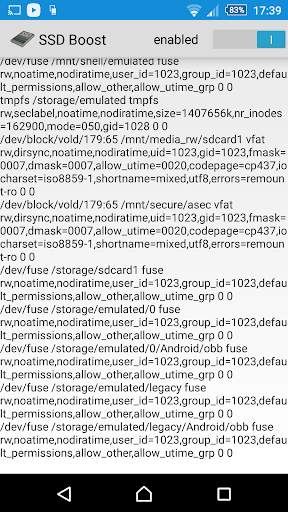
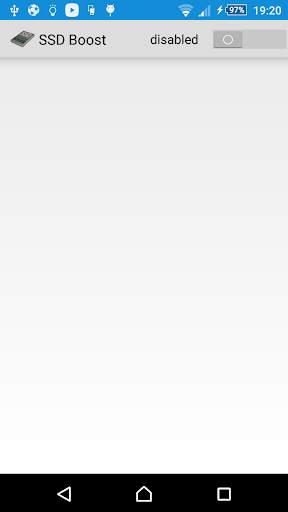
'SSD Boost' minimizes writings on your SSD, increasing speed and extending life of your storage: your smartphone will thank you.
Though the main goal of the app is the optimization of flash memory, many users have also experienced (read the reviews) a better responsiveness in the startup of the apps, a longer battery endurance and a decreased temperature of the phone.
Probably because 'SSD Boost' app is a workaround to some insane process running in the background, that keeps writing to disc. This has been experienced from Android ICS version to Android 10 (both stock and custom).
It needs a rooted phone.
Be careful, if you have got one of the following models:
- Samsung Galaxy R.
- Samsung Galaxy SII.
- Samsung Galaxy Note.
- Samsung Galaxy Nexus.
- Samsung Epic 4G Touch.
before installing, check presence of Brickbug (a bug on eMMC chip fw):
https://play.google.com/store/apps/details?id=net.vinagre.android.emmc_check
Changelog:
1.0.7
- improved root check method
1.0.2
- added TRIM command
What does TRIM for ssd/nand performance.
Unlike HDD, SSD cannot overwrite data because only a transition from 0 to 1 is possible, so before overwriting the data has to erase the whole page to 0 then program the bits.
Erasing takes longer then writing data, so after you used the device for a while it will have to erase the pages before writing them and cripple performance.
It would be so much better if controller would erase the blocks while idle so you have them ready when you need to write. Unfortunately this is not possible as controller has no knowledge of file system so it does not know what blocks are used and with are not.
TRIM command, when supported by the SSD/NAND, allows operating system to send a list of blocks to controller to erase when is idle.
Android 4.3 supports trim natively, it means that operating system after deleting a file will sends a trim command to nand controller notifying witch blocks the file used, the controller will erase them when idle so it can write fast without erasing next time.
But users have no control over this process and Android doesn't trim the storage for a very long time.
'SSD Boost' helps you to run trim on your device manually if you feel it has become laggy and anyway it does trim for you on every reboot.
It overtakes LagFix (fstrim) limitation, supporting Android 5 Lollipop.
1.0.1
- added NOATIME, NOADIRATIME support
Android maintains file system metadata that records when each file was last accessed. This timestamp is known as atime and atime comes with a performance penalty – every read operation on a filesystem generates a write operation.
Updating the atime every time a file is read causes a lot of usually-unnecessary IO, slowing everything down.
'SSD Boost' disables the tracking of atime, remounting filesystems with the noatime/noadiratime options.
Note:
Some users criticize the name of the app, 'SSD Boost'.
Actually, the word 'boost' is misleading: the app, strictly speaking, doesn't speed up transfer rate, but works around limitations on ssd technology and linux kernel.
Instead, concerning the use of word 'SSD': the most common use is 'flash memory', but when a flash memory implements an interface to some bus, this device constitutes a drive in itself, then it can be properly called SSD.
Every flash memory in every smartphone implements an interface to a bus, so you can use both words mutually.
...
👉 For More Detail of SSD Boost