send to sd card app on 9Apps

Free download latest send to sd card app for Android here and enjoy it with your phone. Below you can download a list of top and latest apps related to send to sd card app . 9APPS is a fast, safe app store. With 9APPS, you can save a lot of time on searching and downloading apps.

#1 Send to SD card

Send to SD card
Rating: star 3.8 | Version: 0.3.11 | Size: 59.8KB
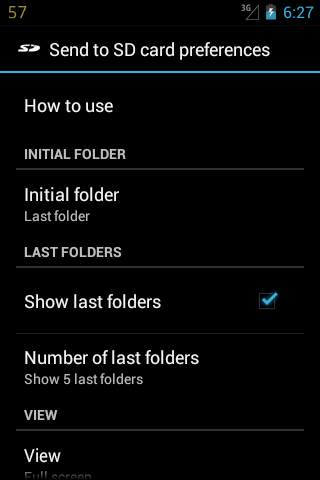
Send to SD card screenshot 1 Send to SD card screenshot 2 Send to SD card screenshot 3

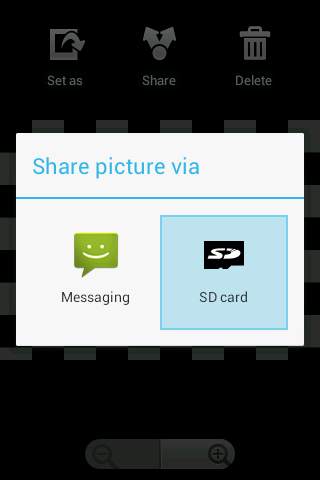
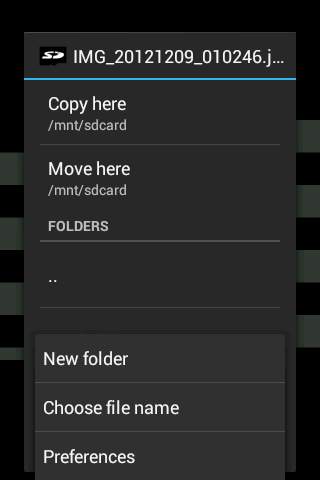
Simple utility which allows to copy any file from any application to any folder on the SD card. Use "Send" or "Share" menu item.
WARNING
This application works with your device filesystem, including filesystem on internal device memory and/or SD cards. If you don't know what the filesystem is, where the device's camera stores photos and where the Gallery application searches your photos/media files, and you don't have any experience with a file manager, please don't use this application.
When you use this application for the first time try it only copying the files, not moving, to be sure you can find and use the copies.
Please note that "Send to SD card" cannot send applications to SD card by itself. It can only save files which are sent by another applications.
For details see https://bitbucket.org/gelin/send-to-sd/wiki/FAQ
How to use:
* Choose "Send" or "Share" menu item in any application
* Choose "SD card"
* Choose any folder on SD card
* Tap "Copy here"
You can easily:
* Organize your photos or videos.
* Organize your files.

...

👉 For More Detail of Send to SD card

#2 Send To SD CARD

Send To SD CARD
Rating: star 3.0 | Version: 2.0 | Size: 6.0MB
Send To SD CARD screenshot 1 Send To SD CARD screenshot 2 Send To SD CARD screenshot 3

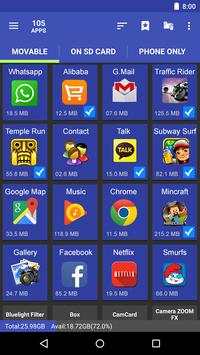
Move app in the easiest way。
Feature
*******************
• Move apps to SD card
• Move apps to phone internal storage
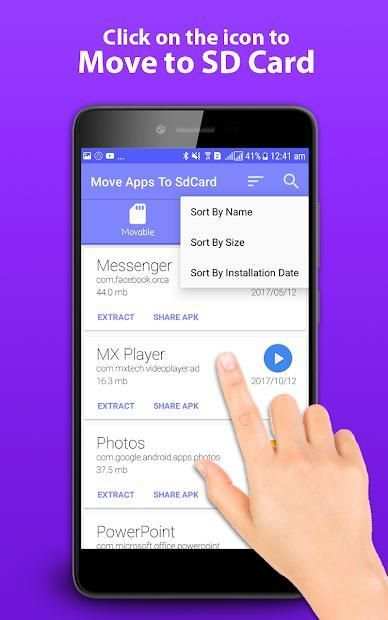
• Sort app by movable, name, size and time
• User can custom [Install time] [Package name] [Apk path] to show in list
• Show app details: size, install time, package, apk path.
• Open app
• Search in market
• Search in website by apk name, package name, app name
*******************
If we granted root permission, we can move multi-app in one click, and can move almost all apps installed.
If you get "Sdcard share the same disk with os", means that Android os set up ***default*** SD card and system partition in one disk, So we can't move apps from system to default SD card, cause they are in the same disk.
Move app in the easiest way in the easiest way
Many Android phones come with a paltry 8 or 16GB of storage, while even 32GB isn't enough for many users once they start downloading applications, taking high-resolution photos and videos, and sideloading music. Fortunately, the vast majority of Android phones come with a micro SD card slot, which lets you bolt on additional storage.
Sometime your phone memory or your SD card are full not space to move the data phone to SD card to use this application.
Move Application To SD CARD allows you to move the app from the phone memory to SD card.

...

👉 For More Detail of Send To SD CARD

#3 Move App Phone To SD Card

Move App Phone To SD Card
Rating: star 3.2 | Version: 1.5 | Size: 3.7MB
Move App Phone To SD Card screenshot 1 Move App Phone To SD Card screenshot 2 Move App Phone To SD Card screenshot 3

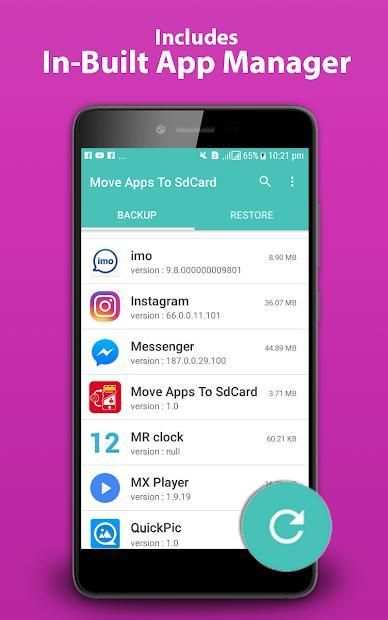
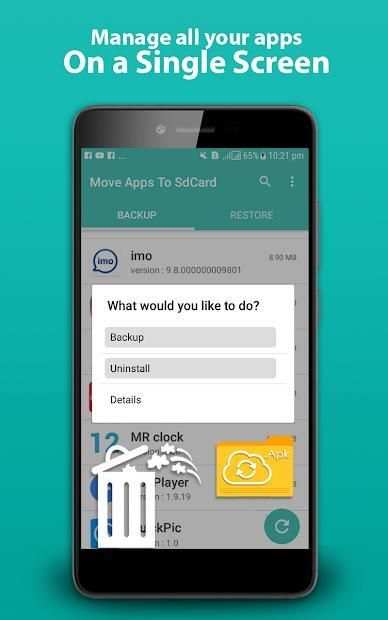
Move app to sd card helps to move app in easiest way. This Move Apps phone to SD Card is also like an app manager, helps you can manage your apps in the phone SD card and perform different operation on apps. Is your phone is running out of space ? you can move your apps to SD card using this app. There are lot of options when you click on the app name from list of apps. Here are some useful features i.e Uninstall App, Clear Cache, Clear Data and see the app details ( size, data etc).
Apps Backup and Restore is very useful to backup your installed apps to your internal/SD card and restore backup-ed apps.
Please note that first time you use it or every time you restart your device, you need to set access rights to the SD card.
Feature
#####################
• Move apps to SD card
• Move sd card apps to phone internal storage
• Sort app by name, movable, time and size
• Show app details: size, install time, package, apk path.
• User can custom [Install time] [Package name] [Apk path] to show in list
• Uninstall installed app
• Backup apps to Internal/SD card
• Auto backup app on new app install
• Reinstall apps from Internal/SD card
• Backup system apps
• Launch installed app
• Apk Sharer - Share app link
• Search in market
• More options on long click on app list
• Auto refresh you app list.
• Search in website by apk name, package name, app name
#####################
Note
If you get message "Sdcard share the same disk with os", means that operating system set up ***default*** SD card and system partition in one disk, So we can't move apps from system to default SD card, cause they are in the same disk.
Download and Share this Move apps phone to SD card app with your friends and family and don't forget to rate us 5 :)
Pindahkan aplikasi ke kartu sd membantu memindahkan aplikasi dengan cara termudah. Ponsel Pindah Aplikasi ini ke Kartu SD juga seperti pengelola aplikasi, membantu Anda dapat mengelola aplikasi Anda di kartu SD ponsel dan melakukan operasi yang berbeda pada aplikasi. Apakah ponsel Anda kehabisan ruang? Anda dapat memindahkan aplikasi Anda ke kartu SD menggunakan aplikasi ini. Ada banyak opsi ketika Anda mengeklik nama aplikasi dari daftar aplikasi. Berikut adalah beberapa fitur yang bermanfaat yaitu Uninstall App, Clear Cache, Clear Data dan lihat detail aplikasi (ukuran, data, dll).
Pencadangan dan Pemulihan Aplikasi sangat berguna untuk mencadangkan aplikasi yang dipasang ke kartu internal / SD Anda dan memulihkan aplikasi cadangan-ed.
Harap perhatikan bahwa pertama kali Anda menggunakannya atau setiap kali Anda me-restart perangkat, Anda perlu mengatur hak akses ke kartu SD.
Fitur
#####################
• Pindahkan aplikasi ke kartu SD
• Pindahkan aplikasi kartu sd ke penyimpanan internal telepon
• Urutkan aplikasi berdasarkan nama, dapat dipindahkan, waktu dan ukuran
• Tampilkan detail aplikasi: ukuran, waktu pemasangan, paket, jalur apk.
• Pengguna dapat kustom [Instal waktu] [Nama paket] [jalur Apk] untuk ditampilkan dalam daftar
• Hapus instalasi aplikasi yang diinstal
• Cadangkan aplikasi ke kartu Internal / SD
• Aplikasi cadangan otomatis pada pemasangan aplikasi baru
• Instal ulang aplikasi dari kartu Internal / SD
• Aplikasi sistem cadangan
• Luncurkan aplikasi yang diinstal
• Apk Sharer - Bagikan tautan aplikasi
• Cari di pasar
• Opsi lainnya pada klik panjang di daftar aplikasi
• Otomatis segarkan daftar aplikasi Anda.
• Cari di situs web dengan nama apk, nama paket, nama aplikasi
#####################
Catatan
Jika Anda mendapatkan pesan "Sdcard berbagi disk yang sama dengan os", berarti bahwa sistem operasi mengatur *** default *** kartu SD dan partisi sistem dalam satu disk, Jadi kita tidak bisa memindahkan aplikasi dari sistem ke kartu SD default, karena mereka berada di disk yang sama.
Unduh dan Bagikan ini Pindahkan aplikasi ponsel ke aplikasi kartu SD dengan teman dan keluarga Anda dan jangan lupa untuk memberi nilai pada kami 5 :)

...

👉 For More Detail of Move App Phone To SD Card

#4 Move Apps To SD : Moves App - Send To SD Card

Move Apps To SD : Moves App - Send To SD Card
Rating: star 3.0 | Version: 7.13 | Size: 3.6MB
Move Apps To SD : Moves App - Send To SD Card screenshot 1

Sometimes your device reached Low internal memory space and you need to delete some application and files for new application and download apps to sd card, sd data from android market.
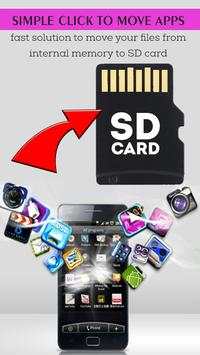
This application Move Apps To SD : Moves App - Send To SD Card App , is a one click fast solution to to sd and move your files und app to sd moves app and apps from internal memory to SD card in your phone. Move your photos, install apps on sd card, videos and other downloads to your SD card.
This is the app that helps you fast and easy find movable apps or moves app and move them to SD Card to free some space on your phone!
This application Move Apps To SD : Moves App - Send To SD Card is a quick solution to transfer the files from the internal memory to the SD card in your phone. In one click, you release the space in the internal memory of your phone.
If you have an Android phone or tablet with a small amount of storage, download apps to sd card and you probably keep uninstalling apps to make room for other ones. But there is a way to expand the storage of an Android device if it has an SD card slot.
This Move Apps To SD : Moves App - Send To SD Card App is a one click fast solution to move your files from internal memory to SD card in your phone. Move your photos, install apps on sd card, app to sd, videos and other downloads to your SD card.
Devices with clean install of Android 5 don't allow saving files directly to SD card.There are many other similar applications but this one is simple and fast. Not all similar applications work with Android 5.
Many Android phones come with a paltry 8 or 16GB of storage, while even 32GB isn't enough for many users once they start downloading applications, sd data, taking high-resolution photos and videos, app to sd and sideloading music. Fortunately, the vast majority of Android phones come with a micro SD card slot, install apps on sd card, which lets you bolt on additional storage.
Sometimes your phone memory or your SD card are full not space to move the data phone to SD card and download apps to sd card to use this application.
Features of Move Apps To SD : Moves App - Send To SD Card :
- Move Application Phone storage to SD card.
- No need to uninstall any apps when your internal memory getting low
- download apps to sd card and sd data
- transfer apps to sd
- send to sd card , moves app
This a Move Apps To SD : Moves App - Send To SD Card app , app to sd, sd data, moves app that will make you move ( videos, images, music, files,apps...etc ) into your sd storage card .
Once an app is moves app and moved to the SD card, Move Apps To SD : Moves App - Send To SD Card APP main program list will reflect it with move apps to sd. One thing I found interesting in testing is that while One game was unmovable before Install Apps On Sd Card App got involved, the unusable “Move to SD card” button became “Move to device storage” move apps to sd after the tweak. Why this is notable is that it proves that Android could allow the app to move over using the same tweak we use in Android 4 and earlier.
This App will move your photos, files, and some apps to the SD card. To migrate the data now, tap “Move now”. This selects the SD card as the preferred storage location for all apps, databases, and data. If you don’t want to migrate your data yet, tap “Move later” or move apps to sd
With The Move Apps To SD : Moves App - Send To SD Card App, you will never have a stockage or full memory problem in your android phone !
Kadang-kadang perangkat Anda mencapai ruang memori internal yang rendah dan Anda perlu menghapus beberapa aplikasi dan file untuk aplikasi dan men-download aplikasi baru ke kartu sd, sd data dari pasar android.
Aplikasi ini Pindah Apps Untuk SD: Bergerak App - Kirim ke Kartu App SD, merupakan solusi satu kali klik cepat untuk untuk sd dan memindahkan file Anda und aplikasi untuk sd bergerak aplikasi dan aplikasi dari memori internal ke kartu SD di telepon Anda. Memindahkan foto Anda, instal aplikasi di sd card, video dan download lainnya ke kartu SD Anda.
Ini adalah aplikasi yang membantu Anda mudah menemukan aplikasi bergerak atau bergerak aplikasi dan memindahkan mereka ke SD Card dan cepat untuk membebaskan beberapa ruang pada ponsel Anda!
Aplikasi ini Pindah Apps Untuk SD: Bergerak App - Kirim ke SD Card adalah solusi cepat untuk mentransfer file dari memori internal ke kartu SD di telepon Anda. Dalam satu kali klik, Anda melepaskan ruang dalam memori internal ponsel Anda.
Jika Anda memiliki ponsel Android atau tablet dengan sejumlah kecil penyimpanan, men-download aplikasi ke kartu sd dan Anda mungkin tetap menguninstall aplikasi untuk memberikan ruang bagi yang lain. Tapi ada cara untuk memperluas penyimpanan perangkat Android jika memiliki slot kartu SD.
Move ini Aplikasi Untuk SD: Bergerak App - Kirim ke SD Card App adalah solusi cepat satu kali klik untuk memindahkan file dari memori internal ke kartu SD di telepon Anda. Memindahkan foto Anda, instal aplikasi di sd card, aplikasi untuk sd, video dan download lainnya ke kartu SD Anda.
Perangkat dengan instalasi yang bersih dari Android 5 tidak memungkinkan menyimpan file langsung ke SD card.There yang banyak aplikasi lain yang sejenis tetapi yang satu ini sederhana dan cepat. Tidak semua aplikasi yang serupa bekerja dengan Android 5.
Banyak ponsel Android datang dengan remeh 8 atau 16GB penyimpanan, sementara bahkan 32GB tidak cukup bagi banyak pengguna setelah mereka mulai men-download aplikasi, data yang sd, mengambil foto resolusi tinggi dan video, aplikasi untuk sd dan musik sideloading. Untungnya, sebagian besar ponsel Android datang dengan slot kartu micro SD, instal aplikasi di sd card, yang memungkinkan Anda baut pada penyimpanan tambahan.
Kadang-kadang memori telepon atau kartu SD Anda penuh tidak ruang untuk bergerak telepon data ke kartu dan men-download aplikasi SD ke kartu sd untuk menggunakan aplikasi ini.
  Fitur Aplikasi Move To SD: Bergerak App - Kirim ke Kartu SD:
- Pindahkan Aplikasi Telepon penyimpanan ke kartu SD.
- Tidak perlu untuk meng-uninstall aplikasi apapun ketika memori internal Anda mendapatkan rendah
- Download aplikasi ke kartu sd dan sd Data
- Transfer aplikasi ke sd
- kirim ke sd card, bergerak aplikasi
Ini Pindah Apps Untuk SD: Bergerak App - Kirim Untuk aplikasi SD Card, aplikasi untuk sd, data yang sd, bergerak aplikasi yang akan membuat Anda bergerak (video, gambar, musik, file, aplikasi ... dll) ke dalam kartu penyimpanan sd Anda .
Setelah sebuah aplikasi bergerak aplikasi dan pindah ke kartu SD, Pindah Apps Untuk SD: Bergerak App - Kirim Untuk daftar program utama SD Card APP akan mencerminkan dengan aplikasi bergerak untuk sd. Satu hal yang saya temukan menarik dalam pengujian adalah bahwa sementara satu pertandingan adalah unmovable sebelum Install Aplikasi Pada Sd Card App terlibat, tidak dapat digunakan “Pindah ke kartu SD” tombol menjadi “Pindah ke perangkat penyimpanan” Langkah aplikasi untuk sd setelah tweak. Mengapa hal ini penting adalah bahwa hal itu membuktikan bahwa Android bisa memungkinkan aplikasi untuk pindah menggunakan tweak yang sama kita gunakan di Android 4 dan sebelumnya.
App ini akan memindahkan foto, file, dan beberapa aplikasi ke kartu SD. Untuk migrasi data sekarang, tekan “Pindahkan sekarang”. Ini memilih kartu SD sebagai lokasi penyimpanan yang disukai untuk semua aplikasi, database, dan data. Jika Anda tidak ingin migrasi data Anda belum, tekan “Pindahkan nanti” atau memindahkan aplikasi ke sd
Dengan Move Apps Untuk SD: Bergerak App - Kirim ke Kartu App SD, Anda tidak akan pernah memiliki Stockage atau masalah memori penuh di ponsel android Anda!

...

👉 For More Detail of Move Apps To SD : Moves App - Send To SD Card

#5 Move to SD Card : Move files to SD card & Move App

Move to SD Card : Move files to SD card & Move App
Rating: star 3.6 | Version: 1.0 | Size: 2.0MB
Move to SD Card : Move files to SD card & Move App screenshot 1 Move to SD Card : Move files to SD card & Move App screenshot 2 Move to SD Card : Move files to SD card & Move App screenshot 3

Fitur:
👉 File yang bergerak ke kartu SD
👉 Satu klik akan melakukan semua hal
👉 UI sederhana
👉 File dikelompokkan berdasarkan jenis file
👉 Percepat perangkat Anda dengan memindahkan file keKartu SD
👉 Semua fitur benar-benar gratis
Unduh dan beri kami umpan balik

...

👉 For More Detail of Move to SD Card : Move files to SD card & Move App

Search Results

1/5

Kamu mungkin suka

DOWNLOAD IS NOT SUPPORTED IN WEB STORE!
Use the latest version of 9Apps to download APK&OBB file of games in one click!
DOWNLOAD 9APPS