

DOWNLOAD IS NOT SUPPORTED IN WEB STORE!
Use the latest version of 9Apps to download APK&OBB file of games in one click!
DOWNLOAD 9APPS


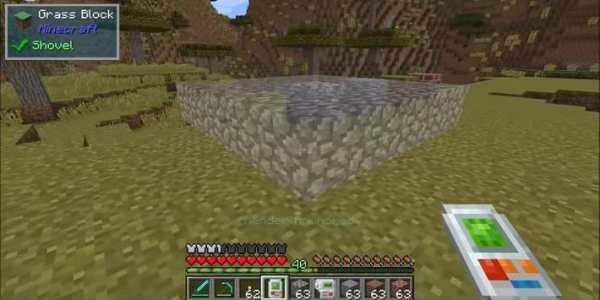
Building Gadgets Mod (Make Building a Little Bit Easier)
Building Gadgets Mod aims to make building a little bit easier. At this time there are two tools.
How to use:
Press the ‘Mode Switch’ hotkey (Default F) to switch modes.
Press the ‘Range Change’ hotkey to increase the range (Sneak Hotkey decrements the range).
Press the ‘Anchor’ hotkey to stick the visual indicator to its current position, so you can see what your build will look like before commiting. With an anchor active, right click to build the anchor, or press the hotkey again to remove the anchor without building.
Press the ‘Undo’ hotkey to undo the last build you executed (The tool remembers up to 10 previous builds) — Not Available on the Exchanger tool.
How to install:
Make sure you have already installed Minecraft Forge.
Locate the minecraft application folder.
On windows open Run from the start menu, type appdata and click Run.
On mac open finder, hold down ALT and click Go then Library in the top menu bar. Open the folder Application Support and look for Minecraft.
Place the mod you have just downloaded (.jar file) into the Mods folder.
When you launch Minecraft and click the mods button you should now see the mod is installed.
Disclaimer:
NOT AN OFFICIAL MINECRAFT PRODUCT. NOT APPROVED BY OR ASSOCIATED WITH MOJANG.
In accordance with http://account.mojang.com/documents/brand_guidelines