With the development of technology, more and more apps appeared in the mobile market. 20,000+ users downloaded BRouter latest version on 9Apps for free every week! This will give an informative for the other crazy players. This hot app was released on 2020-03-02. It is a very popular app on India now.
Configurable, elevation-aware (bike-) Router for OFFLINE Navigation based on open data. Works in conjunction with a Map Application.
See http://brouter.de/brouter for more documenation
See http://brouter.de/brouter-web for an online version.
*** If you do not know one of the supporting map applications, then the BRouter-App is useless for you. Download only if you are willing to spend some time to understand the setup. No one-star reviews from the unpatient please! email for problems ***
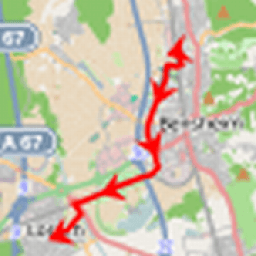
BRouter does only the plain route-calculation and does not display a map or the calculated route on it's own and therefore works only together with a Map Application. There are two different methods for the interfacing between BRouter and the Map application: BRouter offers a service interface that is called by the map application without a need to start the BRouter-App. This way, BRouter is a routing service very much like an online routing service, including dynamic recalculations if you get off the track. The other mode of operation is to start the BRouter-App and use waypoints from the map application's waypoint database to define your route. The calculated route is then written as a GPX file (including the elevation profile) to the map-application's tracks directory.
Some popular map apps support both the service interface and the interface via the wayoint database in their current versions available on Google Play.
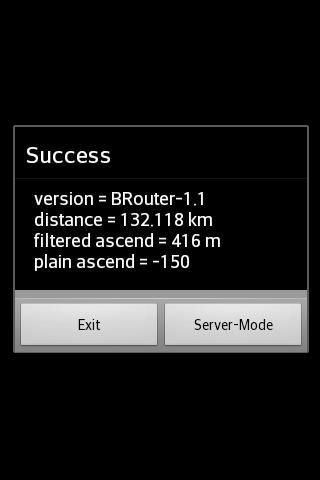
The service interface uses a timeout of 60s, limiting it's use to distances of about 50km, but using the BRouter App you are able to calculate much longer distances. But even long-distance tracks can be followed via the service interface (including dynamic recalculations). This is done by pre-calculating a route for your destination once using the BRouter App and assigning it to a routing mode via the "Server-Mode" Button. This feature is called "timeout-free recalculations".
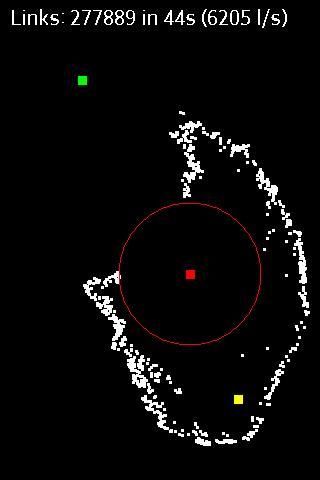
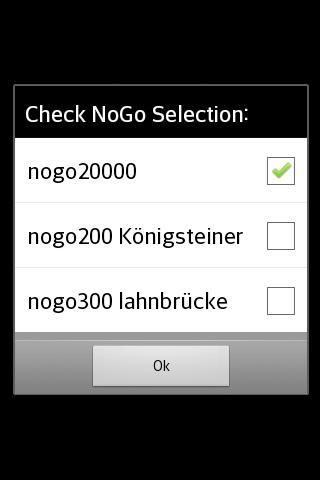
The route calculation, no matter if via the service interface or via the BRouter App, also considers nogo areas that can be defined as waypoints with a special naming convention (e.g. "nogo200" for 200m radius). This way it is possible to account for actual obstacles, but this feature can also be used to enforce personal preferences.
BRouter contains a download manager that assists downloading the required routing data files.The download manager is called on the first start of the app, and later on it is offered if internet access is available.
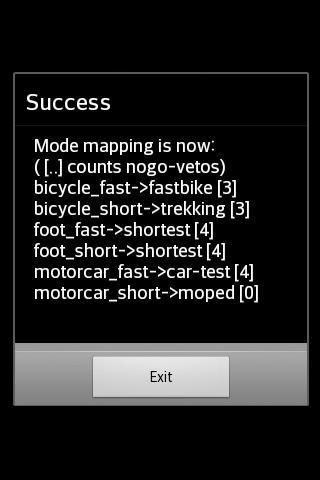
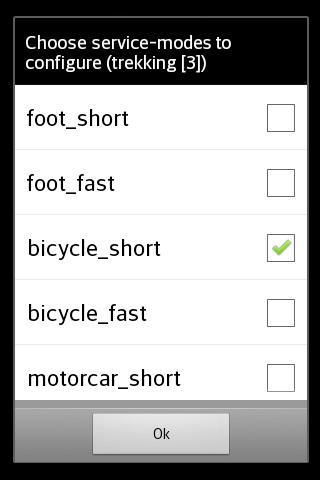
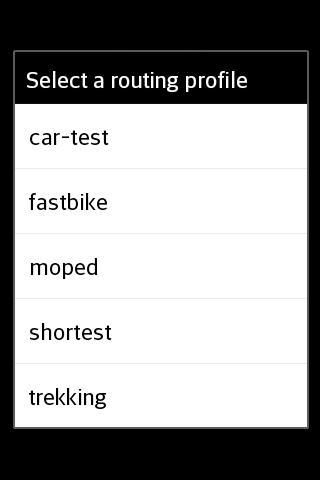
The mapping from one of the 6 routing modes (car/bike/foot * fast/short), that are used traditionally by routing services, and BRouter's concept of fully configurable routing profiles get's the following default mapping after the installation of BRouter:
car-fast -> car-test
car-short -> moped
bike-fast -> fastbike
bike-short -> trekking
foot-fast -> shortest
foot-short -> shortest
This mapping, however, can by changed anytime via the "Server-Mode" Button of the BRouter App. But also the routing profile definitions can be changed or new ones can be created.
Routing for cars is is currently available only in an experimental state ("car-test") and is not recommend. For example, turn-restriction are not taken into account.
Router yang dapat dikonfigurasi, elevasi-sadar (sepeda-) untuk Navigasi OFFLINE berdasarkan data terbuka. Bekerja bersama dengan Aplikasi Peta.
Lihat http://brouter.de/brouter untuk dokumentasi lebih lanjut
Lihat http://brouter.de/brouter-web untuk versi online.
*** Jika Anda tidak tahu salah satu aplikasi peta yang mendukung, maka BRouter-App tidak berguna untuk Anda. Unduh hanya jika Anda bersedia meluangkan waktu untuk memahami pengaturan. Tolong jangan ada ulasan bintang satu dari yang tidak sabar! email untuk masalah ***
BRouter hanya melakukan perhitungan rute biasa dan tidak menampilkan peta atau rute yang dihitung sendiri dan karenanya hanya bekerja bersama dengan Aplikasi Peta. Ada dua metode berbeda untuk antarmuka antara BRouter dan aplikasi Peta: BRouter menawarkan antarmuka layanan yang dipanggil oleh aplikasi peta tanpa perlu memulai Aplikasi BRouter. Dengan cara ini, BRouter adalah layanan perutean yang sangat mirip dengan layanan perutean online, termasuk perhitungan ulang dinamis jika Anda keluar jalur. Mode operasi lainnya adalah memulai Aplikasi-BRouter dan menggunakan titik arah dari basis data titik arah aplikasi peta untuk menentukan rute Anda. Rute yang dihitung kemudian ditulis sebagai file GPX (termasuk profil elevasi) ke direktori trek-aplikasi peta.
Beberapa aplikasi peta populer mendukung antarmuka layanan dan antarmuka melalui basis data wayoint dalam versi mereka saat ini yang tersedia di Google Play.
Antarmuka layanan menggunakan batas waktu 60-an, membatasi penggunaannya untuk jarak sekitar 50 km, tetapi dengan menggunakan Aplikasi BRouter Anda dapat menghitung jarak yang lebih jauh. Tetapi bahkan trek jarak jauh dapat diikuti melalui antarmuka layanan (termasuk perhitungan ulang dinamis). Ini dilakukan dengan melakukan pra-penghitungan rute untuk tujuan Anda sekali menggunakan Aplikasi BRouter dan menetapkannya ke mode perutean melalui Tombol "Mode-Server". Fitur ini disebut "penghitungan ulang bebas batas waktu".
Perhitungan rute, tidak peduli apakah melalui antarmuka layanan atau melalui Aplikasi BRouter, juga mempertimbangkan area nogo yang dapat didefinisikan sebagai titik arah dengan konvensi penamaan khusus (mis. "Nogo200" untuk radius 200m). Dengan cara ini dimungkinkan untuk memperhitungkan hambatan yang sebenarnya, tetapi fitur ini juga dapat digunakan untuk menegakkan preferensi pribadi.
BRouter berisi manajer pengunduhan yang membantu mengunduh file data perutean yang diperlukan. Manajer pengunduhan dipanggil pada awal aplikasi, dan kemudian ditawarkan jika akses internet tersedia.
Pemetaan dari salah satu dari 6 mode perutean (mobil / sepeda / kaki * cepat / pendek), yang digunakan secara tradisional oleh layanan perutean, dan konsep BRouter tentang profil perutean yang sepenuhnya dapat dikonfigurasikan dapatkan adalah pemetaan default berikut setelah pemasangan BRouter:
car-fast -> car-test
mobil-pendek -> moped
sepeda-cepat -> sepeda cepat
sepeda-pendek -> trekking
kaki-cepat -> terpendek
kaki-pendek -> terpendek
Namun pemetaan ini, dapat diubah setiap saat melalui Tombol "Server-Mode" pada Aplikasi BRouter. Tetapi juga definisi profil perutean dapat diubah atau yang baru dapat dibuat.
Routing untuk mobil saat ini hanya tersedia dalam keadaan eksperimental ("car-test") dan tidak direkomendasikan. Misalnya, pembatasan belokan tidak diperhitungkan.
Most prominent new feature in 1.6.x are delta-updates and delete functionality in the download-manager. For full revision histpry see http://brouter.de/brouter/revisions.html



9Apps 4.9