











DOWNLOAD IS NOT SUPPORTED IN WEB STORE!
Use the latest version of 9Apps to download APK&OBB file of games in one click!
DOWNLOAD 9APPS

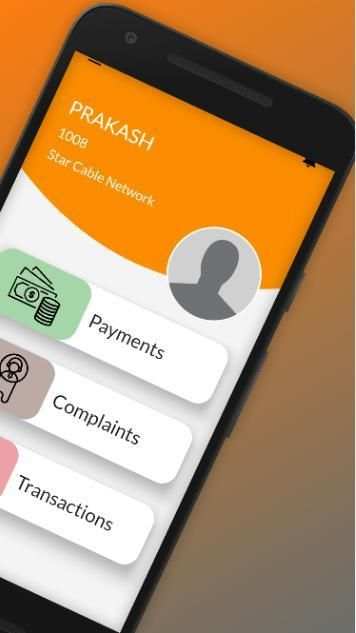
VK Digital Customer App has simplified the connectivity between the customer and respective Cable Operator
Salient Features of VK Digital Customer Application
+ View the list of subscriptions
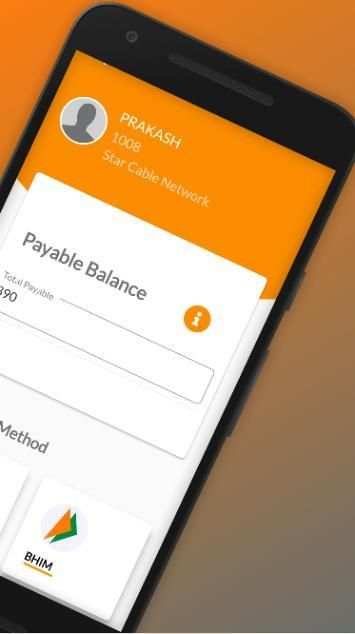
+ Make Online Payment
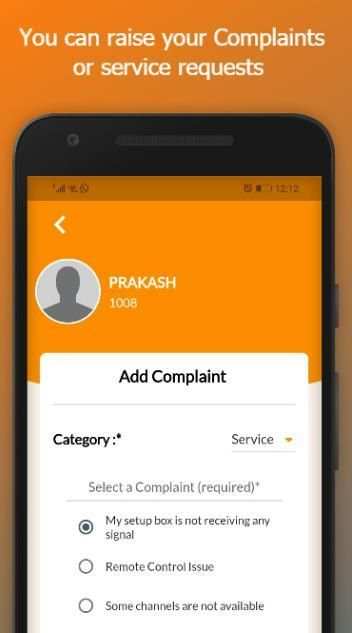
+ Register Complaints
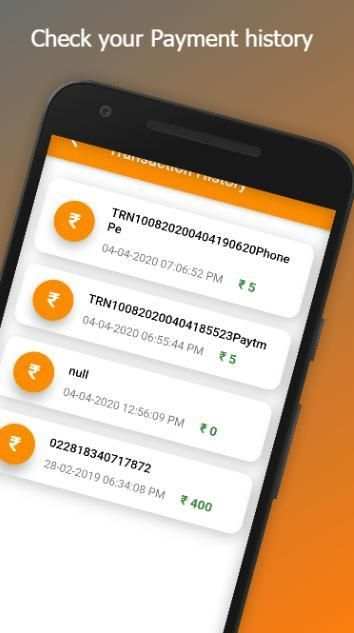
+ View Payment History
+ View Bill History
How does VK Digital- Customer App work ?
1. Download VK Digital- Customer App on your phone
2. Open the App & Enter your Phone Number
3. Enter OTP to login
4. You will see Options like Payment, Complaints and Settop Box details
5. You can choose the option based on what you want to do
Note : If you are unable to login, please check with your respective Cable Operator. It can happen if they do not have your correct Phone number
How to make Online Payment ?
1. Login to VK Digital- Customer App
2. Select the relevant subscription
3. You will see "Bill Details"
4. Click on "Pay Now"
5. Select the payment mode & complete the transaction
What are the different Payment methods for online payments ?
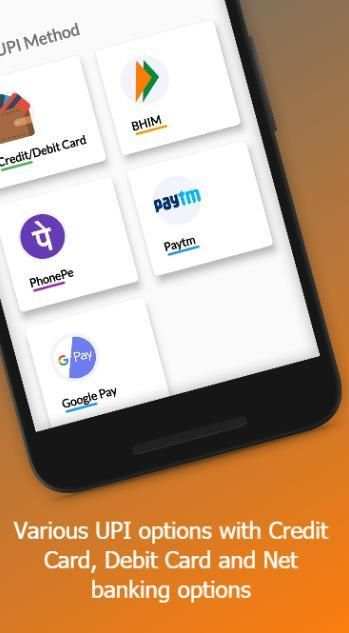
+ With VK Digital- Customer App, we have different payment methods in UPI like
+ BHIM
+ Paytm
+Google Pay
+PhonePe
+ All Credit Cards
+ Any Debit Card
+Net Banking
Aplikasi Pelanggan Digital VK telah menyederhanakan konektivitas antara pelanggan dan masing-masing Operator Kabel
Fitur yang menonjol dari Aplikasi Pelanggan VK Digital
+ Lihat daftar langganan
+ Lakukan Pembayaran Online
+ Mendaftar Keluhan
+ Lihat Riwayat Pembayaran
+ Lihat Riwayat Tagihan
Bagaimana cara kerja Aplikasi Pelanggan Digital VK?
1. Unduh VK Digital- Aplikasi Pelanggan di ponsel Anda
2. Buka Aplikasi & Masukkan Nomor Telepon Anda
3. Masukkan OTP untuk login
4. Anda akan melihat Opsi seperti detail Pembayaran, Keluhan, dan Kotak Penyelesaian
5. Anda dapat memilih opsi berdasarkan apa yang ingin Anda lakukan
Catatan: Jika Anda tidak dapat masuk, silakan hubungi Operator Kabel masing-masing. Itu bisa terjadi jika mereka tidak memiliki nomor telepon Anda yang benar
Bagaimana cara melakukan Pembayaran Online?
1. Masuk ke VK Digital- Aplikasi Pelanggan
2. Pilih langganan yang relevan
3. Anda akan melihat "Rincian Tagihan"
4. Klik "Bayar Sekarang"
5. Pilih mode pembayaran & selesaikan transaksi
Apa saja metode pembayaran untuk pembayaran online?
+ Dengan VK Digital- Aplikasi Pelanggan, kami memiliki metode pembayaran berbeda di UPI
+ BHIM
+ Paytm
+ Google Pay
+ PhonePe
+ Semua Kartu Kredit
+ Kartu Debit Apa Pun
+ Perbankan Bersih
Minor bug fixes


