






DOWNLOAD IS NOT SUPPORTED IN WEB STORE!
Use the latest version of 9Apps to download APK&OBB file of games in one click!
DOWNLOAD 9APPS
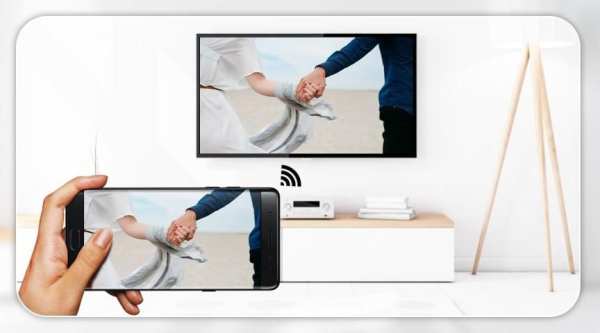
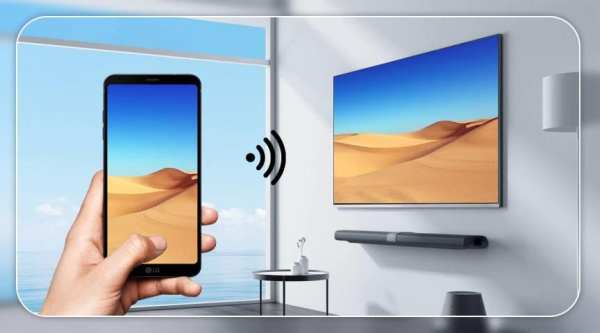
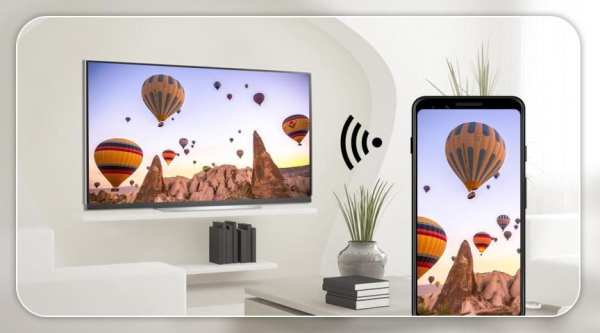
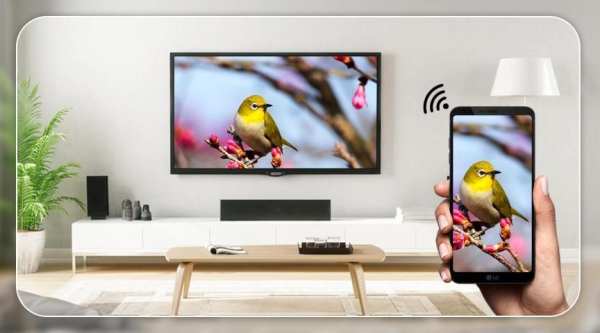
Screen Mirroring with TV : Mobile Screen to TV
Screen mirroring work your TV should support Wireless Display and TV must be connected to wifi network same as your phone. use Screen Mirroring App to mirror your mobile screen to smart TV.
Screen Mirroring App will assist you to scan and mirror your android phone or tab's screen on smart TV/Display (mira cast enabled ) or Wireless dongles or adapters.
Screen Mirroring Able to play videos, music, photos, etc in my smartphone with any devices (smartphone, smartTV, laptop, tablet, etc) at anywhere.
Mirror screen does not need extra dongle or cable. Click the “Start”, the Mobile hotspot will be operating automatically. and After hotspot will be operating, connect to AP from other devices.
Screen Mirroring can only play contents but send screen as is such as HDMI, MHL, Miracast and Chromecast. It has been tested and found works on most of android mobiles.
Feature :-
• Easily change resolution and density - take full advantage of the resolution of your external display, and show the Android tablet interface if you're using a phone
• Simple profile-based interface - easy to enable/disable different profiles for different types of displays
• Automatically enable Bluetooth and Wi-Fi - quickly connect a keyboard, mouse, and/or game controller
• Lock screen orientation to landscape
• Show desktop sites in Chrome by default - browse the real Web, on your TV!
• Full integration with Tasker
• Disable device backlight and/or vibration - save battery while your device is connected (not compatible with all devices)
• Load profiles automatically when a display is connected
This App also known as : -
✿ Screen mirroring app
✿ Mirror screen
✿ Mirror TV
✿ Cast screen android
✿ Screen mirror
✿ Mirror screen android
✿ Mirroring to TV
✿ MiraCast
✿ Mobile Screen to TV Screen
✿ Connect Mobile with TV
✿ Mobile Video to TV Screen
✿ Mirror cast
✿ Screen mirroring laptop
Please follow below Steps
1) Your TV should support Wireless Display or any sort of Display Dongles.
2) The TV must be connected to wifi network same as your phone.
3) The Phone version must be android 4.2 and above.
4) Download and run Screen Mirroring Assistant App.
5) Happy Mirroring :)
Thanks..!!!
Pencerminan Layar dengan TV: Layar Seluler ke TV
Pekerjaan mirroring layar TV Anda harus mendukung Wireless Display dan TV harus terhubung ke jaringan wifi yang sama dengan ponsel Anda. gunakan Aplikasi Screen Mirroring untuk mencerminkan layar ponsel Anda ke smart TV.
Aplikasi Screen Mirroring akan membantu Anda memindai dan mencerminkan ponsel Android Anda atau layar tab di smart TV / Display (mira cast diaktifkan) atau dongle atau adapter nirkabel.
Pencerminan Layar Mampu memutar video, musik, foto, dll di ponsel cerdas saya dengan perangkat apa pun (ponsel cerdas, smartTV, laptop, tablet, dll) di mana saja.
Layar cermin tidak perlu dongle atau kabel tambahan. Klik "Mulai", hotspot Seluler akan beroperasi secara otomatis. dan Setelah hotspot akan beroperasi, sambungkan ke AP dari perangkat lain.
Screen Mirroring hanya dapat memutar konten tetapi mengirim layar seperti HDMI, MHL, Miracast, dan Chromecast. Ini telah diuji dan ditemukan bekerja pada sebagian besar ponsel Android.
Fitur: -
• Mudah mengubah resolusi dan kepadatan - manfaatkan sepenuhnya resolusi layar eksternal Anda, dan tunjukkan antarmuka tablet Android jika Anda menggunakan ponsel
• Antarmuka berbasis profil sederhana - mudah untuk mengaktifkan / menonaktifkan profil yang berbeda untuk berbagai jenis tampilan
• Secara otomatis mengaktifkan Bluetooth dan Wi-Fi - dengan cepat sambungkan keyboard, mouse, dan / atau pengontrol game
• Kunci orientasi layar ke lanskap
• Tampilkan situs desktop di Chrome secara default - jelajahi Web yang sebenarnya, di TV Anda!
• Integrasi penuh dengan Tasker
• Nonaktifkan lampu latar perangkat dan / atau getaran - hemat baterai saat perangkat Anda terhubung (tidak kompatibel dengan semua perangkat)
• Muat profil secara otomatis ketika layar terhubung
Aplikasi ini juga dikenal sebagai: -
✿ Aplikasi pencerminan layar
✿ Layar cermin
✿ TV Cermin
✿ Cast layar android
✿ Cermin layar
✿ Layar cermin android
✿ Mencerminkan ke TV
✿ MiraCast
✿ Layar Ponsel ke Layar TV
✿ Hubungkan Ponsel dengan TV
✿ Video Mobile ke Layar TV
✿ Pemain cermin
✿ Layar laptop mirroring
Silakan ikuti Langkah-langkah di bawah ini
1) TV Anda harus mendukung Layar Nirkabel atau Dongles Layar apa pun.
2) TV harus terhubung ke jaringan wifi yang sama dengan telepon Anda.
3) Versi Telepon harus Android 4.2 ke atas.
4) Unduh dan jalankan Aplikasi Screen Mirroring Assistant.
5) Selamat Mirroring :)
Terima kasih..!!!


Screen Mirroring


