डाउनलोड वेब स्टोर में समर्थित नहीं है!
एक क्लिक में एपीके एंड ओबीबी फाइलें डाउनलोड करने के लिए 9Apps के नवीनतम संस्करण का प्रयोग करें
DOWNLOAD 9APPS
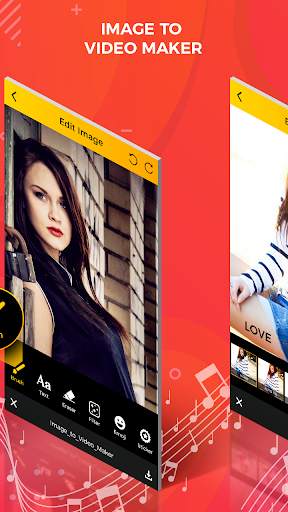
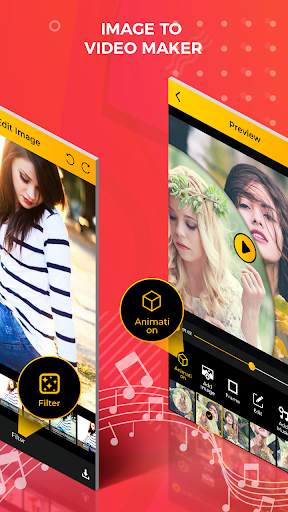
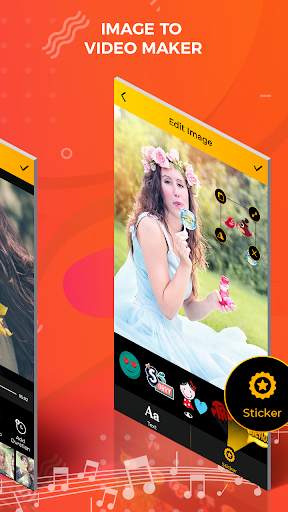
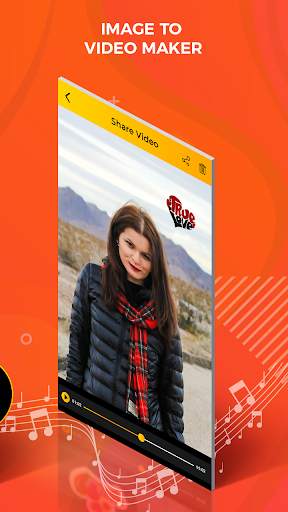
Image to video maker app is one of the best video editor.
Image to video maker app create your video with different
types of frame , filter and music. Image to video maker app
make your video more beautiful and gorgeous.
Features:
-Easy and simple to use.
-Multiple photos selection.
-Add the sticker and latest filter effect.
-Use undo and redo button.
-Erase facility available.
-Different types of animation them.
-Add and edit the image.
-Add your favourite music.
-Set video duration time.
How to use:
-Search the image to video maker app in play store.
-Install the image to video maker with song app.
-Update this application.
-Create video slideshow will be open in your smart phone.
-Click on create video slideshow maker button to start the application.
-Click on create slideshow button.
-Select the photos from gallery.
-Click on right arrow button.
-If you edit your selected photo.
-Click on edit button.
-Click on brush button.
-You can also set the brush size and opacity.
-Adjust the sic bar button with your finger.
-Select your favourite colour in the list.
-Draw the line on your selected photos.
-Click on text button.
-Enter the text with different type colour.
-Click on done button.
-Click on erase button.
-Erase the part of you want to draw.
-Click on filter button.
-Select your favourite filter effect in the list.
-You can also add the sticker.
-Click on sticker button.
-Select the sticker in the list.
-You also use undo and redo button.
-Click on right arrow button.
-Edit the all of selected photos.
-If you deleted the photo click on close button.
-Click on right arrow button.
-Set the screen start and end photo.
-Click on right arrow button.
-Massage will be show on your phone screen.
-Click on yes button.
-Click on animation button.
-Select your animation them.
-You can also add the image click on add image button.
-Click on frame button and select the frame in the list.
-Click on music button.
-Add your favourite music in the list.
-Click on duration button to set the video timing.
-Click on right arrow button.
-Share your video slideshow with your friend on social media.
-Click on create animation video button.
-Select the music in the list.
-Click on next button.
-You select exact only nine images.
-Select the photo from gallery.
-Click on done button.
-Edit your selected photos.
-Click on text button.
-Enter the text with different text colour , background, style and size.
-Click on right arrow button.
-Edit the al selected photos.
-Your animation video will be ready.
-Share your animation video with your friends on social media.
-Your created video will be show on view video button.