pitchlab guitar tuner on 9Apps

Free download latest pitchlab guitar tuner for Android here and enjoy it with your phone. Below you can download a list of top and latest apps related to pitchlab guitar tuner . 9APPS is a fast, safe app store. With 9APPS, you can save a lot of time on searching and downloading apps.

#1 PitchLab Guitar Tuner (LITE)
PitchLab Guitar Tuner (LITE)
Rating: star 5.0 | Version: 1.0.22 | Size: 1.1MB
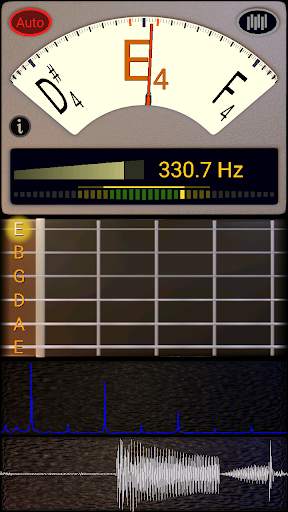
PitchLab Guitar Tuner (LITE) screenshot 1 PitchLab Guitar Tuner (LITE) screenshot 2 PitchLab Guitar Tuner (LITE) screenshot 3

Hands-free tuning for guitar and other acoustic instruments.
Designed for novices and pros, fully featured, 100% free.
PitchLab PRO now available: https://play.google.com/store/apps/details?id=com.musician.tuner
Unique features help you work out the chords to new tunes, visualize the pitch and consistency of the human voice, violin or other instrument, or answer the questions "what notes am I humming", "what are those chords", "am I hitting all the notes in tune", "is my vibrato consistent" etc. Select from a list of common instrument tunings or quickly create and manage your own using the built-in tuning editor.
Five separate visualization modes:
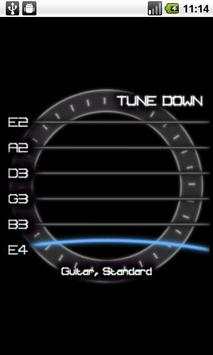
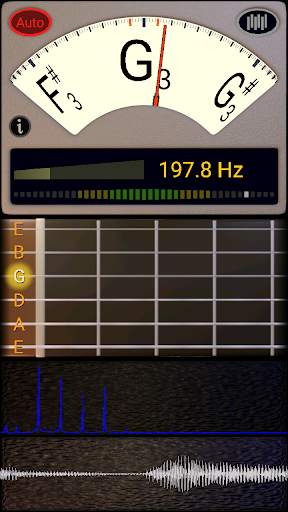
1) Instrument: Combination radial strobe and string/note indicators for easy instrument tuning.
Includes a database of common tunings for Guitar, Violin/Fiddle, Mandolin, Ukulele, Banjo, Bouzouki and Pedal Steel, plus a built-in editor for up to 100 user-defined instrument tunings.
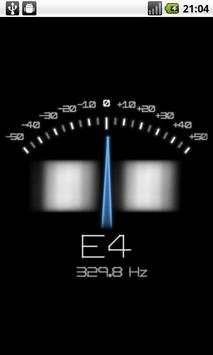
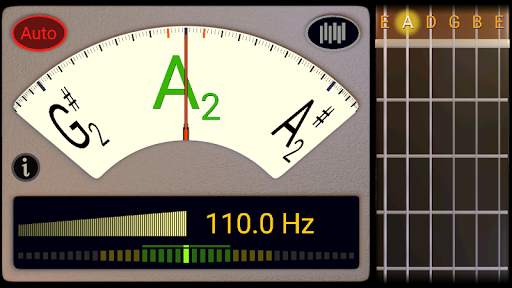
2) Dial & Strobe: Combination dial tuner and innovative linear strobe for rapid and extremely accurate hands-free instrument tuning (this linear strobe is a genuine implementation of the strobe-tuner concept, not a decorative imitation).
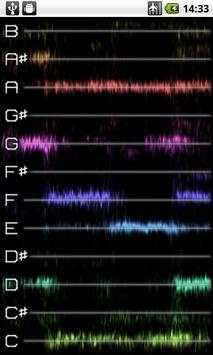
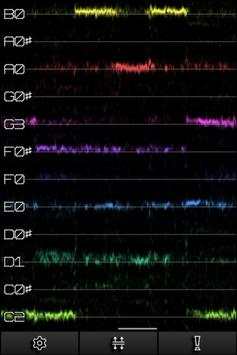
3) Spectrogram: Scrolling display of live sound analysis, showing the perceived pitch of a wide range of sound types (including human voices and singing).
4) Chords: Grid-based estimation display of common chord types (maj/min, maj7/min7, dom7/dim7), ideal for quickly determining the 'strum along' chords for a tune where the chords are reasonably clear.
5) BigStrobe: A large, single strobe display, optimized for small screen devices.
These visualization modes are easily accessed by swiping the screen left/right or by pressing & holding the tuner display to get a pop-up view selection menu.
User-selectable options are accessed via the MENU button or the pop-up view selection menu and include support for custom temperaments.
Please rate or review, check for updates regularly and email pitchlabapp@gmail.com to report issues for quick resolution.
Example instrument tunings:
Guitar, Standard
Guitar, Drop D
Guitar, Open D
Guitar, Open G
Guitar, Open A
Guitar, Lute
Guitar, Irish
Bass Guitar, (4 String), Standard
Bass Guitar, (5 String), Low B
Bass Guitar, (5 String), Low E
Bass Guitar, (6 String), Standard
Violin: Standard, Tenor
Viola: Standard
Fiddle: Standard, Cajun, Open G, Sawmill, Gee-dad, Open D, High bass, Cross tuning, Calico
Mandolin: Standard, Octave
Ukulele: Standard, D6/Soprano, Tenor, Baritone, Bass
Banjo (5 string): Standard/Open G, C tuning, Double C, Sawmill, Open D, Guitar, Willie Moore, Dock Boggs (Low C), Dock Boggs (Low D), Cumberland Gap, G Minor, Open C
Banjo: Plectrum, Tenor Standard, Tenor Irish, Long neck
Bouzouki: 8 string, 6 string
Pedal Steel: Standard/E9th, C6th, A7th, C Diatonic

...

👉 For More Detail of PitchLab Guitar Tuner (LITE)

#2 PitchLab Guitar Tuner (PRO)

PitchLab Guitar Tuner (PRO)
Rating: star 4.9 | Version: 1.0.20 | Size: 5.3MB
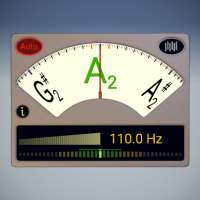
PitchLab Guitar Tuner (PRO) screenshot 1 PitchLab Guitar Tuner (PRO) screenshot 2 PitchLab Guitar Tuner (PRO) screenshot 3

Awesome guitar & chromatic tuner for free or upgrade for advanced functionality. Designed for novices and pros, fully featured, easy to use.
This is *NOT* the old PitchLab tuner app, it is a ground-up rework of everything that was in the old app, plus improved accuracy, multi-core support for fast, smooth tuning response, increased spectrogram resolution and multi-view tuning. Old tuning views have been merged to improve usability and completely new tuning views have been added, along with improved temperament, calibration, transposition support and user-interface design.
Live demos of all the tuning screens are built into the app (go to the in-app shopping screen and tap on the thumbnail images).
Unique features help you work out the chords to new tunes, visualize the pitch and consistency of the human voice, violin or other instrument, or answer the questions "what notes am I humming", "what are those chords", "am I hitting all the notes in tune", "is my vibrato consistent" etc.
Multiple visualization modes:
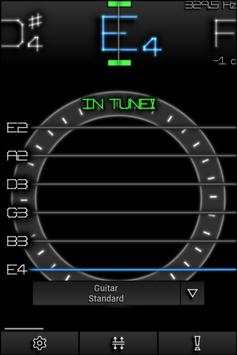
Instrument: Combination chromatic ribbon tuner and string/note display for easy instrument tuning. Includes standard Guitar tuning for free with a custom tuning editor and database of common tunings for Guitar, Violin/Fiddle, Mandolin, Ukulele, Banjo, Bouzouki and Pedal Steel available as an upgrade.
Stage Tuner: A large, clear tuning display, optimized for hands-free operation at a distance and incorporating a true radial and waterfall strobe for unbeatable fine-tuning accuracy and responsiveness. Tap the display to change modes.
Chord Matrix (upgrade): Grid-based estimation display of common chord types (maj/min, maj7/min7, dom7/dim7), ideal for quickly determining the 'strum along' chords for a tune where the chords are reasonably clear.
Pitch Spectrogram (upgrade): Scrolling display of live sound analysis, showing the perceived pitch of a wide range of sound types (including human voices and singing).
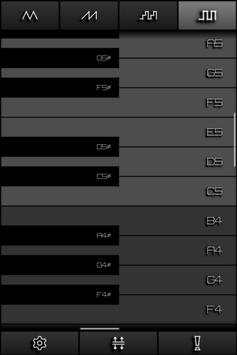
Tone Generator (upgrade): An 8-octave, polyphonic keyboard display that enables you to play reference notes in the musical scale. Includes a selection of tone waveform types and the ability to quickly switch between single-note or multi-note mode.
Strobe Tuner (upgrade): A true 6-band, multi-mode strobe display combined with a chromatic ribbon tuner for rapid and extremely accurate hands-free instrument tuning. Tap the display to change modes.
Split Screen (upgrade): Split the screen and use any two tuning views at the same time (e.g. Pitch Spectrogram plus Chord Matrix for transcription work). Please note, this upgrade is only recommended for tablets or devices with large screens and only for users who have purchased one or more tuner view upgrades.
These visualization modes are easily accessed by swiping the screen left/right (or up/down, depending on the screen orientation). When available, split-screen mode is enabled/disabled by pressing a toggle button on the main display.
Please rate or review, check for updates regularly and email pitchlabapp@gmail.com to report issues for quick resolution.

...

👉 For More Detail of PitchLab Guitar Tuner (PRO)

#3 Guitar Tuner

Guitar Tuner
Rating: star 4.0 | Version: 1.60 | Size: 3.6MB
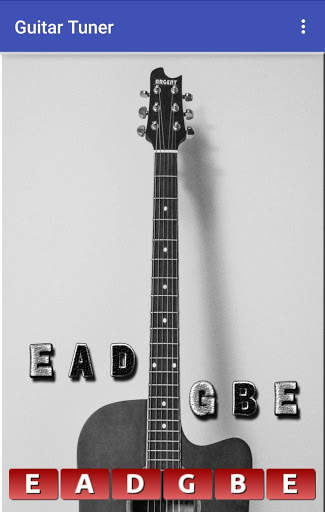
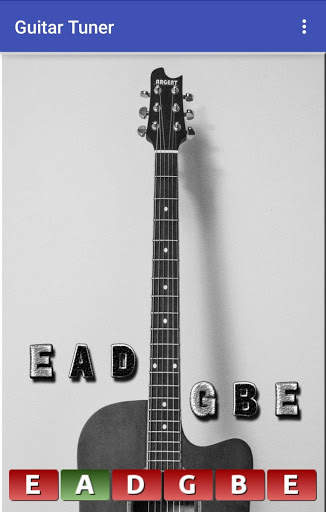
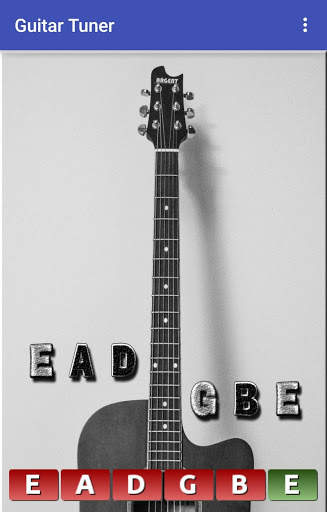
Guitar Tuner screenshot 1 Guitar Tuner screenshot 2 Guitar Tuner screenshot 3

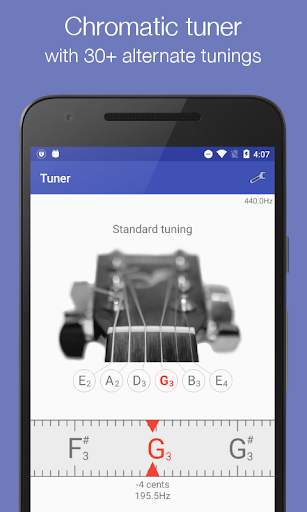
L'accordeur de guitare simple.Application à écran unique qui démarre en mode Tune Auto.Exécutez simplement l'application, appuyez sur une chaîne et commencez à régler votre guitare.Écoutez la région orange pour de bons résultats ou verts pour la perfection.
Cette application utilise votre microphone pour détecter la chaîne en cours de lecture et indiquer si vous devez vous régler ou descendre.
La fonction de tuyau de pas également incluse.
La guitare EADGBE standard (non implémentée pour les appareils à très petits écrans) indique que la note actuelle est jouée ou permet une sélection rapide de notes en mode manuel.
La plage de réglage de 30 Hz (B0) à 4186Hz (C8), il peut également être utilisée pour régler d'autres instruments à cordes.

...

👉 For More Detail of Guitar Tuner

#4 Guitar Tuner

Guitar Tuner
Rating: star 4.4 | Version: 2.5.1 | Size: 9.1MB
Guitar Tuner screenshot 1 Guitar Tuner screenshot 2 Guitar Tuner screenshot 3

en cents).
• Facile à utiliser pour les débutants et les experts.
• Assurez chaque chaîne de votre guitare.
• Détection automatique des chaînes réglées.
• Écoutez le son de réglage réel en cliquant surle nom de la note.
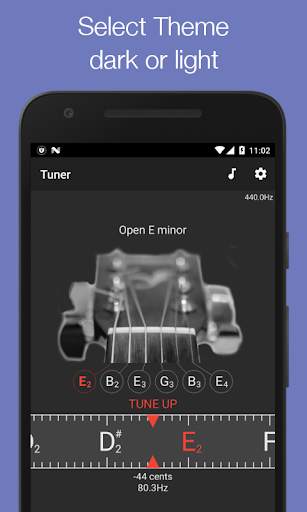
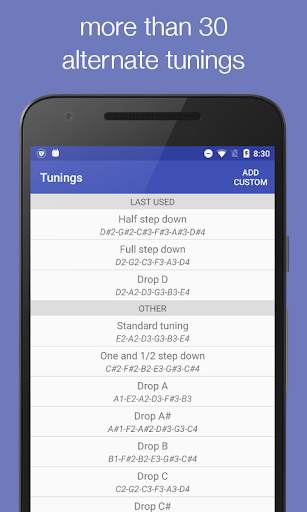
• Utilisez l'un des 30 réglages de guitare alternatifs intégrés (ouvert, abandonné, double abandonné, mineurs, quatrième ...) ou créez votre propre réglage personnalisé.
Cliquez sur leRemarque Nom pour entendre le son de la chaîne réel.De cette façon, vous pouvez régler votre guitare à l'oreille, revenir en mode automatique, puis vérifier à quel point vos oreilles sont bonnes.
.Aucune formation n'est nécessaire pour commencer à utiliser cette application de réglage de la guitare.Sur cette application, vous pouvez basculer entre plusieurs modes de réglage ou même créer votre propre mélodie personnalisée.Vous pouvez parfaitement régler votre guitare pour toutes les notes sonores.Que vous souhaitiez régler votre propre guitare ou aider vos amis à régler leurs guitares, cette application de réglage de la guitare devient vraiment utile car elle s'intègre dans votre smartphone et est vraiment facile à utiliser.Et il est gratuit de télécharger et d'utiliser.
Les accords les plus courants avec les doigtés et les tons de chaîne comme référence rapide.
Cette application de tuner de guitare est un outil parfait pour les débutants et les guitaristes professionnels.L'application est très facile à utiliser et aide à régler votre guitare avec les mêmes sons de chaîne que le son de l'application.En utilisant cette application de tuner, vous pouvez obtenir une qualité sonore impressionnante et un moyen efficace d'ajuster les chaînes en fonction de votre guitare acoustique.

...

👉 For More Detail of Guitar Tuner

#5 Guitar Tuner

Guitar Tuner
Rating: star 3.1 | Version: 1.0.2 | Size: 2.8MB
Guitar Tuner screenshot 1 Guitar Tuner screenshot 2 Guitar Tuner screenshot 3

Si vous êtes amoureux de la musique et que vous souhaitez jouer, mais votre guitare n'est pas adaptée, vous avez la demande qui peut vous aider à accorder parfaitement votre guitare.Avec Guitar Tuner, vous pouvez accorder votre guitare à tout moment, n'importe où.Facile à utiliser, cette application rendra parfaitement votre instrument.
Tuner de guitare est un outil gratuit conçu pour le réglage de guitare EADGBE standard.
Comment ça marche
Appuyez sur le bouton qui représente la chaîne que vous souhaitez entendre et après cela, utilisez votre oreille pour obtenir l'harmonie parfaite avec votre son de guitare.
Ainsi, concentrez-vous sur votre instrument et cette application vous aidera à obtenir des sons précis pour votre guitare.
Bonne chance!

...

👉 For More Detail of Guitar Tuner

Search Results

1/7

You may like

DOWNLOAD IS NOT SUPPORTED IN WEB STORE!
Use the latest version of 9Apps to download APK&OBB file of games in one click!
DOWNLOAD 9APPS