wifi password ip dns on 9Apps

Free download latest wifi password ip dns for Android here and enjoy it with your phone. Below you can download a list of top and latest apps related to wifi password ip dns . 9APPS is a fast, safe app store. With 9APPS, you can save a lot of time on searching and downloading apps.

#1 WiFi Password, IP, DNS

WiFi Password, IP, DNS
Rating: star 4.0 | Version: 1.3.6 | Size: 2.7MB
WiFi Password, IP, DNS screenshot 1 WiFi Password, IP, DNS screenshot 2 WiFi Password, IP, DNS screenshot 3

ROOT REQUIRED! ROOT REQUIRED to see the password!
* It shows password of all Wifi networks you have connected Wifi only. This is not a hack tool.
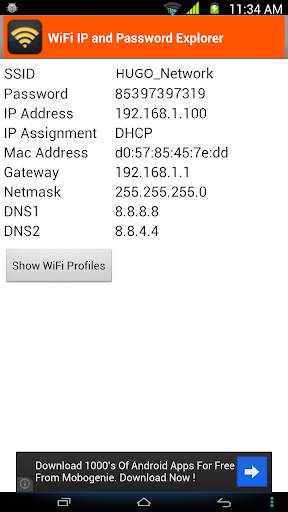
Sometimes your friends want to use your home Wi-fi connection but you can have a problem if you forget your own password. This app will help you out in this situation. It can also display the passwords of all Wi-fi profiles on your device.
MAIN FEATURES:
1. Remember/Display Wi-fi SSID and DHCP Info (IP address, gateway, DNS) of all Wi-Fi networks you will connect to. This is very helpful when your device cannot obtain IP address via DHCP and you have to configure Wi-fi using static IP. Based on this info, you can use
Wifi settings
to configure the Wi-fi network for your device.
2. Display the connected Wi-fi's password.
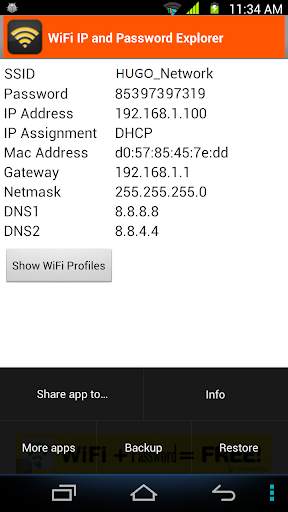
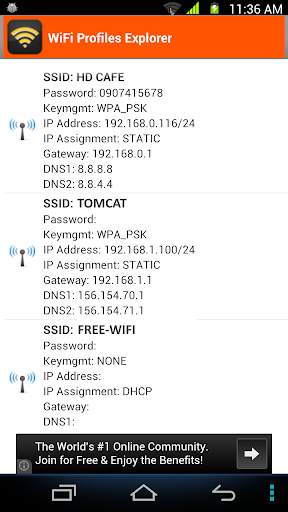
3. List out all Wi-fi profiles on your devices. You can select one or all Wi-fi profiles and share it to everyone via email, SMS, .... You can also copy them to file that is located at /storage/emulated/0/htmt/wifipassword
4. Backup all Wifi profiles to /storage/emulated/0/htmt/wifipassword/wifiprofile.lnz
5. Restore all Wifi profiles from /storage/emulated/0/htmt/wifipassword/wifiprofile.lnz. You can use this wifiprofile.lnz to restore to other device.
NOTES:
* If you have already installed my app and realized that your device has not been rooted yet, please don't rate 1*. There is the only one way I can retrieve the Wi-fi password info that is I need to have root permission. Thank you for your installation.

...

👉 For More Detail of WiFi Password, IP, DNS

#2 WiFi Settings (dns,ip,gateway)

WiFi Settings (dns,ip,gateway)
Rating: star 4.3 | Version: 1.3.4 | Size: 2.7MB
WiFi Settings (dns,ip,gateway) screenshot 1 WiFi Settings (dns,ip,gateway) screenshot 2 WiFi Settings (dns,ip,gateway) screenshot 3

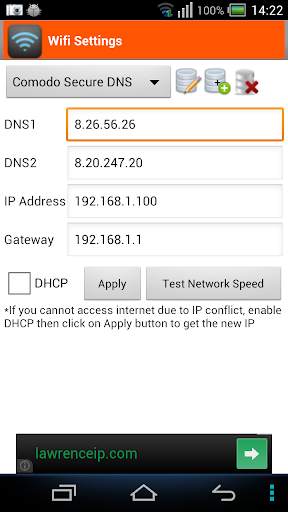
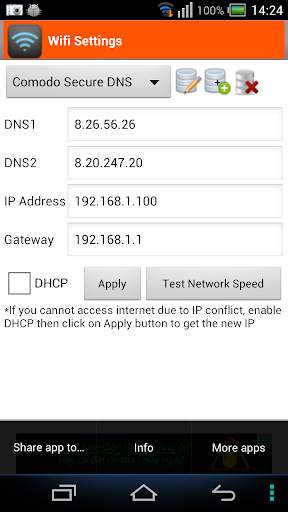
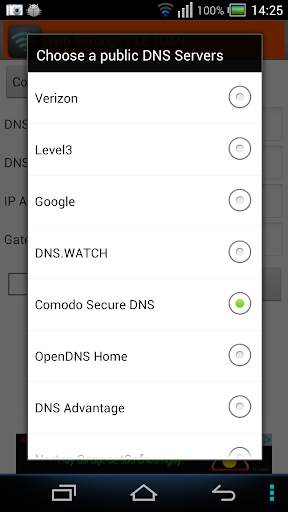
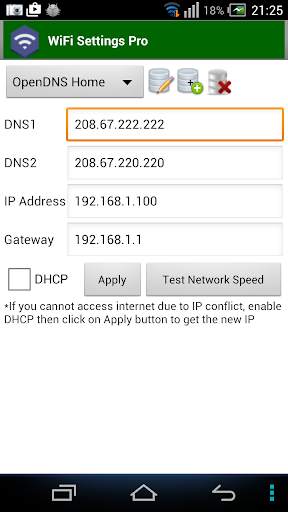
This app enables you to access the blocked sites by using some free DNS servers. If your device is unable to obtain IP address, let use this app. This app works perfectly on Android 2.3 and up. It supports for Android 5.x Lollipop too. On android 6.x, please use
https://play.google.com/store/apps/details?id=htmt.rootdnssettings
When you have changed the DNS successfully, you can check the network speed by clicking on "Test Network Speed" button. It help you find out the best DNS server for your network.
* Why using free DNS servers?
- Speed up internet browsing
- Be able to access to blocked websites
* Main features:
- Change IP address
- Change Gateway
- Change DNS
- Add/Update/Remove DNS: You can add a new DNS server to the DNS List. You can also update/remove the DNS that you added to the list.
- Test Network speed
* FAQ 1. How to change the DNS and use the static IP
Step 1: Turn on Wifi then launch this app.
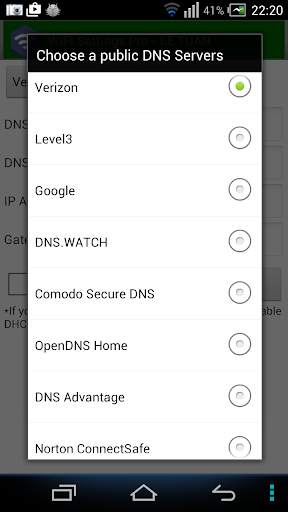
Step 2: Choose any DNS then click on Apply button. That's all.
* FAQ 2. How to change back to the original DNS
In case you don't want to use custom DNS anymore, please check on "DHCP" then click on Apply button.
* FAQ 3. You are connected to the network but cannot access the internet, what's wrong?
Your IP device may conflict with another device in your network. In order to get a new IP, check on the "DHCP" then click on Apply button. After restarting the Wifi connection successfully, you will get the new IP address. At that time, you can change the DNS manually as shown in FAQ1.
* Notes:
- This app does NOT require root permission.
- This app only works on IPv4 Wifi networks.
- The DNS changes takes effect permanently even after reboot
- Each SSID gets it's own setting, so you can default to your home or work router's setting (which you've already set the way you want). Just remember to set it the first time you use a new access point.

...

👉 For More Detail of WiFi Settings (dns,ip,gateway)

#3 Wifi password IP, DNS (Scanner, Manager)

Wifi password IP, DNS (Scanner, Manager)
Rating: star 3.0 | Version: 1.3.6 | Size: 2.7MB
Wifi password IP, DNS (Scanner, Manager) screenshot 1 Wifi password IP, DNS (Scanner, Manager) screenshot 2 Wifi password IP, DNS (Scanner, Manager) screenshot 3

This application shows password of all Wifi networks you have connected Wifi only. This is not a hack tool.
Sometimes your friends want to use your home Wi-fi connection but you can have a problem if you forget your own password. This app will help you out in this situation. It can also display the passwords of all Wi-fi profiles on your device.
MAIN FEATURES:
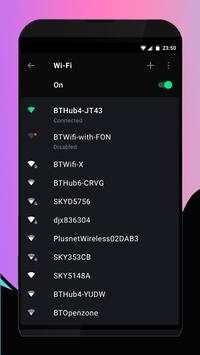
1. Remember/Display Wi-fi SSID and DHCP Info (IP address, gateway, DNS) of all Wi-Fi networks you will connect to. This is very helpful when your device cannot obtain IP address via DHCP and you have to configure Wi-fi using static IP. Based on this info, you can use Wifi settings to configure the Wi-fi network for your device.
2. Display the connected Wi-fi's password.
3. List out all Wi-fi profiles on your devices. You can select one or all Wi-fi profiles and share it to everyone via email, SMS, .... You can also copy them to file that is located at /storage/emulated/0/htmt/wifipassword
4. Backup all Wifi profiles to /storage/emulated/0/htmt/wifipassword/wifiprofile.lnz
5. Restore all Wifi profiles from /storage/emulated/0/htmt/wifipassword/wifiprofile.lnz. You can use this wifiprofile.lnz to restore to other device.
NOTES:
* If you have already installed my app and realized that your device has not been rooted yet, please don't rate 1*. There is the only one way I can retrieve the Wi-fi password info that is I need to have root permission. Thank you for your installation.
IMPORTANT
This app is not for hacking or cracking any kind of Wifi Password any kind of misuse of this app, developers will not be responsible.

...

👉 For More Detail of Wifi password IP, DNS (Scanner, Manager)

#4 WiFi Info-IP,DNS

WiFi Info-IP,DNS
Rating: star 3.0 | Version: 1 | Size: 1.3MB
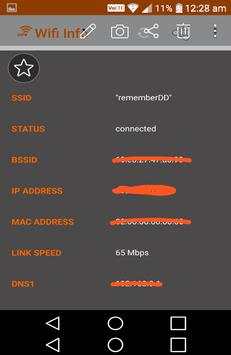
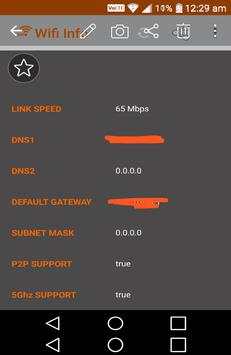
WiFi Info-IP,DNS screenshot 1 WiFi Info-IP,DNS screenshot 2 WiFi Info-IP,DNS screenshot 3

Wifi,IP,DNS information view app.
connected wifi info ip,dns view app.
-wifi info view
IP
DNS
SSID
BSSID
ip adress,ip config view in this wifi information app

...

👉 For More Detail of WiFi Info-IP,DNS

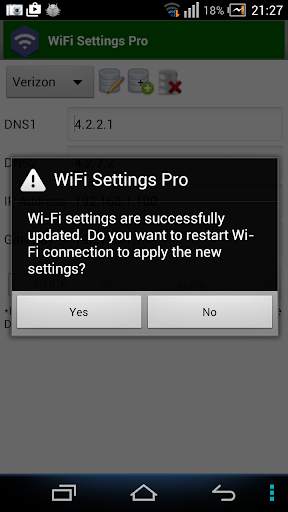
#5 WiFi Settings (DNS,IP,..) PRO

WiFi Settings (DNS,IP,..) PRO
Rating: star 4.1 | Version: 1.2.7 | Size:
WiFi Settings (DNS,IP,..) PRO screenshot 1 WiFi Settings (DNS,IP,..) PRO screenshot 2 WiFi Settings (DNS,IP,..) PRO screenshot 3

Esta aplicación le permite acceder a los sitios bloqueados utilizando algunos servidores DNS gratuitos. Si su dispositivo no puede obtener la dirección IP, deje que use esta aplicación. Esta aplicación funciona perfectamente en Android 2.3 y más. Es compatible con Android 5.x Lollipop también. En Android 6.x, use
https://play.google.com/store/apps/ Detalles? ID = htmt.rootdnsettings
. Hay
No hay anuncios de banner
en la versión de configuración de WiFi (DNS, IP) Pro.
Cuando haya cambiado con éxito el DNS, puede verificar la velocidad de la red haciendo clic en el botón "Prueba de velocidad de red". Le ayuda a averiguar el mejor servidor DNS para su red.
Debe intentar usar el estándar
Configuración de WiFi
Aplicación y compruebe que funciona en su dispositivo primero!
* ¿Por qué usar servidores DNS gratis?
- Acelerar la navegación por Internet
a los sitios web bloqueados
* Características principales:
puede agregar un nuevo servidor DNS a la lista DNS. También puede actualizar / eliminar el DNS que agregó a la lista.
- Permita que el usuario pruebe la velocidad de la red
* Preguntas frecuentes 1. Cómo cambiar el DNS y use el paso de la IP estática. 1: Encienda WiFi y luego inicie esta aplicación.
Paso 2: Elija cualquier DNS y luego haga clic en Aplicar el botón. Eso es todo.
* Preguntas frecuentes 2. Cómo cambiar de nuevo a la DNS original de
En caso de que ya no desea usar DNS personalizado, marque "DHCP" y luego haga clic en Aplicar botón.
* Preguntas frecuentes 3. Está conectado a la red, pero no puede acceder a Internet, ¿qué está mal? Para obtener una nueva IP, verifique el "DHCP", haga clic en Aplicar botón. Después de reiniciar la conexión WiFi con éxito, obtendrá la nueva dirección IP. En ese momento, puede cambiar el DNS manualmente como se muestra en FAQ1.
* Notas:
- Esta aplicación no requiere permiso de root.
- Esta aplicación solo funciona en las redes WiFi IPv4.
- Los cambios DNS tienen efecto Permanentemente incluso después de reiniciar
: cada SSID obtiene su propio entorno, por lo que puede predeterme en la configuración de su hogar o en el enrutador de trabajo (que ya ha establecido la forma en que desea). Solo recuerde configurarlo la primera vez que use un nuevo punto de acceso.

...

👉 For More Detail of WiFi Settings (DNS,IP,..) PRO

Search Results

1/1

You may like

DOWNLOAD IS NOT SUPPORTED IN WEB STORE!
Use the latest version of 9Apps to download APK&OBB file of games in one click!
DOWNLOAD 9APPS