








DOWNLOAD IS NOT SUPPORTED IN WEB STORE!
Use the latest version of 9Apps to download APK&OBB file of games in one click!
DOWNLOAD 9APPS
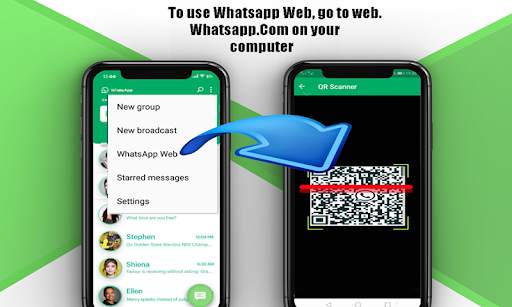
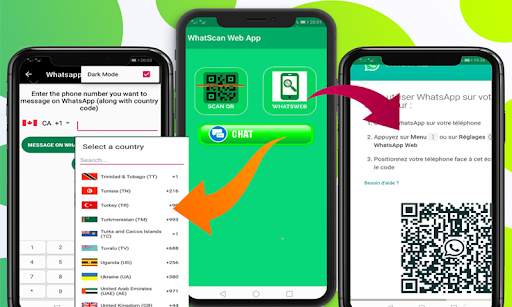
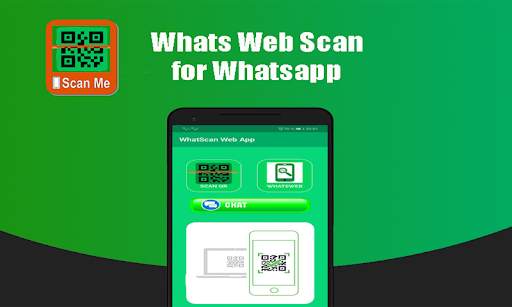
Whats Web Scanner app automatically updates and syncs all chats from your linked Whats web app. You can read all messages and replay them using the Whats web scanner.
Follow the steps below to start Easy Scanner with What’s Clone method and use Whats Web Scan on your device to see what is on your device.
1. Start the Whats Web Scan to Clone (WhatsApp) application on your phone and switch to the "Whats Web Scan" tab. Wait for the QR code to appear
2. Start WhatsApp on another phone
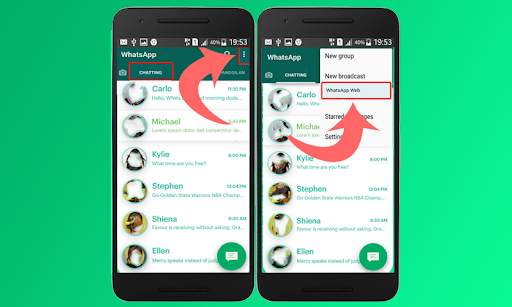
3. Open the menu on the right in the "Chats" tab of your mobile phone and select the "WhatsApp Web" menu item.
4. Scan the QR code with the cell phone camera
5. The connection is established
6. Done from now on, you will receive all your messages on your phone
Disclaimer: Whats Web Scanner is created by us, and it is not an official WhatsApp application and is not associated with WhatsApp Inc. The WhatsApp keyword is copyrighted by WhatsApp Inc.





Add New Caption Statuses
To share Caption Statuses to your friends and family and others.
Rate App & keep in touch and keep updating with Us..
Enjoy and share App to Your friends.


