wifi password ip dns on 9Apps

Free download latest wifi password ip dns for Android here and enjoy it with your phone. Below you can download a list of top and latest apps related to wifi password ip dns . 9APPS is a fast, safe app store. With 9APPS, you can save a lot of time on searching and downloading apps.

#1 WiFi Password, IP, DNS

WiFi Password, IP, DNS
Rating: star 4.0 | Version: 1.3.6 | Size: 2.7MB
WiFi Password, IP, DNS 1 تصوير الشاشة WiFi Password, IP, DNS 2 تصوير الشاشة WiFi Password, IP, DNS 3 تصوير الشاشة

ROOT REQUIRED! ROOT REQUIRED to see the password!
* It shows password of all Wifi networks you have connected Wifi only. This is not a hack tool.
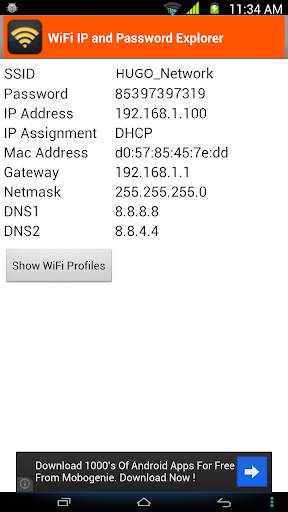
Sometimes your friends want to use your home Wi-fi connection but you can have a problem if you forget your own password. This app will help you out in this situation. It can also display the passwords of all Wi-fi profiles on your device.
MAIN FEATURES:
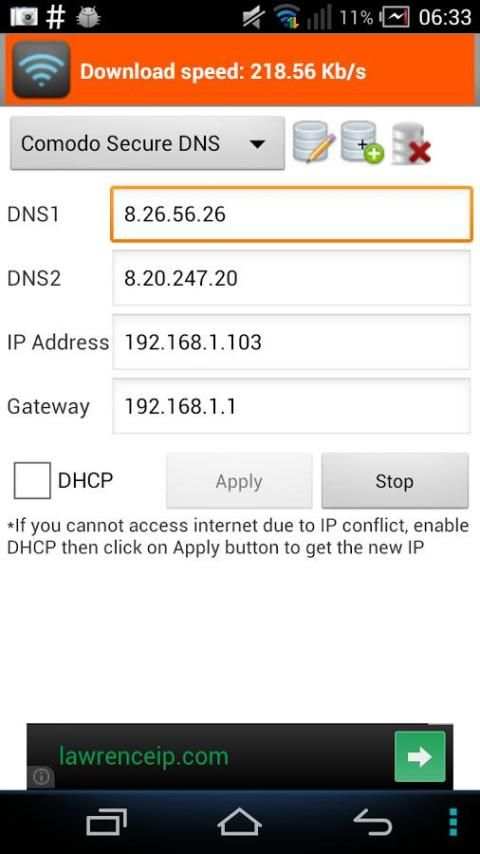
1. Remember/Display Wi-fi SSID and DHCP Info (IP address, gateway, DNS) of all Wi-Fi networks you will connect to. This is very helpful when your device cannot obtain IP address via DHCP and you have to configure Wi-fi using static IP. Based on this info, you can use
Wifi settings
to configure the Wi-fi network for your device.
2. Display the connected Wi-fi's password.
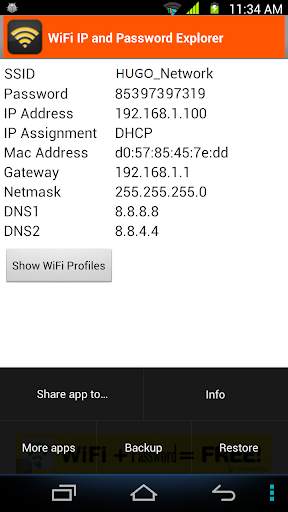
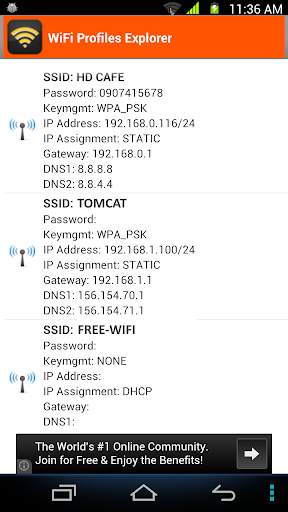
3. List out all Wi-fi profiles on your devices. You can select one or all Wi-fi profiles and share it to everyone via email, SMS, .... You can also copy them to file that is located at /storage/emulated/0/htmt/wifipassword
4. Backup all Wifi profiles to /storage/emulated/0/htmt/wifipassword/wifiprofile.lnz
5. Restore all Wifi profiles from /storage/emulated/0/htmt/wifipassword/wifiprofile.lnz. You can use this wifiprofile.lnz to restore to other device.
NOTES:
* If you have already installed my app and realized that your device has not been rooted yet, please don't rate 1*. There is the only one way I can retrieve the Wi-fi password info that is I need to have root permission. Thank you for your installation.

...

👉 For More Detail of WiFi Password, IP, DNS

#2 WiFi Settings (dns,ip,gateway)

WiFi Settings (dns,ip,gateway)
Rating: star 4.3 | Version: 1.3.4 | Size: 2.7MB
WiFi Settings (dns,ip,gateway) 1 تصوير الشاشة WiFi Settings (dns,ip,gateway) 2 تصوير الشاشة WiFi Settings (dns,ip,gateway) 3 تصوير الشاشة

يتيح هذا التطبيق لك الوصول إلى المواقع المحجوبة باستخدام بعض ملقمات DNS الحرة. إذا كان جهازك غير قادر على الحصول على عنوان IP، دعونا استخدام هذا التطبيق. هذا التطبيق يعمل تماما على أندرويد 2.3 وما فوق. وهو يدعم لالروبوت 5.X المصاصة للغاية. على الروبوت 6.X، يرجى استخدام https://play.google.com/store/apps/details?id=htmt.rootdnssettings
عندما قمت بتغيير DNS بنجاح، يمكنك التحقق من سرعة الشبكة عن طريق النقر على زر "اختبار سرعة الشبكة". انها تساعدك على معرفة خادم أفضل DNS لشبكة الاتصال.
* لماذا استخدام خوادم DNS المجانية؟
 - تسريع تصفح الإنترنت
 - أن يكون قادرا على الوصول إلى المواقع المحجوبة
* السمات الرئيسية:
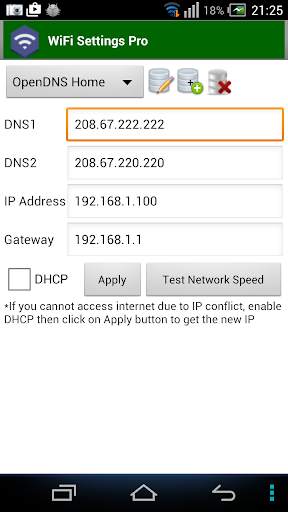
 - تغيير عنوان IP
 - تغيير العبارة
 - تغيير DNS
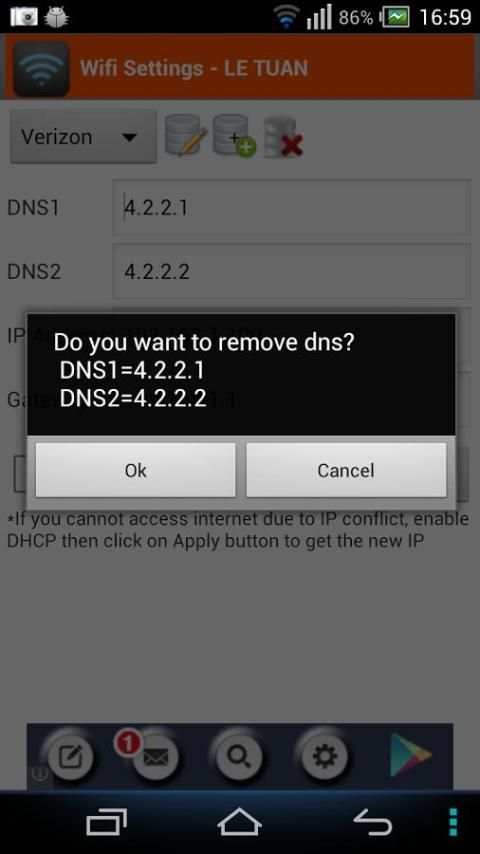
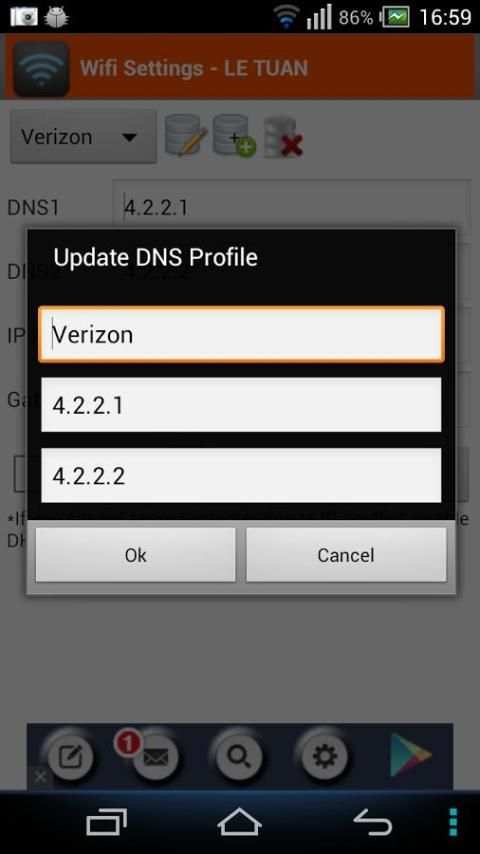
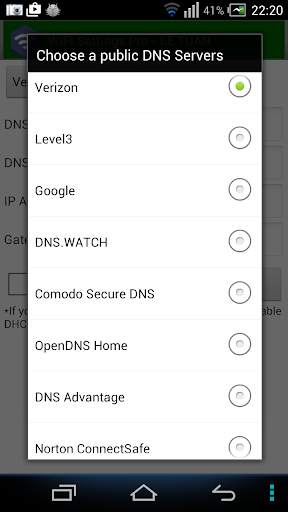
 - إضافة / تحديث / إزالة DNS: يمكنك إضافة ملقم DNS جديد إلى قائمة DNS. يمكنك أيضا تحديث / إزالة DNS التي قمت بإضافتها إلى القائمة.
 - سرعة الشبكة اختبار
* أسئلة وأجوبة 1. كيفية تغيير DNS واستخدام IP ثابت
  الخطوة 1: تشغيل واي فاي ثم إطلاق هذا التطبيق.
  الخطوة 2: اختر أي DNS ثم انقر على زر تطبيق. هذا كل شئ.
* التعليمات 2. كيفية تغيير إلى DNS الأصلي
  في حال كنت لا تريد استخدام DNS مخصصة بعد الآن، يرجى مراجعة على "DHCP" ثم انقر على زر تطبيق.
* التعليمات 3. أنت متصل على الشبكة ولكن لا يمكن الوصول إلى الإنترنت، ما هو الخطأ؟
  قد تتعارض جهاز الآي بي الخاص بك مع جهاز آخر في الشبكة. من أجل الحصول على IP جديد، تحقق من "DHCP" ثم انقر على زر تطبيق. بعد إعادة تشغيل اتصال واي فاي بنجاح، سوف تحصل على عنوان IP جديد. في ذلك الوقت، يمكنك تغيير DNS يدويا كما هو مبين في FAQ1.
* الملاحظات:
 - هذا التطبيق لا يحتاج إذن الجذر
 - هذا التطبيق يعمل فقط على شبكات واي فاي عناوين IPv4.
 - التغييرات DNS نافذا بشكل دائم حتى بعد إعادة التشغيل
 - كل SSID يحصل عليها من إعداد الخاصة، حتى تتمكن من الافتراضي إلى منزلك أو إعداد جهاز التوجيه العمل (والذي كنت قد وضعت بالفعل بالطريقة التي تريدها). فقط تذكر أن نضعها في المرة الأولى التي تستخدم نقطة وصول جديدة.

...

👉 For More Detail of WiFi Settings (dns,ip,gateway)

#3 Wifi password IP, DNS (Scanner, Manager)

Wifi password IP, DNS (Scanner, Manager)
Rating: star 3.0 | Version: 1.3.6 | Size: 2.7MB
Wifi password IP, DNS (Scanner, Manager) 1 تصوير الشاشة Wifi password IP, DNS (Scanner, Manager) 2 تصوير الشاشة Wifi password IP, DNS (Scanner, Manager) 3 تصوير الشاشة

This application shows password of all Wifi networks you have connected Wifi only. This is not a hack tool.
Sometimes your friends want to use your home Wi-fi connection but you can have a problem if you forget your own password. This app will help you out in this situation. It can also display the passwords of all Wi-fi profiles on your device.
MAIN FEATURES:
1. Remember/Display Wi-fi SSID and DHCP Info (IP address, gateway, DNS) of all Wi-Fi networks you will connect to. This is very helpful when your device cannot obtain IP address via DHCP and you have to configure Wi-fi using static IP. Based on this info, you can use Wifi settings to configure the Wi-fi network for your device.
2. Display the connected Wi-fi's password.
3. List out all Wi-fi profiles on your devices. You can select one or all Wi-fi profiles and share it to everyone via email, SMS, .... You can also copy them to file that is located at /storage/emulated/0/htmt/wifipassword
4. Backup all Wifi profiles to /storage/emulated/0/htmt/wifipassword/wifiprofile.lnz
5. Restore all Wifi profiles from /storage/emulated/0/htmt/wifipassword/wifiprofile.lnz. You can use this wifiprofile.lnz to restore to other device.
NOTES:
* If you have already installed my app and realized that your device has not been rooted yet, please don't rate 1*. There is the only one way I can retrieve the Wi-fi password info that is I need to have root permission. Thank you for your installation.
IMPORTANT
This app is not for hacking or cracking any kind of Wifi Password any kind of misuse of this app, developers will not be responsible.

...

👉 For More Detail of Wifi password IP, DNS (Scanner, Manager)

#4 WiFi Info-IP,DNS

WiFi Info-IP,DNS
Rating: star 3.0 | Version: 1 | Size: 1.3MB
WiFi Info-IP,DNS 1 تصوير الشاشة WiFi Info-IP,DNS 2 تصوير الشاشة WiFi Info-IP,DNS 3 تصوير الشاشة

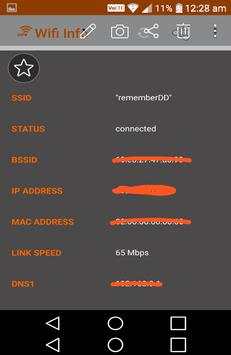
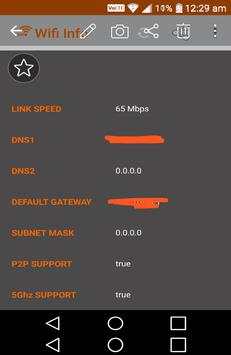
Wifi,IP,DNS information view app.
connected wifi info ip,dns view app.
-wifi info view
IP
DNS
SSID
BSSID
ip adress,ip config view in this wifi information app

...

👉 For More Detail of WiFi Info-IP,DNS

#5 WiFi Settings (DNS,IP,..) PRO

WiFi Settings (DNS,IP,..) PRO
Rating: star 4.1 | Version: 1.2.7 | Size:
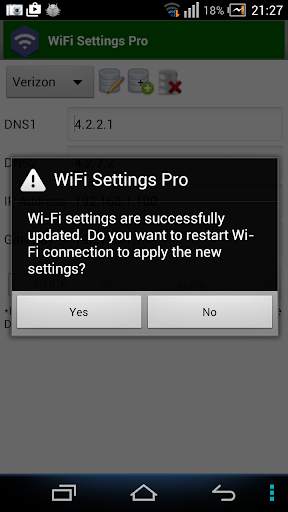
WiFi Settings (DNS,IP,..) PRO 1 تصوير الشاشة WiFi Settings (DNS,IP,..) PRO 2 تصوير الشاشة WiFi Settings (DNS,IP,..) PRO 3 تصوير الشاشة

يتيح لك هذا التطبيق الوصول إلى المواقع المحظورة باستخدام بعض خوادم DNS المجانية. إذا كان جهازك غير قادر على الحصول على عنوان IP، فليكن هذا التطبيق. يعمل هذا التطبيق تماما على Android 2.3 وما فوق. وهو يدعم مصاصة Android 5.x أيضا. على Android 6.x، يرجى استخدام
https://play.google.com/store/apps/ التفاصيل؟ معرف = htmt.rootdnssettings
. هناك لا توجد إعلانات Banner
في إصدار WiFi (DNS، IP) Pro.
عندما غيرت DNS بنجاح، يمكنك التحقق من سرعة الشبكة بالنقر فوق الزر "اختبار سرعة الشبكة". يساعدك في معرفة أفضل خادم DNS لشبكتك.
يجب أن تحاول استخدام المعيار
إعدادات WiFi
التطبيق وتحقق من أنه يعمل على جهازك أولا!
* لماذا استخدام خوادم DNS المجانية؟
- تسريع استعداد استعراض الإنترنت
- كن قادرا على الوصول إلى الإنترنت لحظر مواقع الويب
* الميزات الرئيسية:
- تغيير عنوان IP
- تغيير بوابة
- تغيير DNS
- إضافة / تحديث / إزالة DNS: يمكنك إضافة خادم DNS جديد إلى قائمة DNS. يمكنك أيضا تحديث / إزالة DNS التي أضفتها إلى القائمة.
- السماح للمستخدم باختبار سرعة الشبكة
* الأسئلة الشائعة 1. كيفية تغيير DNS واستخدام IP ثابت على الخطوة 1: تشغيل WiFi ثم قم بتشغيل هذا التطبيق.
الخطوة 2: اختر أي DNS ثم انقر فوق الزر "تطبيق". هذا كل شيء.
الأسئلة الشائعة 2. كيفية التغيير مرة أخرى إلى DNS الأصلي
في حال كنت لا ترغب في استخدام DNS المخصص بعد الآن، يرجى التحقق من "DHCP" ثم انقر فوق الزر "تطبيق".
الأسئلة الشائعة 3. أنت متصل بالشبكة ولكن لا يمكن الوصول إلى الإنترنت، ما الخطأ؟
قد يتعارض جهاز IP الخاص بك مع جهاز آخر في شبكتك. من أجل الحصول على IP جديد، تحقق من "DHCP"، ثم انقر فوق الزر "تطبيق". بعد إعادة تشغيل اتصال WiFi بنجاح، ستحصل على عنوان IP الجديد. في ذلك الوقت، يمكنك تغيير DNS يدويا كما هو موضح في FAQ1.
* ملاحظات:
- لا يتطلب هذا التطبيق إذن الجذر.
- يعمل هذا التطبيق فقط على شبكات IPv4 WiFi.
- تسري التغييرات DNS بشكل دائم حتى بعد إعادة التشغيل
- يحصل كل SSID على الإعداد الخاص به، بحيث يمكنك التقصير في إعداد منزلك أو إعداد جهاز التوجيه (الذي قمت بالفعل بتعيين الطريقة التي تريدها بالفعل). فقط تذكر أن تحددها في المرة الأولى التي تستخدم فيها نقطة وصول جديدة.

...

👉 For More Detail of WiFi Settings (DNS,IP,..) PRO

Search Results

1/1

You may like

DOWNLOAD IS NOT SUPPORTED IN WEB STORE!
Use the latest version of 9Apps to download APK&OBB file of games in one click!
DOWNLOAD 9APPS